Epson EcoTank ET-2850 Review: The Supertank That Skips the Setup Gamble
Updated
The EcoTank that fixes the one thing one-star reviews punish: setup. It connects first try, adds auto-duplex the base ET-2800 skips, and refills from bottle ink. Slow in color and still clogs if left idle — buy it if the cheaper 2800 is sold out or you need two-sided printing.
| Best for | Homes wanting EcoTank ink economy plus auto-duplex and an easy wireless setup |
|---|---|
| Skip if | You print rarely, need speed, or want photo-grade output |
| Ink | Cartridge-free bottle tanks — no subscription |
| Step up from 2800 | Auto 2-sided printing + color LCD |
| Owner rating | 4.2 / 5 across 13 reviews |
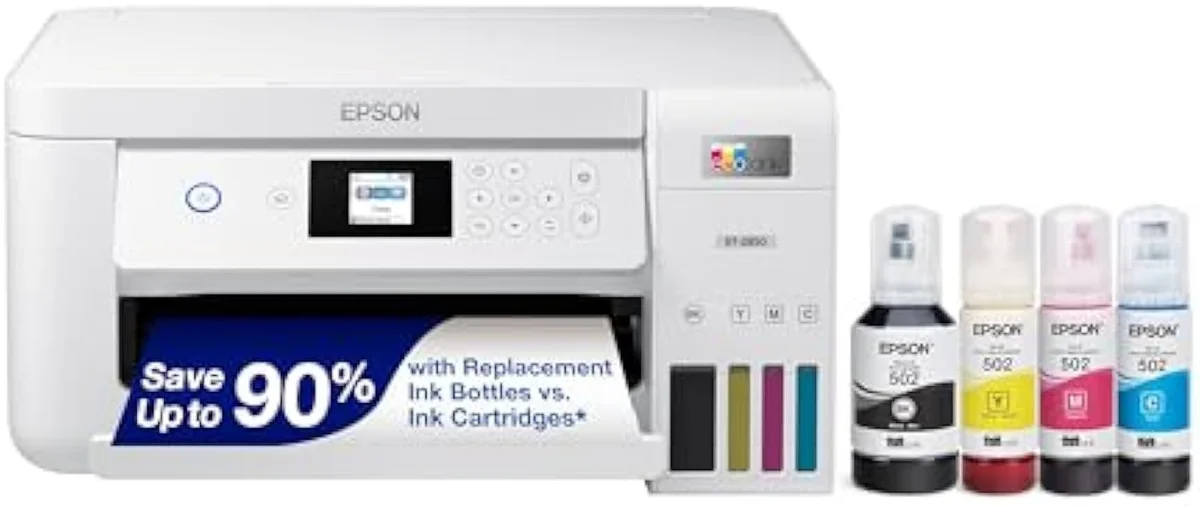
The ET-2800 with the friction sanded off: it adds auto-duplex and a wireless setup owners say connects first try, on the same refill-bottle economics — the EcoTank to buy if the cheaper 2800/2803 is sold out or you need two-sided printing.
Amazon prices and availability are refreshed live and are subject to change. The price shown on Amazon at purchase applies.
Video Review
We built this verdict from the 13 verified Amazon owner reviews of the Epson EcoTank ET-2850 (a 4.2-star average), the r/printers thread we mined, Epson's own published specifications, and independent printer testing from sources like RTINGS' lab-tested printer reviews. We don't run a print lab — we read the owner record closely and price the cost of ownership the box leaves off. We earn a commission if you buy through our links; it never changes the verdict. Read our full methodology →
Overview
The EcoTank that fixes the setup gamble
Every printer brand loses the same fight at the same place. Across HP, Canon, Brother and Epson, the angriest one-star reviews cluster on one moment — the wireless setup that never finishes — and print quality complaints sit a distant third. The ET-2850's whole pitch is that it wins that moment. It is a cartridge-free
That is the lens this site puts on every machine — not the sticker, but the cartridge-versus-tank math of what it actually costs to own over months, plus the odds of getting a first page out of it at all. The ET-2850 is the mid-rung of Epson's 28-series: a step up from the base ET-2800 and its twin the ET-2803, and a step below the ET-3850. The step it adds over those entry models is the one busy homes ask for first —
Across the 13 owner reviews and the r/printers thread we read, satisfaction skews heavily positive — enthusiasts outnumber critics, and where they split it is on speed, not output. The hinge is a moment owners are surprised to praise:
The dread with any wireless printer is the app that won't talk to it. On the ET-2850 it is the part people single out — one owner, surprised, reports:The epson app for my android is the first one that actually works with one click to print. The category's signature one-star complaint simply doesn't happen here — and that, more than the spec sheet, is what sells this machine.
Key Specifications
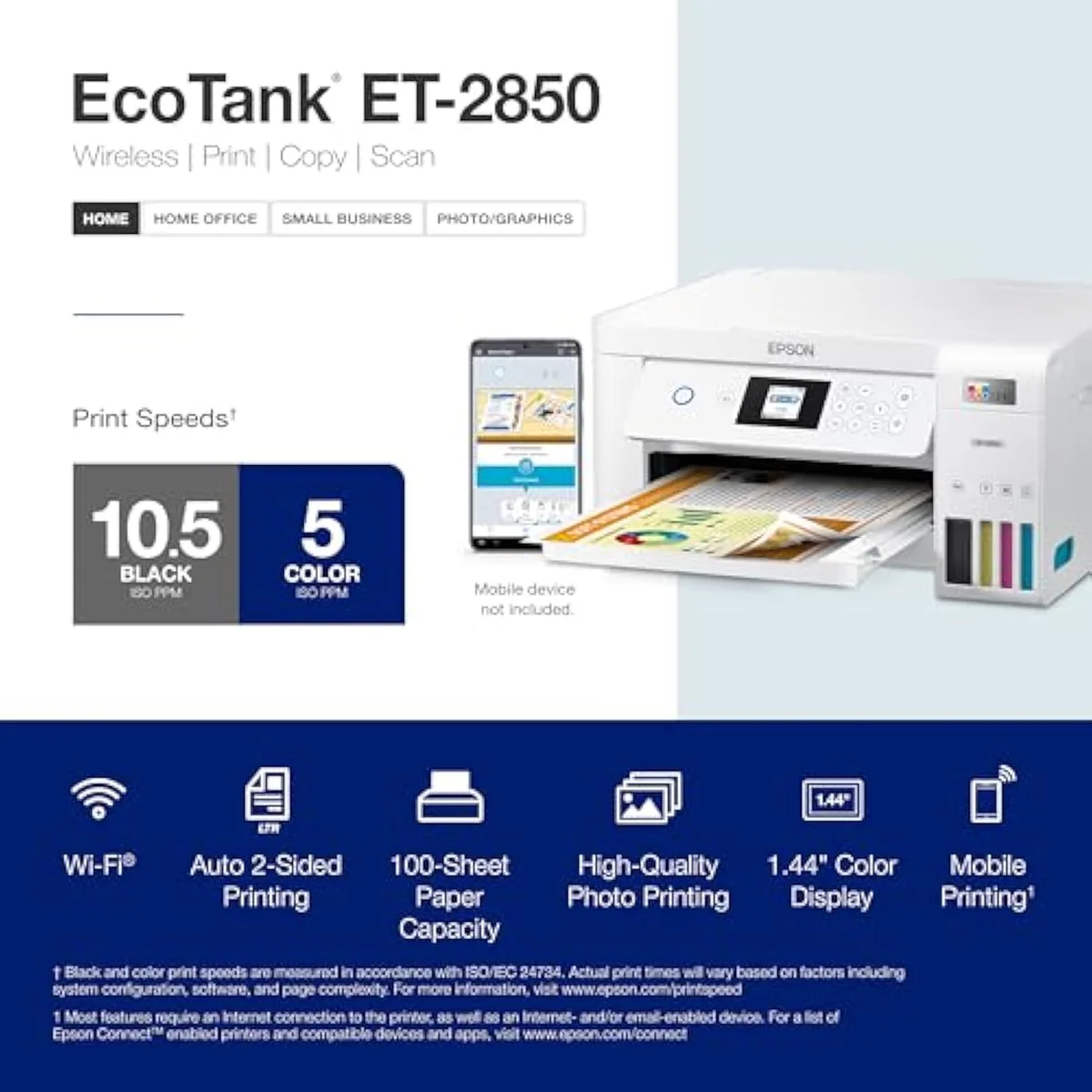
| Print Speed | Up to 10.5 ppm black / 5 ppm color |
| Functions | Print, Scan, Copy |
| Connectivity | Wi-Fi, AirPrint, Smart Panel app |
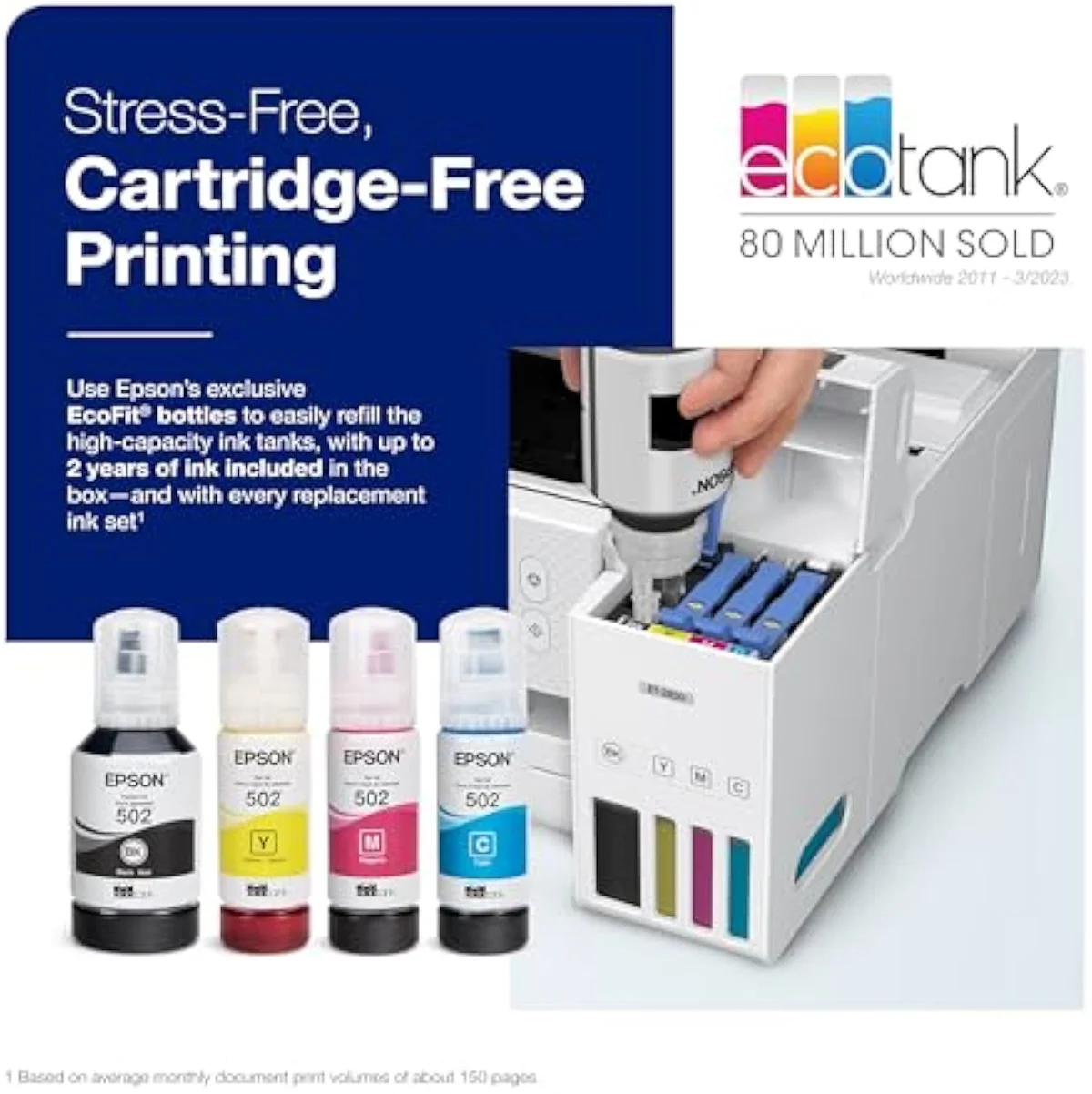
| Ink System | Cartridge-free refillable tanks |
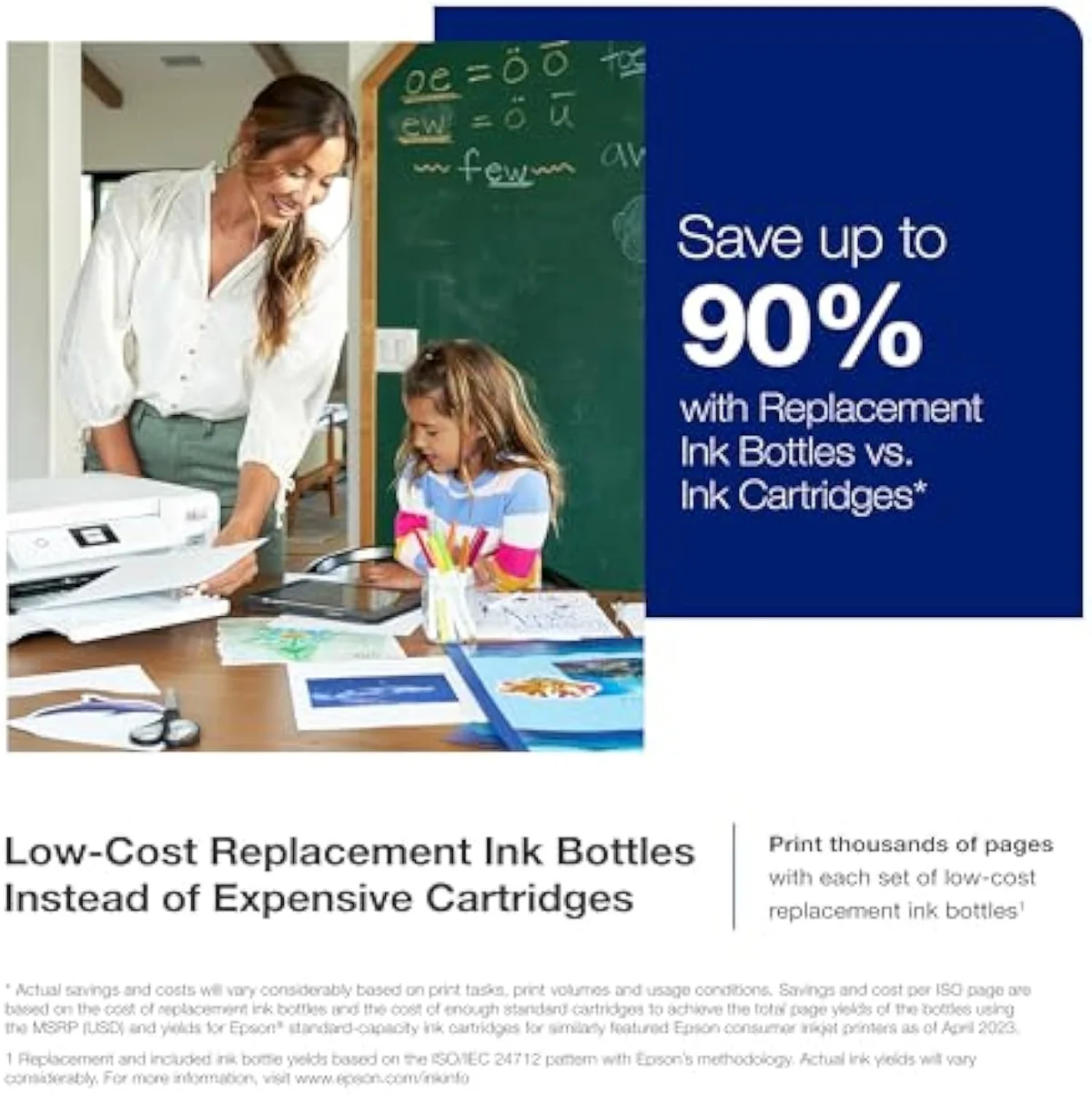
What the spec sheet buys over the ET-2800
It is a true color all-in-one that prints, scans and copies, built on Epson's cartridge-free tank system. On paper it runs
The real upgrade over the base 2800 is workflow. Auto two-sided printing is built in, and connectivity is broad: the listing
One office feature is weaker than the spec line reads. The auto document feeder sounds like a small-office win, but an owner found
Pros & Cons
Pros
- Cartridge-free bottle ink that owners say lasts and saves money
- Auto 2-sided printing the base ET-2800 leaves out
- Setup and the Smart Panel app that print on the first tap
Cons
- Slow in color — a 6-page duplex job can pass 20 minutes
- Heads need regular nozzle runs or they clog when idle
- Not a photo printer: dye inks, prints fade
Performance & Real-World Testing
When it prints, owners are happy
Print quality is the calm part of the record, and it is the most-cited praise theme across the review set, appearing in four reviews. One owner gets straight to it —
Where it drags: color speed
Now the cost of all that color: time. This is the loudest gripe in the community thread, and it is not subtle. One owner times
The dissent goes further on output, too. A Costco buyer returned theirs because
Value Analysis
Dear to buy, cheap to feed — if you feed it
Here's the thing about a supertank: the sticker is the expensive part, and the ink is where it pays you back. A budget cartridge printer wins at checkout and loses at the ink shelf; the ET-2850 does the reverse. Owners confirm the upside in plain terms, compared with the cartridge machines they left behind —
The other half of the value is what it doesn't charge you for. There is no subscription wall —
Independent testing backs the cost gap. RTINGS' independent cost-per-print and page-yield testing puts cartridge cost-per-page many times higher than bottle ink, and Consumer Reports' inkjet running-cost and reliability testing reaches the same verdict. A cartridge model is cheaper to buy and dearer to feed; a supertank is the reverse. The month the two lines cross is the month this machine starts winning — we run that fork across the whole catalog in our type-versus-type tradeoffs analysis.
THE GAP The yield claim mostly holds in the owner record — the cost-per-page case is real. What the rated number cannot promise is the ink burned on cleaning cycles when the machine sits idle.
The volume test, with a twist
So the value verdict splits on how much you print — and the ET-2850 adds a second axis the base 2800 doesn't: setup confidence. Print regularly and you get refill economics plus auto-duplex and a wireless setup that actually connects, which is worth a small premium over the bare 2800 to a household burned by a printer that wouldn't talk to a phone. Print rarely and you've paid a supertank premium for a machine that clogs while it waits. We grade every machine against that running-cost case in our inkjet printers evidence hub.
What to Expect Over Time
Living with it: fifteen easy minutes, then idle clogs
The first fifteen minutes are the easy part. Setting one up — tape off, ink filled, connected — takes
Idle clogging is the one that bites, and it surfaces over several weeks of a printer sitting unused rather than on day one. Liquid ink dries in the nozzles when an inkjet sits, and the heads gum up. The practical fix owners adopt is a standing reminder to run the printer often enough to exercise the nozzles and keep them from clogging — a weekly habit, not a one-off. Print something in color about once a week and it rarely bites; leave it dark for weeks and you meet a clog the evening you need a boarding pass. We track that idle-clog risk in our safety and known-risks guidance.
The build-quality dissent
The record isn't all praise, and the honest case names the low end of it. One Redditor calls
What ET-2850 shoppers check first
The owner record clusters tightly: praise for the easy setup, ink economy and print quality, frustration with color speed and idle clogs. These are the questions buyers raise most before checkout.
What is the difference between the Epson EcoTank ET-2800 and ET-2850?
Two things you can feel, on top of identical bottle-ink economics. The ET-2850 adds automatic two-sided printing, which the base ET-2800 leaves out, and it carries a small color LCD where the 2800 has a monochrome panel. Both pour the same high-capacity tanks, both print, scan and copy, and both hit the same page-yield ratings. So the ET-2850 is the one to buy if you want to print double-sided without flipping paper by hand, or if the cheaper 2800 and its twin ET-2803 are out of stock. If you never print two-sided and the 2800 costs less, the saving is real and the loss is small.
What are the downsides of the Epson EcoTank ET-2850?
Three, and only one is the printing. It is slow in color — one owner clocked a six-page two-sided job past twenty minutes. It is still an inkjet, so the printhead clogs when it sits idle and the machine spends ink on cleaning cycles to clear it. And the auto document feeder does not scan two-sided and stumbles on non-standard receipts, so it is a weaker office tool than the spec line suggests.
Is the Epson EcoTank ET-2850 a good printer?
For a household that prints regularly, yes. It earns its 4.2-star average across 13 reviews on print quality, ink economy and a wireless setup owners say works on the first try — the exact failure point that sinks rivals. The catch is speed and idle clogs. Print weekly or more and it is a strong pick; leave it dark for weeks and the heads gum up.
Does the Epson EcoTank ET-2850 do double-sided printing?
Yes — automatic two-sided printing is built in, and you switch it on from the print settings on a computer or phone. It is slow, though: color duplex is where owners report the longest waits.
Is the Epson EcoTank ET-2850 good for printing photos?
No. The community steer is blunt — it is not a photo printer, it does not use photo-grade inks, and prints fade. For pictures, owners point to a Canon PIXMA G620 for A4 or an Epson ET-8550 for A3. The ET-2850 is a document machine that happens to print color, not a photo lab.
Does the Epson EcoTank ET-2850 need a subscription?
No subscription, ever. You refill it with your own ink bottles, with none of the Instant Ink lock-in that pushes HP buyers away. Owners flag the no-subscription freedom and mess-free tanks as a core reason to pick it.
Who it's for
The setup-proof EcoTank, if speed isn't the priority
A household that prints weekly or more, wants two-sided printing, and has been burned by a printer that wouldn't connect gets the EcoTank that closes that gap: refill-bottle economics, auto-duplex the base model skips, and a wireless setup owners say works first try. The 4.2 average across our 13-review set rewards exactly that buyer.
The honest caveats are speed and idle time. It drags in color — a six-page duplex job past twenty minutes — and it clogs if left to sit. If your printing is mostly photos, the community is blunt:
Buy it for the setup escape and the ink savings, print often enough to keep the heads wet, and the cartridge tax is over.
The ET-2800 with the friction sanded off: it adds auto-duplex and a wireless setup owners say connects first try, on the same refill-bottle economics — the EcoTank to buy if the cheaper 2800/2803 is sold out or you need two-sided printing.
Best for: Home and small-office buyers who want EcoTank refill economics plus auto-duplex and a wireless setup that connects on the first try
Track the Epson EcoTank ET-2850
We check the price daily and monitor availability. You hear from us when something changes.
Only when something changes. Unsubscribe anytime.
Citations
- [1]"Prints up to 10.5 pages per minute"https://www.amazon.com/dp/B096N85ZHWCaptured June 4, 2026. Verified June 4, 2026.
- [2]"Prints at a 4800 x 1200 resolution"https://www.amazon.com/dp/B096N85ZHWCaptured June 4, 2026. Verified June 4, 2026.
- [3]"Auto 2-sided printing helps save"https://www.amazon.com/dp/B096N85ZHWCaptured June 4, 2026. Verified June 4, 2026.
- [4]"Offers mobile printing options, including the Epson Smart Panel"https://www.amazon.com/dp/B096N85ZHWCaptured June 4, 2026. Verified June 4, 2026.
- [5]"EcoTank ET-2850 All-in-One Supertank"https://www.amazon.com/dp/B096N85ZHWCaptured June 4, 2026. Verified June 4, 2026.
- [6]"The setup was easy, and the"https://www.amazon.com/dp/B096N85ZHWCaptured June 4, 2026. Verified June 4, 2026.
- [7]"The ink lasts a long time and saves a lot of money."https://www.amazon.com/dp/B096N85ZHWCaptured June 4, 2026. Verified June 4, 2026.
- [8]"color work and activity books (A4-sized pages)"https://www.amazon.com/dp/B096N85ZHWCaptured June 4, 2026. Verified June 4, 2026.
- [9]"It takes about 15 minutes or so total"https://www.amazon.com/dp/B096N85ZHWCaptured June 4, 2026. Verified June 4, 2026.
- [10]"The epson app for my android is the first one that actually works with one click to print."https://www.amazon.com/dp/B096N85ZHWCaptured June 4, 2026. Verified June 4, 2026.
- [11]"You do not want the ET-2850 for photos"https://reddit.com/r/printers/comments/1ah8qq3/is_it_worth_getting_an_epson_et2850_over_my/Captured June 4, 2026. Verified June 4, 2026.
- [12]"Look at the Canon Pixma G620 (A4) or Epson ET-8550 (A3) instead."https://reddit.com/r/printers/comments/1ah8qq3/is_it_worth_getting_an_epson_et2850_over_my/Captured June 4, 2026. Verified June 4, 2026.
- [13]"is beyond any doubt the WORST printer"https://reddit.com/r/printers/comments/1ah8qq3/is_it_worth_getting_an_epson_et2850_over_my/Captured June 4, 2026. Verified June 4, 2026.
- [14]"double-sided printing if you want a 6 page job to complete within 20 minutes"https://reddit.com/r/printers/comments/1ah8qq3/is_it_worth_getting_an_epson_et2850_over_my/Captured June 4, 2026. Verified June 4, 2026.
- [15]"As for ink usage, the cartridges on the Epson seemingly last forever"https://reddit.com/r/printers/comments/1ah8qq3/is_it_worth_getting_an_epson_et2850_over_my/Captured June 4, 2026. Verified June 4, 2026.
- [16]"It does double sided just changing the settings"https://reddit.com/r/printers/comments/1ah8qq3/is_it_worth_getting_an_epson_et2850_over_my/Captured June 4, 2026. Verified June 4, 2026.
- [17]"The colors are muted, the text"https://reddit.com/r/printers/comments/1ah8qq3/is_it_worth_getting_an_epson_et2850_over_my/Captured June 4, 2026. Verified June 4, 2026.
- [18]"it wasn't that great because it doesn't scan doublesided"https://reddit.com/r/printers/comments/1ah8qq3/is_it_worth_getting_an_epson_et2850_over_my/Captured June 4, 2026. Verified June 4, 2026.
- [19]"No subscription is required, you can just use the ink bottles"https://reddit.com/r/printers/comments/1ah8qq3/is_it_worth_getting_an_epson_et2850_over_my/Captured June 4, 2026. Verified June 4, 2026.
- [20]"this is an extremely cheap and flimsy little printer"https://reddit.com/r/printers/comments/1ah8qq3/is_it_worth_getting_an_epson_et2850_over_my/Captured June 4, 2026. Verified June 4, 2026.
- [21]"Per dollar value is great and there's no subscription"https://reddit.com/r/printers/comments/1ah8qq3/is_it_worth_getting_an_epson_et2850_over_my/Captured June 4, 2026. Verified June 4, 2026.