HP DeskJet 2855e Review: Cheap to Buy, Fussy to Set Up
Updated
A capable, cheap all-in-one with crisp text — but worth it only for a light-printing Windows or Android home on a plain 2.4 GHz network. iPhone-only or mesh-router households should skip it.
| Best for | Light-use homes printing a few times a month |
|---|---|
| Skip if | iPhone-only, 5 GHz mesh Wi-Fi, or daily printing |
| Wi-Fi | 2.4 GHz only |
| Ink | Cartridge + opt-in Instant Ink |
| Owner rating | 3.7 / 5 across 13 reviews |
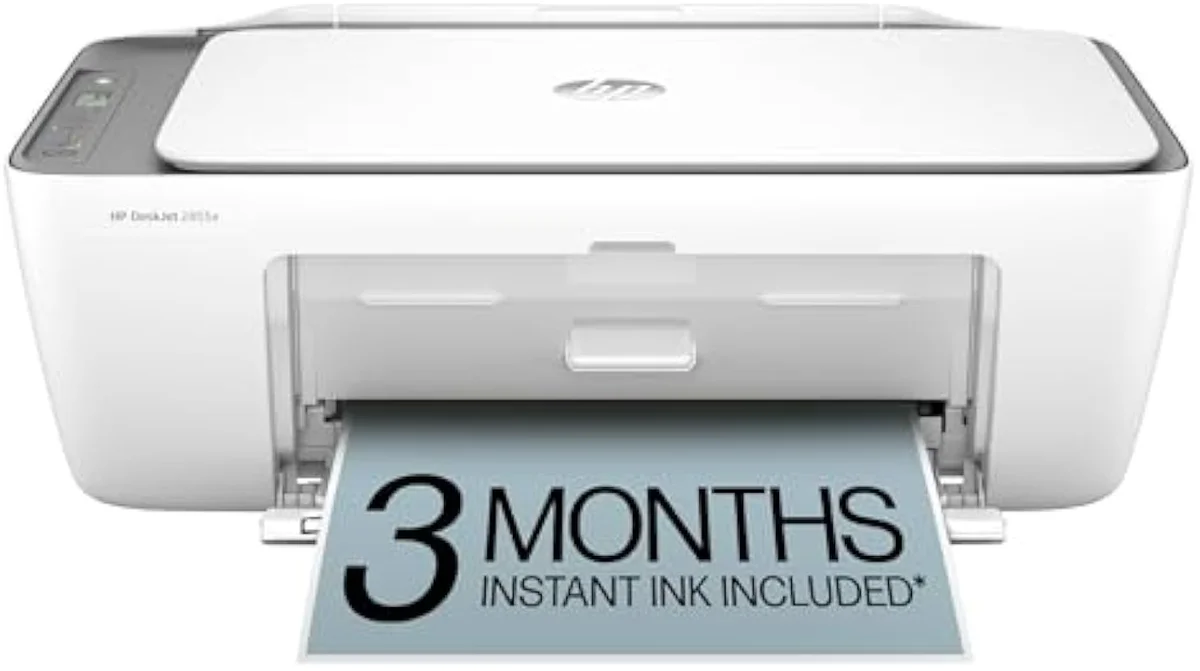
The hardware is fine — crisp text, true scan-and-copy, a fair entry price for a light-printing home. What decides this printer is everything wrapped around the hardware: a 2.4 GHz-only radio that stalls on modern mesh routers, an HP Smart setup app owners fight, and an account-and-subscription wall at first run. Buy it for a Windows or Android home that prints a few times a month and you'll likely be happy; bring it to an iPhone-only house or a 5 GHz mesh network and it can lock you out of the one machine that was supposed to just connect.
Amazon prices and availability are refreshed live and are subject to change. The price shown on Amazon at purchase applies.
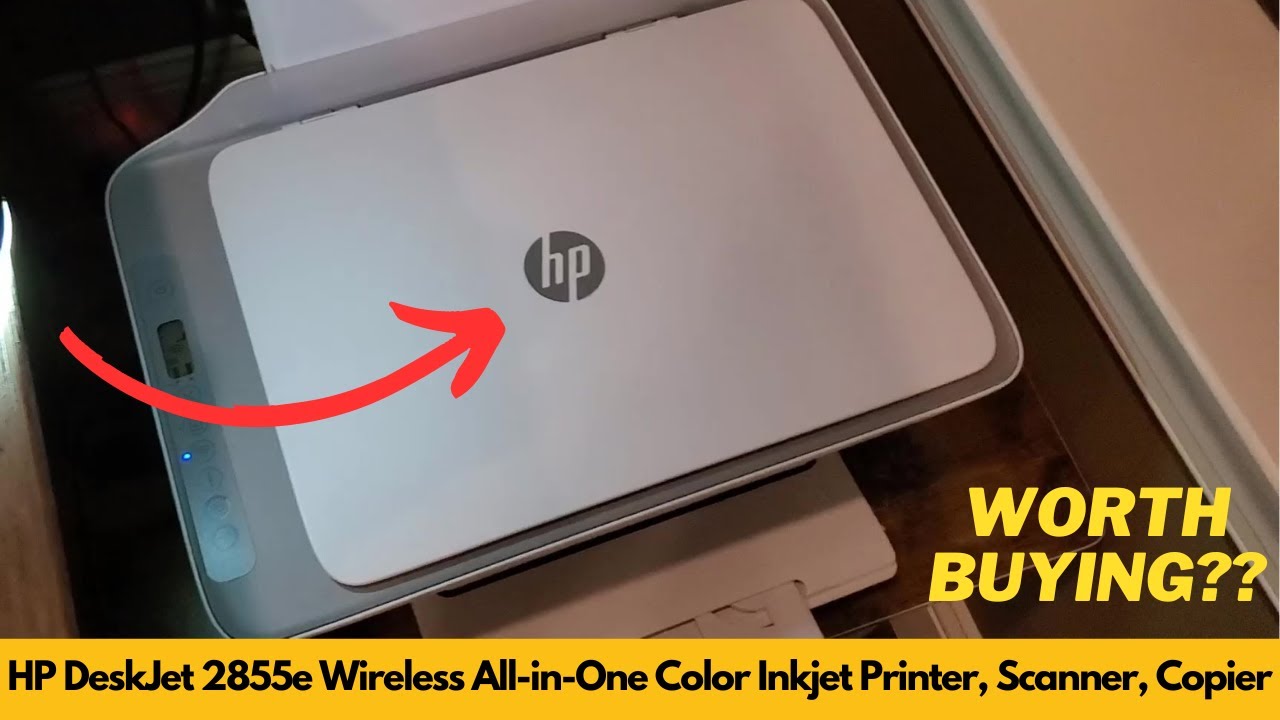
Video Review
We built this verdict from the 13 verified Amazon owner reviews of the HP DeskJet 2855e (a 3.7-star average), HP's own published specifications, and independent printer testing from sources like RTINGS' lab-tested printer reviews. We don't run a print lab — we read the owner record closely and price the cost of ownership the box leaves off. We earn a commission if you buy through our links; it never changes the verdict. Read our full methodology →
Overview
A budget all-in-one with a catch
The DeskJet 2855e is the printer you buy the night before a school project is due. It's HP's cheapest current all-in-one, and the listing pitches it squarely —
The honest framing isn't print quality. It's everything you get through before the first page lands, and what the ink costs once it does. That's the lens this site puts on every machine — the cartridge-versus-tank math of what it actually costs to own over time, not what it costs on the shelf.
Across the 13 owner reviews we read, the split is sharp. One end of it sounds like this:
As a homeschooling parent, the HP DeskJet 2855e has been a very helpful addition to our daily routine , one owner writes. Another spends an evening unable to make it print at all. Same printer — the difference is almost never the hardware.
Key Specifications
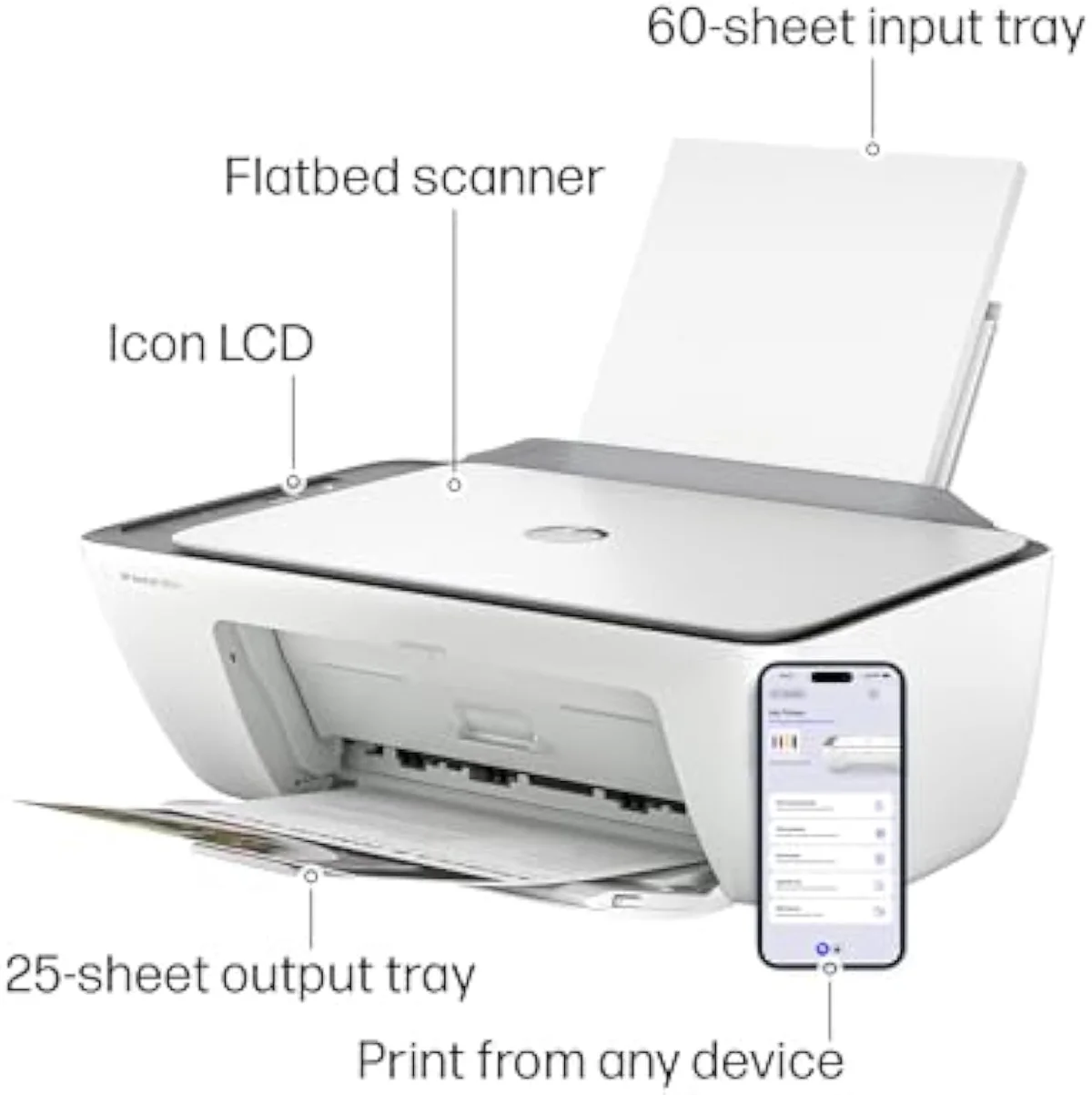
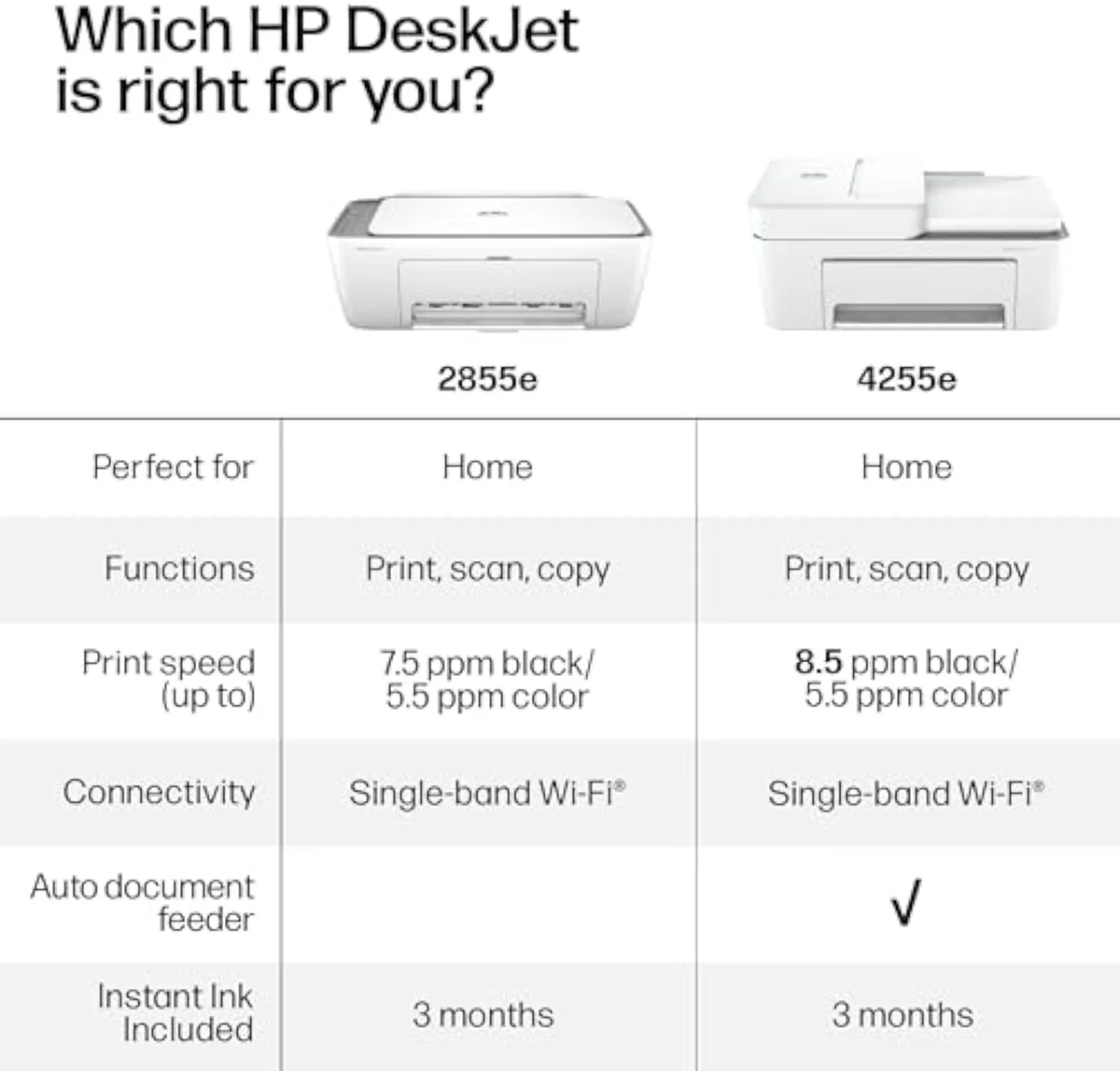
| Print Speed | Up to 5.5 ppm color, 7.5 ppm black |
| Functions | Print, scan, copy (color all-in-one) |
| Connectivity | Wi-Fi 2.4 GHz only — Ethernet port, but Wi-Fi-only setup |
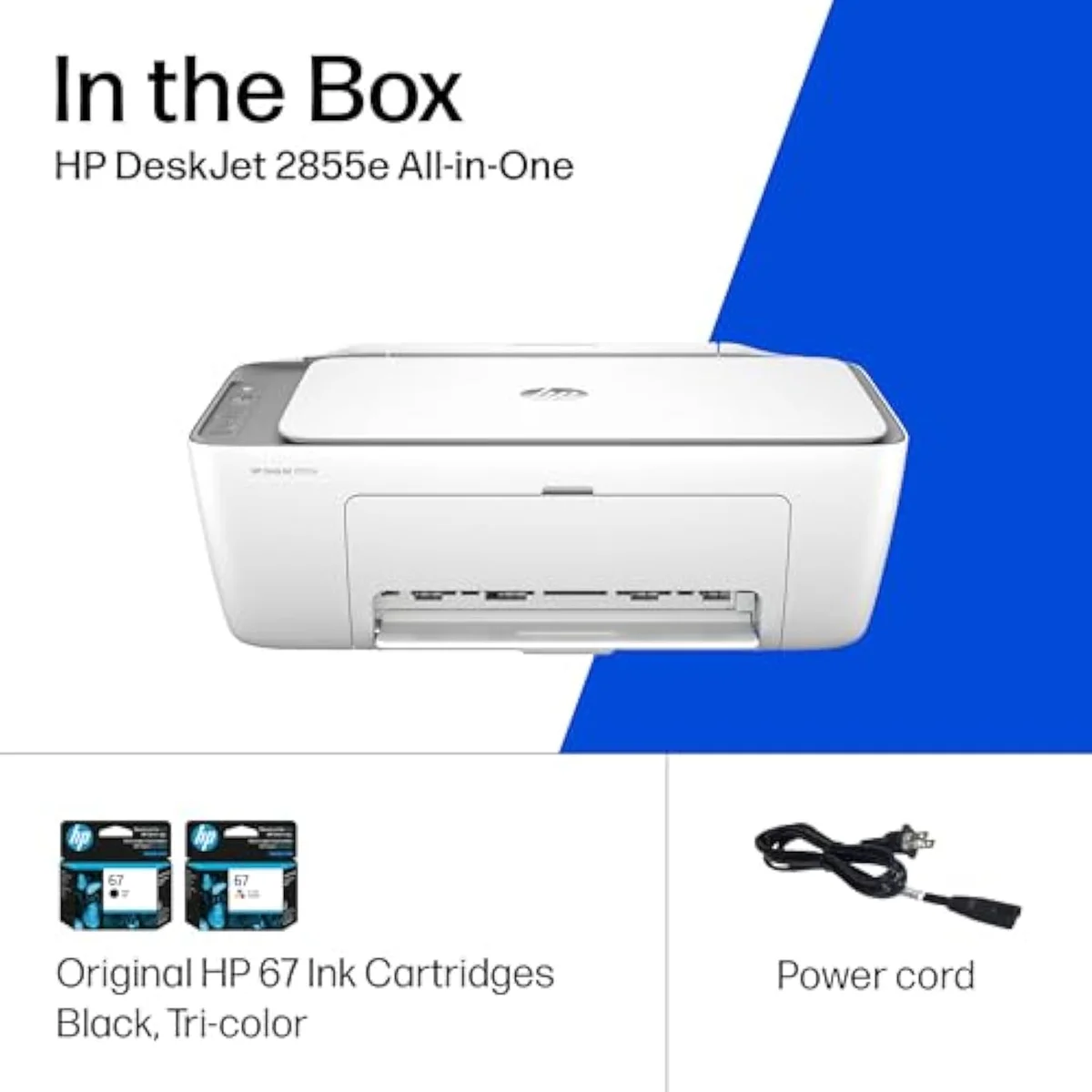
| Ink System | Cartridge; 3-month Instant Ink trial included |
| Paper Capacity | 60-sheet input tray |
What the spec sheet says
The spec sheet is modest and, to HP's credit, honest. The listing claims
The connectivity is. In HP's own box copy,
There's a wired escape hatch, and it's hidden. As one owner found,
Pros & Cons
Pros
- Crisp, legible black text — the strength owners single out
- Real print, scan, and copy in one compact box, no second machine
- Cheap to buy and honestly matched to a few-pages-a-month home
- A homeschooling parent reports leaning on it daily without drama
Cons
- Wi-Fi is 2.4 GHz only — it can refuse to join a 5 GHz mesh router
- HP's setup software draws more complaints than the hardware itself
- Setup forces an HP account and pushes ink-service signup twice
- iPhone-only homes report never finishing setup
- Support chat runs 20 to 40 minutes, sometimes with no fix
Performance & Real-World Testing
When it prints, it prints well
The most consistent praise in the review set is the text. One owner reports that
The disappointment is upstream, in HP's software. The single most representative line across the reviews:
Where it goes wrong
The iPhone story is worse. One parent
It isn't universal, and the record is honest about that. Plenty of owners report the opposite —
Value Analysis
Cheap to buy, dear to feed
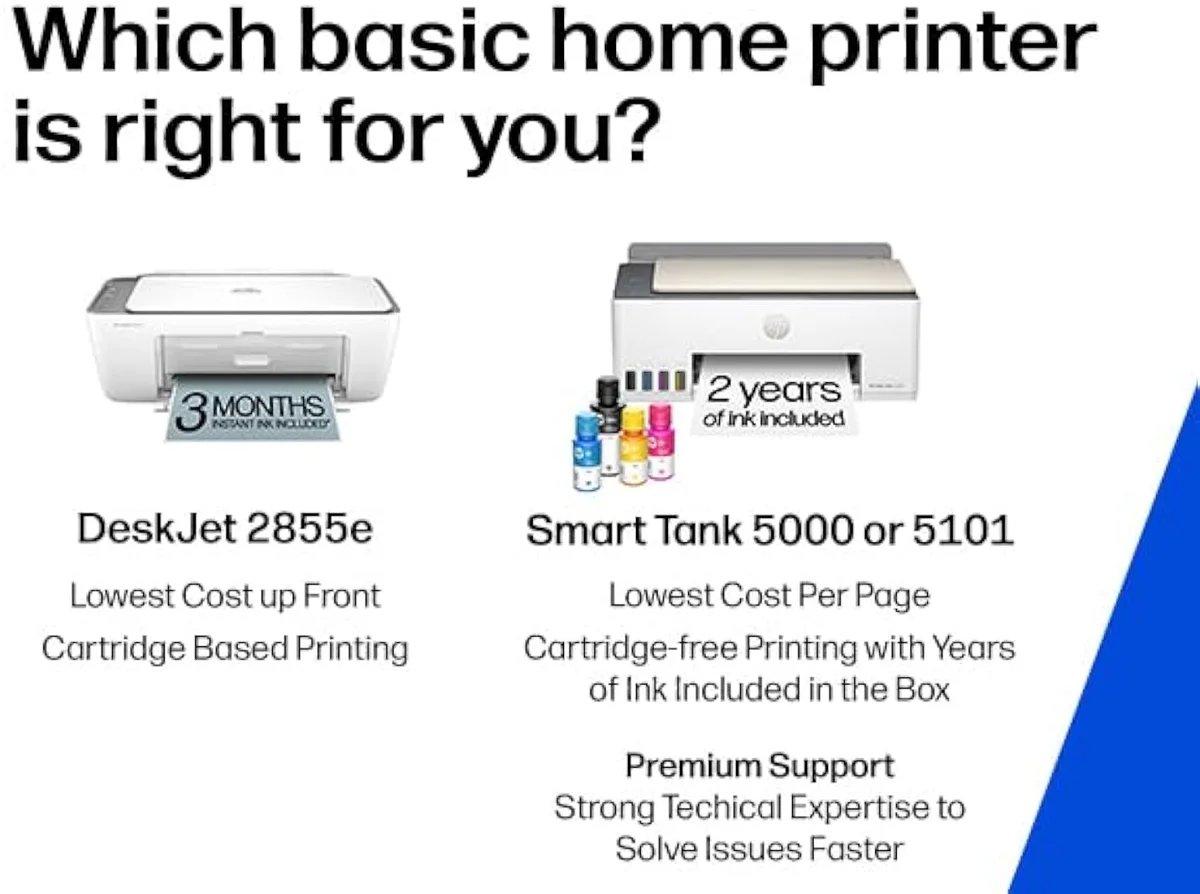
Here's where the cheap printer gets expensive. The 2855e is a cartridge machine, and cartridge machines make their money after you've bought them. The sticker is low; the ink is where HP earns it back — the razor-and-blades model, pointed straight at your printer.
It ships with a 3-month trial of HP's Instant Ink subscription, which mails cartridges based on how much you print. HP's own terms note that
Independent testing backs the cost gap. RTINGS' independent cost-per-print and page-yield testing puts cartridge cost-per-page many times higher than bottle ink, and Consumer Reports' inkjet running-cost and reliability testing reaches the same verdict. A cartridge model is cheaper to buy and dearer to feed; a supertank is the reverse. The month the lines meet is the month the cheap printer stops being cheap.
THE GAP The box counts pages; the wallet counts cartridges — at about 120 pages a standard cartridge, regular printing meets the next XL set fast.
The volume test
So the value verdict splits by how much you print. Print rarely and the 2855e is honestly cheap to own. Print every day and it quietly becomes the expensive machine — the money saved at checkout is gone by the third cartridge set. We run that cartridge-versus-tank fork across the whole catalog in our type-versus-type tradeoffs analysis.
What to Expect Over Time
Living with it: support and idle time
Two things shape life with the 2855e past the first week: support, and idleness.
Support, because when the software breaks, HP's chat is where you land. One owner logged
Idleness, because every inkjet has one failure mode a laser doesn't: liquid ink dries in the nozzles when the printer sits unused, and the machine spends ink on automatic cleaning cycles to clear it. A printer bought for occasional school runs is, by definition, idle most of the month. Print something in color once a week and it rarely bites; leave it dark over several weeks and the clog you meet is the evening you need a boarding pass. We grade how each machine holds up against the full owner record in our inkjet printers evidence hub, and track the idle-clog risk in our safety and known-risks guidance.
The Instant Ink account is the third long-term thread. It's a relationship, not a one-time purchase: another login, another subscription to remember, one more thing that can interrupt printing if a card expires. For the owner in our research who just wanted a printer "that doesn't require a subscription or an account," it's the whole problem in one sentence.
Questions owners actually ask
The 13-review record clusters tightly: praise for the printing, frustration with the path to it. These are the questions that path raises most.
What are the most common problems with the HP DeskJet 2855e?
Three, and none is the printing. HP's Smart setup software frustrates more owners than any hardware fault; the Wi-Fi is 2.4 GHz only, so it can fail to join a 5 GHz mesh network; and first-run setup pushes you to create an HP account and sign up for ink services twice before you reach the print queue. Owners who clear those three hurdles tend to be happy with the machine.
Does the HP DeskJet 2855e work on a 5 GHz or mesh Wi-Fi network?
Not reliably. The radio is 2.4 GHz only. Many mesh systems broadcast a single blended network name and steer devices onto 5 GHz, which this printer cannot see — the workaround is exposing a separate 2.4 GHz band or guest network for it to join.
Is HP discontinuing its "e" series printers?
No. The 2855e is a current model — the "e" marks HP+ and Instant Ink eligibility, not end-of-life.
Can you use the HP DeskJet 2855e without an Instant Ink subscription?
Yes. The 3-month Instant Ink trial is opt-in, and you can buy standard cartridges outright instead. But setup steers you toward the subscription, and cancelling Instant Ink stops those specific cartridges from printing at the end of the final billing cycle.
Does the HP DeskJet 2855e print from an iPhone?
It should, over AirPrint — but several owners report being unable to finish iPhone setup at all. If your household is iPhone-only, treat that as a real risk rather than an edge case.
Is the HP DeskJet 2855e any good for photos?
It will print one, but this is a text-and-worksheet machine, not a photo printer. For saturated, borderless photo output a dedicated photo inkjet or a supertank handles color far better.
Who should buy it
Match it to the home, not the spec sheet
A Windows or Android household on an ordinary 2.4 GHz network, printing schoolwork a few times a month, gets a capable little all-in-one for very little money. An iPhone-only home, a 5 GHz mesh network, or anyone who prints daily should weigh the alternatives first.
Compared to the Epson EcoTank ET-2803, the 2855e is far cheaper to buy and far dearer to feed — the EcoTank trades a higher entry price for bottle ink that lasts years, and erases the cartridge-tax math if you print enough. (That ET-2803 is the same machine Epson also sells as the ET-2800; we lay out why they're interchangeable in our ET-2803 vs ET-2800 comparison.) If you'd rather stay in the budget tier but skip HP's account wall, the Canon PIXMA TS6520 is the same class with two-sided printing and a calmer setup. Staying inside the DeskJet line, the HP 4255e is the same machine with an added document feeder and auto-duplex — same ink lock — and we break down whether the step-up is worth it in our 2855e vs 4255e comparison.
The hardware is fine — crisp text, true scan-and-copy, a fair entry price for a light-printing home. What decides this printer is everything wrapped around the hardware: a 2.4 GHz-only radio that stalls on modern mesh routers, an HP Smart setup app owners fight, and an account-and-subscription wall at first run. Buy it for a Windows or Android home that prints a few times a month and you'll likely be happy; bring it to an iPhone-only house or a 5 GHz mesh network and it can lock you out of the one machine that was supposed to just connect.
Best for: Light-use homes printing mostly black text and school worksheets from a Windows PC or Android phone, and willing to live with HP's setup app and an Instant Ink account.
Track the HP DeskJet 2855e
We check the price daily and monitor availability. You hear from us when something changes.
Only when something changes. Unsubscribe anytime.
Citations
- [1]"Print speeds up to 5.5 ppm color"https://www.amazon.com/dp/B0CT2R7199Captured June 3, 2026. Verified June 3, 2026.
- [2]"This printer is only 2.4 ghz capable"https://www.amazon.com/dp/B0CT2R7199Captured June 3, 2026. Verified June 3, 2026.
- [3]"HP AI easily removes unwanted content"https://www.amazon.com/dp/B0CT2R7199Captured June 3, 2026. Verified June 3, 2026.
- [4]"After 3 months, monthly fee applies"https://www.amazon.com/dp/B0CT2R7199Captured June 3, 2026. Verified June 3, 2026.
- [5]"The DeskJet 2855e is perfect for homes"https://www.amazon.com/dp/B0CT2R7199Captured June 3, 2026. Verified June 3, 2026.
- [6]"The printer itself is completely fine, but the program written by HP is a complete mess"https://www.amazon.com/dp/B0CT2R7199Captured June 3, 2026. Verified June 3, 2026.
- [7]"tried, unsuccessfully, to set the printer up to print from my son's iPhone"https://www.amazon.com/dp/B0CT2R7199Captured June 3, 2026. Verified June 3, 2026.
- [8]"The printer does have an Ethernet port (cable NOT provided) but the setup app only offered the option to set up by wifi"https://www.amazon.com/dp/B0CT2R7199Captured June 3, 2026. Verified June 3, 2026.
- [9]"THEY MAKE YOU SIGN UP FOR INK SERVICES 2 TIMES"https://www.amazon.com/dp/B0CT2R7199Captured June 3, 2026. Verified June 3, 2026.
- [10]"40 min wasted on the chat - problem not resolved"https://www.amazon.com/dp/B0CT2R7199Captured June 3, 2026. Verified June 3, 2026.
- [11]"As a homeschooling parent, the HP DeskJet 2855e has been a very helpful addition to our daily routine"https://www.amazon.com/dp/B0CT2R7199Captured June 3, 2026. Verified June 3, 2026.
- [12]"Setup was quick and easy, print quality is great, and the Wi-Fi connection works perfectly"https://www.amazon.com/dp/B0CT2R7199Captured June 3, 2026. Verified June 3, 2026.
- [13]"Text documents come out crisp, sharp, and perfectly legible"https://www.amazon.com/dp/B0CT2R7199Captured June 3, 2026. Verified June 3, 2026.
- [14]"print, scan, and copy without needing multiple machines"https://www.amazon.com/dp/B0CT2R7199Captured June 3, 2026. Verified June 3, 2026.
- [15]"Great printer for someone who only uses it a few times a month"https://www.amazon.com/dp/B0CT2R7199Captured June 3, 2026. Verified June 3, 2026.
- [16]"Actually got test prints and info prints, but no file prints"https://www.amazon.com/dp/B0CT2R7199Captured June 3, 2026. Verified June 3, 2026.