Epson EcoTank ET-2803 Review: The Supertank Tax, Worth It If You Print
Updated
A cartridge-free supertank that earns its print-quality and ink-economy praise — worth the higher entry price only if you print weekly or more. Print twice a year and the printhead clogs; buy a laser instead.
| Best for | Weekly-or-more homes near 100–200 pages a month |
|---|---|
| Skip if | You print rarely, want plug-and-play USB, or run office volume |
| Ink | Cartridge-free bottle tanks — up to 4,500 black / 7,500 color |
| Weak spot | Idle-use printhead clogs, fussy Wi-Fi setup |
| Owner rating | 4.1 / 5 across 13 reviews |
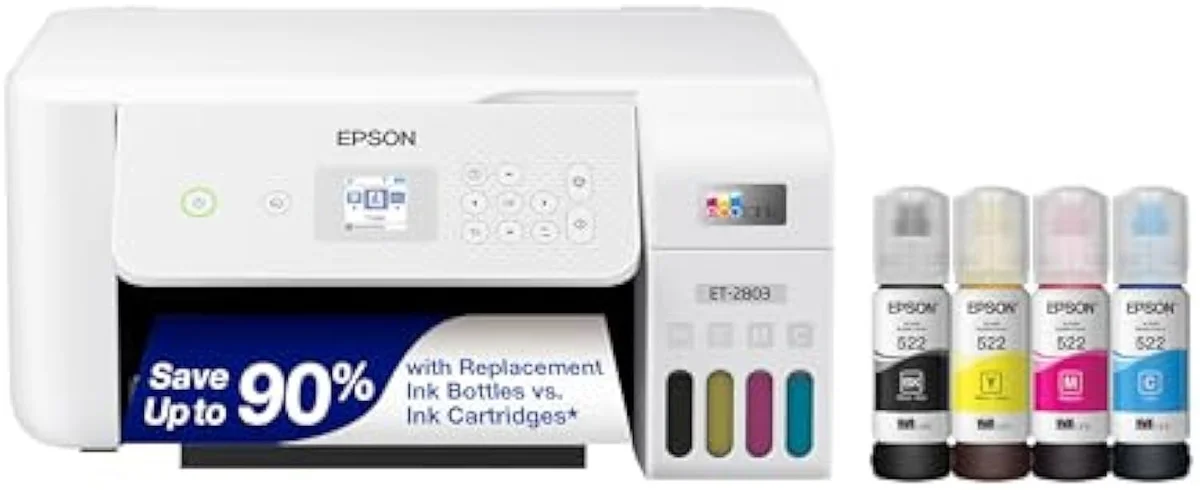
The cheapest way into Epson’s cartridge-free EcoTank line, and it earns the print-quality and ink-economy praise owners give it — bottle ink rated for thousands of pages, with one owner still half-full after a year of color. But the supertank tax is real: print rarely and the printhead clogs, eating ink on cleaning cycles, and the community verdict is blunt — skip it unless you can run a page or two most days. A weekly-or-more home that prints 100 to 200 pages a month gets a printer that pays itself back; a print-twice-a-year household should buy a laser instead.
Amazon prices and availability are refreshed live and are subject to change. The price shown on Amazon at purchase applies.
Video Review
The verdict here rests on 13 verified Amazon owner reviews of the Epson EcoTank ET-2803 (a 4.1-star average), the r/printers and r/carverscave owner threads we mined, Epson's own published specifications, and independent printer testing from sources like RTINGS' lab-tested printer reviews. We don't run a print lab — we read the owner record closely and price the cost of ownership the box leaves off. We earn a commission if you buy through our links; it never changes the verdict. Read our full methodology →
Overview
The cheapest way out of the cartridge tax
The ET-2803 is the printer you buy after the cartridge shelf ambushed you. It's the gateway model in Epson's cartridge-free EcoTank line, and the whole pitch is on the box —
That's the lens this site puts on every machine — the cartridge-versus-tank math of what a printer actually costs to own over months, not what it costs on the shelf. Epson quotes the case in pages: the box says
Across the 13 owner reviews and the community threads we read, the split is sharp — enthusiasts outnumber critics heavily, but the divide is real. One end of it sounds like this:
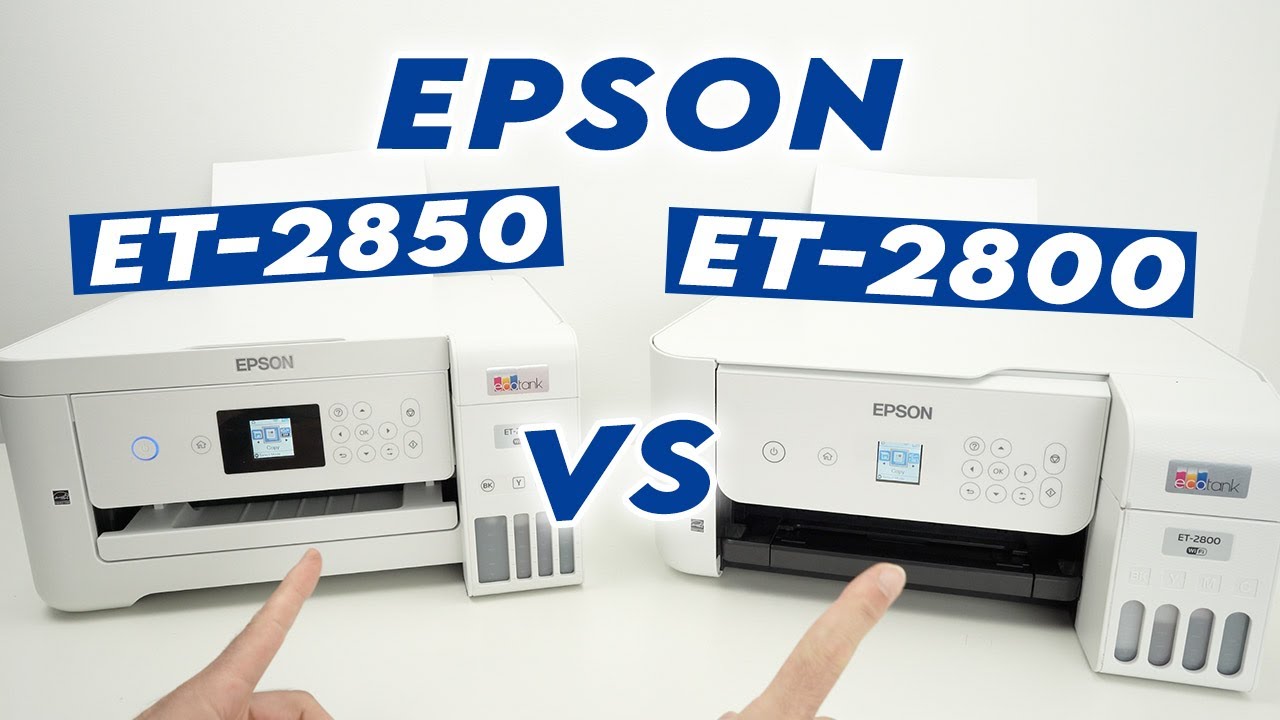
Best mid range tank print for home use , one regular-use owner writes. Another, doing small print jobs from home, saysThis EPSON ET-2800 is the worst printer they have ever owned (Epson sells the ET-2803 and ET-2800 as the same machine). Same hardware — the difference is almost always how often it prints.
Key Specifications
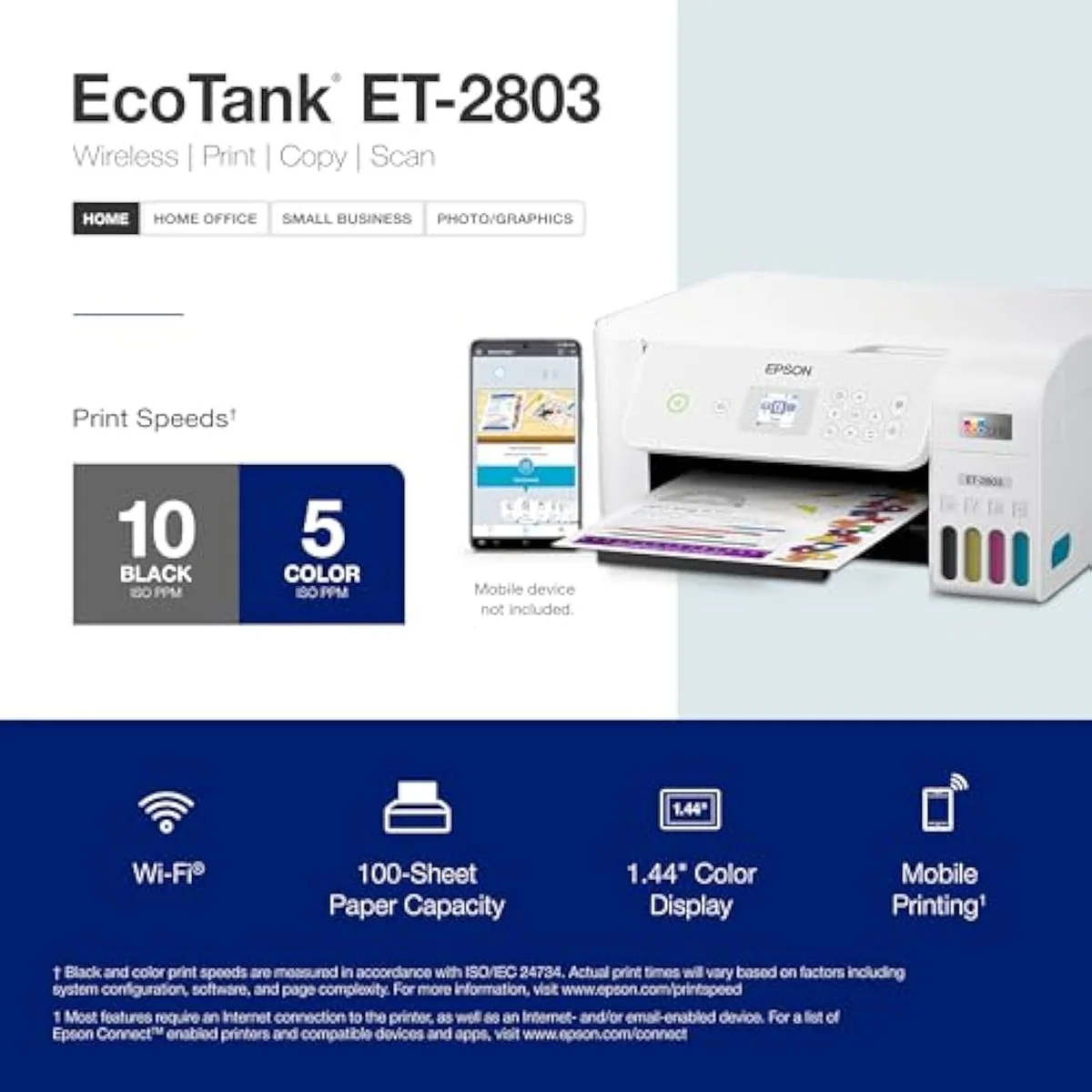
| Functions | Print, Scan, Copy (color all-in-one) |
| Connectivity | Wi-Fi, AirPrint, Epson Smart Panel app (no USB cable in box) |
| Ink System | Cartridge-free refillable EcoTank — ink rated up to 4,500 black / 7,500 color |
What the spec sheet says
It's a true color all-in-one, not just a printer. The listing pairs a
The printing engine is Epson's heat-free piezo head — the listing's
The cartridge-free freedom has one string attached. Epson's own warning is that
Pros & Cons
Pros
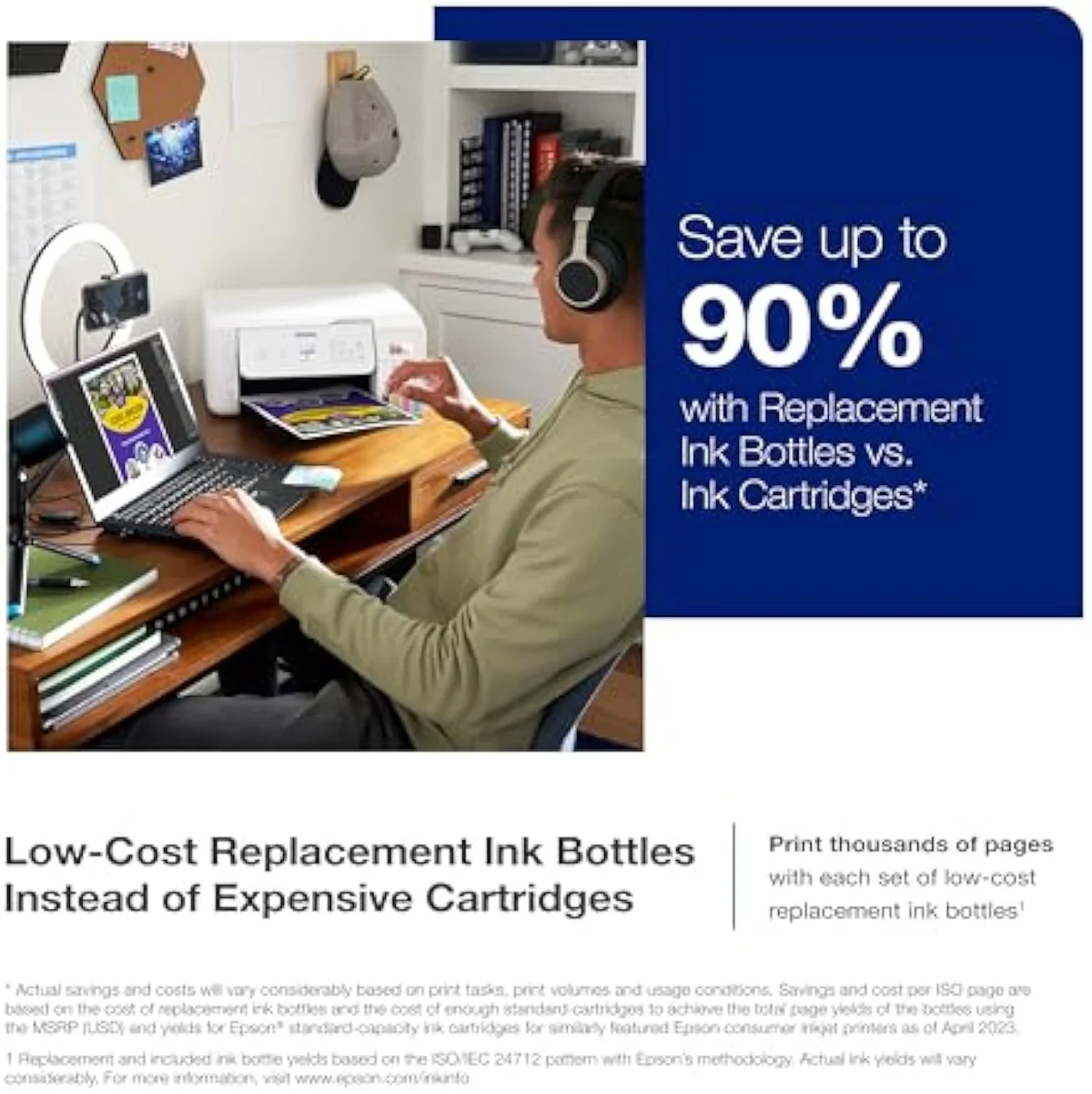
- Bottle ink rated for up to 4,500 black / 7,500 color pages out of the box — the cost-per-page case
- Each bottle set is pitched as the equivalent of about 80 cartridges, with up to two years of ink included
- Owners call the print quality excellent — vibrant color, sharp text for documents and photos
- The EcoFit refill is genuinely easy: one owner found filling the tank surprisingly satisfying
- One regular-use owner printed color for about a year and still had roughly half the in-box ink left
Cons
- Light or intermittent use clogs the printhead — the central supertank caveat across owner threads
- One buyer was already running printhead cleanings before owning it a month
- Wi-Fi setup frustrates: one owner spent 4 hours unable to keep it on their network
- Epson no longer includes a USB cable — Wi-Fi-averse buyers must order one separately
- Non-genuine ink can void the limited warranty, an ecosystem lock-in caveat
Performance & Real-World Testing
When it prints, it prints well
The most consistent praise in the review set is the output. One owner reports that
The ink economy holds up in real ownership too, not just the spec sheet. One owner writes:
Owners frame the relief plainly against the old cartridge printer they fled: bottle ink that lasts far longer with much less plastic waste than the cartridges it replaces. Measured against their previous machine, the running-cost difference is the headline they keep returning to.
The refill nobody dreads
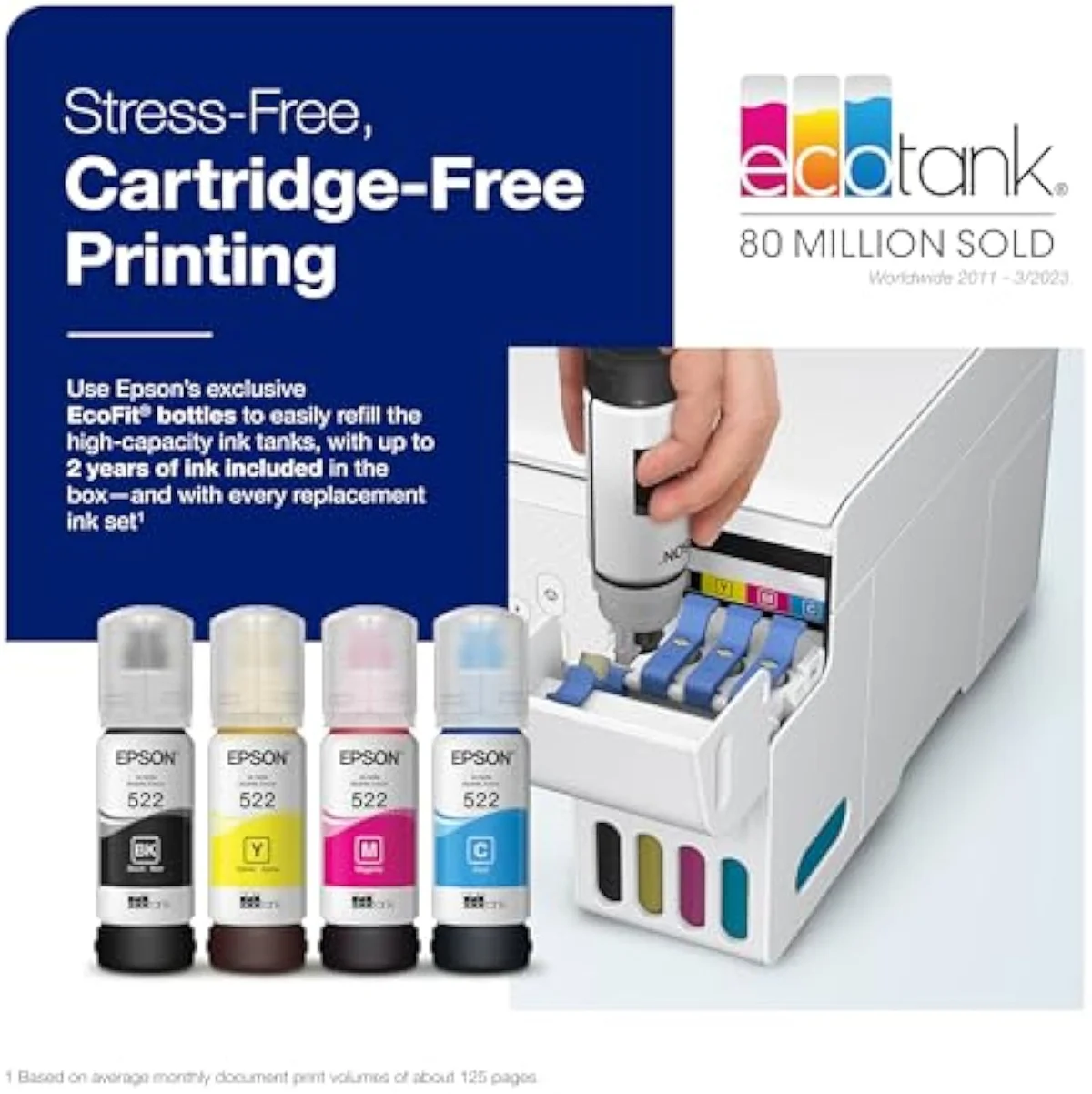
The old knock on tank printers was the mess. The ET-2803's EcoFit bottles fixed it — as one owner put it,
Where it goes wrong is idle time, and the reports are specific. One owner hit misprints early —
Value Analysis
Dear to buy, cheap to feed — if you feed it
Here's the math that flips a cheap printer's logic. A budget cartridge all-in-one wins at checkout and loses at the ink shelf; the ET-2803 does the reverse — it costs more up front and almost nothing to run. RTINGS' independent cost-per-print and page-yield testing puts cartridge cost-per-page many times higher than bottle ink, and Consumer Reports' inkjet running-cost and reliability testing reaches the same verdict. The month the two lines cross is the month the supertank starts winning.
The ink-cost runway
≈150 pages a month
How fast that crossover arrives is the whole decision, and Epson's own page-yield claim is the number to interrogate. The listing's
THE GAP The yield claim is unusually well-supported here — the cost-per-page case is real. What the rated number cannot promise is the ink burned on cleaning cycles when the machine sits idle.
The volume test
So the value verdict splits by how much you print. Print weekly or more and the ET-2803 is honestly cheap to own — the entry premium is gone within a year, and the bottle ink keeps going. Print rarely and you've paid a premium for a machine that clogs while it waits, the worst of both worlds. The cheap cartridge printer is the better buy for a light home; the supertank is the better buy for a busy one.
Bottom line: this is a printer you have to feed to profit from.
What to Expect Over Time
Living with it: clogs, cables, and the Wi-Fi wall
Three things shape life with the ET-2803 past the first week: idle clogging, setup, and the missing cable.
Idle clogging is the one that bites hardest, and the community is blunt about it. The repeated warning across r/printers is that
Setup is the second thread, and it is where the 1-star reviews cluster. One owner's account is grim — four hours in, still unable to get the printer onto the home network. The wireless-first design assumes a smooth Wi-Fi handshake, and when it does not happen there is now no easy fallback: by the owner's account Epson no longer includes a USB printer cable in the box. If you are Wi-Fi-averse, budget for a cable order before the printer arrives, and read our setup and maintenance guide first.
The third thread is duty cycle. This is a consumer machine, and the community polices the ceiling: one volume buyer was told
Questions EcoTank buyers actually ask
The owner record clusters tightly: praise for the print quality and ink economy, frustration with idle clogs and setup. These are the questions buyers ask most.
Is the Epson EcoTank ET-2803 a good printer?
For the right home, yes. It earns its 4.1-star average on print quality and ink economy — bottle ink rated for up to 4,500 black and 7,500 color pages, and one owner still had about half the in-box ink after a year of regular color printing. The catch is volume: print most days and it pays itself back, but leave it idle for weeks and the printhead clogs, which is the single complaint that runs through the owner record. Match it to a household printing 100 to 200 pages a month and it's a strong pick.
What are the downsides of the Epson EcoTank?
Three, and only one is about printing. Infrequent use clogs the printhead and the machine burns ink on cleaning cycles to clear it — one buyer was running cleanings before owning it a month. Wi-Fi setup frustrates: one owner spent 4 hours unable to keep it on their network, and Epson no longer ships a USB cable as a fallback. And non-genuine ink can void the limited warranty, so the cartridge-free freedom comes with a quiet ink lock-in.
What is the difference between the Epson EcoTank ET-2803 and ET-2800?
Functionally nothing — they are the same printer sold under two model numbers, typically split between retail channels. Same cartridge-free tank system, same print/scan/copy functions, same page-yield ratings. Buy whichever is cheaper or in stock.
Which is better, the Epson EcoTank ET-2400 or the ET-2803?
The ET-2803 is the more complete machine. The ET-2400 is the stripped-back sibling — both are cartridge-free EcoTanks at a similar entry price, but the ET-2803 carries the color display for copy and navigation and the fuller scan-and-copy workflow. If you only ever print and never copy, the ET-2400 saves a little; for an all-in-one home the ET-2803 is the one to get.
Will the Epson EcoTank ET-2803 clog from occasional printing?
Likely, yes. Liquid ink dries in the nozzles when an inkjet sits unused, and the community advice is blunt: run at least one purge sheet most days, or buy a laser instead. A print-twice-a-year household is the exact buyer this printer punishes.
How much can the Epson EcoTank ET-2803 print per month?
Comfortably a few hundred pages, but it is a consumer machine, not an office workhorse. One volume buyer was warned that 2,400 to 2,800 impressions a month is too much for a cheap consumer inkjet. If you print at office volume, step up to an office-class tank or a color laser.
Who should buy it
Match it to your print rate, not the spec sheet
A household that prints weekly or more — roughly 100 to 200 pages a month — gets a printer that earns its keep: vibrant output, ink rated for thousands of pages, and a refill that's painless. The entry premium over a cheap cartridge machine is gone inside a year, and then the bottle ink just keeps printing. The 4.1 rating undersells that experience for the buyer it actually fits.
But the contradiction at the heart of the pitch is real. Cartridge-free convenience collides with a maintenance chore the moment the machine sits idle, and the community verdict is blunt: skip it unless you can run a page or two most days. A print-twice-a-year household, a Wi-Fi-averse buyer who wants USB plug-and-play, or anyone pushing office volume should look elsewhere. The same ET-2803 is also sold as the ET-2800 — interchangeable machines — and we lay out the spread within the EcoTank line in our ET-2803 vs ET-2800 comparison. The newer entry-level ET-2400 lands in the same price band, sized up in our ET-2803 vs ET-2400 comparison. Buyers who need an automatic document feeder and Ethernet should step up to the office EcoTank, weighed in our ET-2803 vs ET-4800 comparison. If you're a light-use home leaning the other way, the cheaper-to-buy cartridge HP DeskJet 2855e is the honest pick — it never clogs from sitting and the cartridge math never catches up to you at low volume.
Buy it for the print rate it rewards, and the cartridge tax is over.
The cheapest way into Epson’s cartridge-free EcoTank line, and it earns the print-quality and ink-economy praise owners give it — bottle ink rated for thousands of pages, with one owner still half-full after a year of color. But the supertank tax is real: print rarely and the printhead clogs, eating ink on cleaning cycles, and the community verdict is blunt — skip it unless you can run a page or two most days. A weekly-or-more home that prints 100 to 200 pages a month gets a printer that pays itself back; a print-twice-a-year household should buy a laser instead.
Best for: Households or hobbyists printing weekly or more — roughly 100 to 200 pages a month — who want to stop buying cartridges and will run enough pages to keep the nozzles wet.
Track the Epson EcoTank ET-2803
We check the price daily and monitor availability. You hear from us when something changes.
Only when something changes. Unsubscribe anytime.
Citations
- [1]"No more tiny, expensive ink cartridges"https://www.amazon.com/dp/B0BHXNP6B1Captured June 3, 2026. Verified June 3, 2026.
- [2]"that's enough to print up to 4,500 pages black/7,500 color"https://www.amazon.com/dp/B0BHXNP6B1Captured June 3, 2026. Verified June 3, 2026.
- [3]"Up to 2 years of ink in the box"https://www.amazon.com/dp/B0BHXNP6B1Captured June 3, 2026. Verified June 3, 2026.
- [4]"Unique Micro Piezo Heat Free technology"https://www.amazon.com/dp/B0BHXNP6B1Captured June 3, 2026. Verified June 3, 2026.
- [5]"High-resolution flatbed scanner"https://www.amazon.com/dp/B0BHXNP6B1Captured June 3, 2026. Verified June 3, 2026.
- [6]"Features wireless, plus hands-free"https://www.amazon.com/dp/B0BHXNP6B1Captured June 3, 2026. Verified June 3, 2026.
- [7]"Non-genuine ink could cause damage"https://www.amazon.com/dp/B0BHXNP6B1Captured June 3, 2026. Verified June 3, 2026.
- [8]"The print quality is equally excellent; colors are vibrant and text is sharp"https://www.amazon.com/dp/B0BHXNP6B1Captured June 3, 2026. Verified June 3, 2026.
- [9]"normally print full pages of color and have been using it regularly for around a year"https://www.amazon.com/dp/B0BHXNP6B1Captured June 3, 2026. Verified June 3, 2026.
- [10]"It is very easy and surprisingly satisfying to fill the ink tank."https://www.amazon.com/dp/B0BHXNP6B1Captured June 3, 2026. Verified June 3, 2026.
- [11]"Misprinting occurred every 500 or so pages at the start"https://www.amazon.com/dp/B0BHXNP6B1Captured June 3, 2026. Verified June 3, 2026.
- [12]"This EPSON ET-2800 is the worst printer"https://www.amazon.com/dp/B0BHXNP6B1Captured June 3, 2026. Verified June 3, 2026.
- [13]"print frequently, inktank printers will get their print heads clogged."https://reddit.com/r/printers/comments/1mat0va/epson_ecotank_worth_it_or_not/Captured June 3, 2026. Verified June 3, 2026.
- [14]"can print atleast one purge sheet each day, you can get the ecotank."https://reddit.com/r/printers/comments/1mat0va/epson_ecotank_worth_it_or_not/Captured June 3, 2026. Verified June 3, 2026.
- [15]"2400-2800 impressions a month"https://reddit.com/r/printers/comments/1k998md/epson_et2803/Captured June 3, 2026. Verified June 3, 2026.
- [16]"Get a used color laser, would be perfect for your infrequent use!"https://reddit.com/r/printers/comments/1mat0va/epson_ecotank_worth_it_or_not/Captured June 3, 2026. Verified June 3, 2026.
- [17]"Best mid range tank print for home use"https://reddit.com/r/carverscave/comments/1fhgxpg/epson_ecotank_et2803_printer_review_confessions/Captured June 3, 2026. Verified June 3, 2026.