Canon MegaTank G3290 Review: A Budget Supertank on a Thin Record
Updated
A budget MegaTank that flips the usual trap: cheap to run and, for once, not premium to buy. Owners who print daily call it a quiet workhorse. The catch is a thin 13-review record, a setup that can fail outright, and the tank line's idle-clog risk.
| Best for | Households that print most days and want tank running costs without the premium price |
|---|---|
| Skip if | You print rarely, need a proven track record, or want guaranteed-easy setup |
| Ink | Refillable bottle tanks — up to two years' ink in the box |
| Extras | Auto duplex, 2.7-inch touchscreen, no USB-stick printing |
| Owner rating | 4.2 / 5 across 13 reviews |
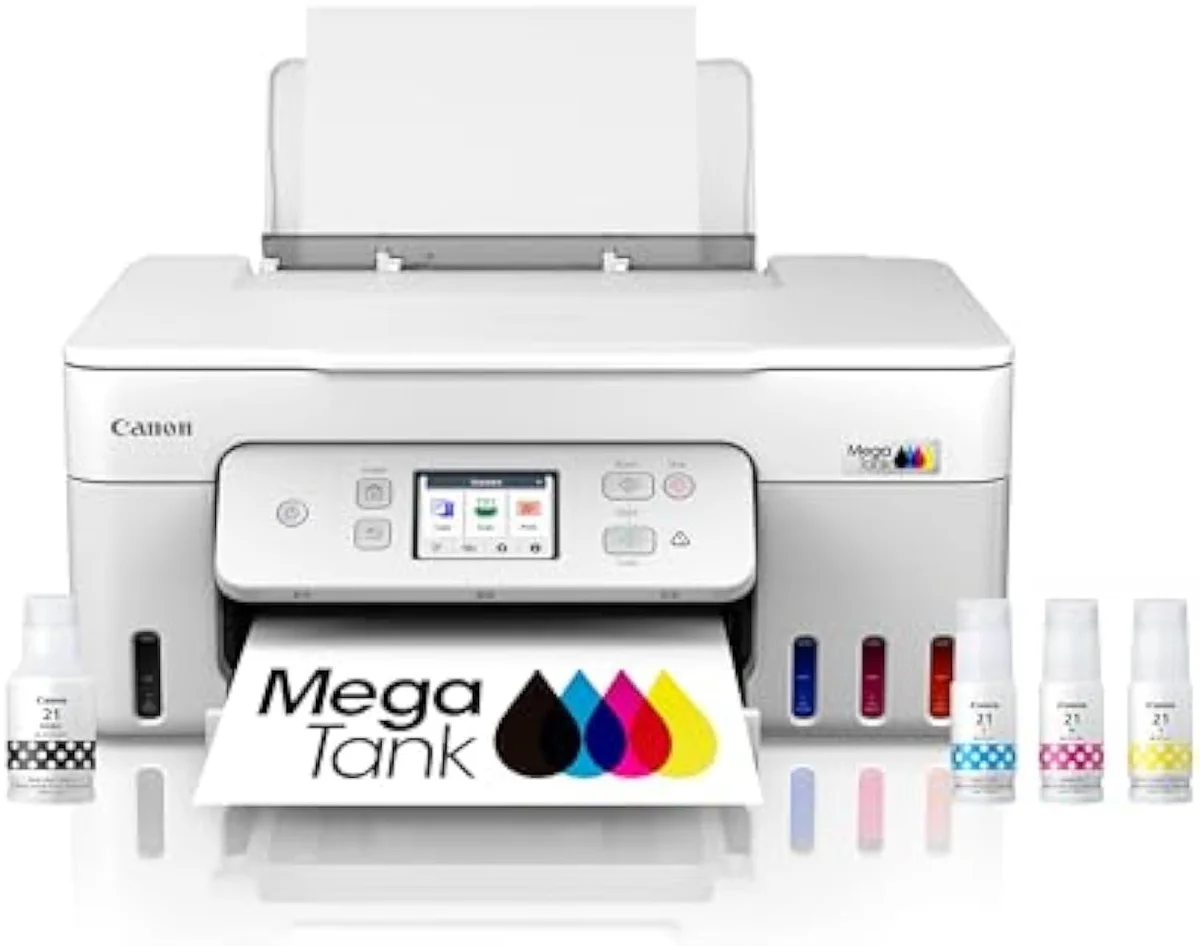
Canon’s sub-premium answer to the EcoTank — bottle-fed running costs without the supertank-premium entry price. Owners who print every day call it a quiet workhorse, but the record is thin and positive-skewed, so treat the verdict as promising rather than proven.
Amazon prices and availability are refreshed live and are subject to change. The price shown on Amazon at purchase applies.
Video Review
Our read on the G3290 pulls together the 13 verified Amazon owner reviews (a 4.2-star average), the r/printers MegaTank owner threads we mined, Canon's own published specifications, and independent printer testing from sources like RTINGS' lab-tested printer reviews. We don't run a print lab — we read the owner record closely and price the cost of ownership the box leaves off. We earn a commission if you buy through our links; it never changes the verdict. Read our full methodology →
Overview
The cartridge tax, run in reverse
Most supertanks ask you to pay up front for the savings: a high sticker now, cheap ink forever. The G3290's pitch is that you skip the premium part. Canon's listing leads with the running-cost math the cartridge brands bury — tanks rated to
That is the whole reason this site exists: not the sticker, but the cartridge-versus-tank math of what a printer actually costs to own over time. The G3290 sits at pole two — bottle-fed, cheap to feed — at a price that usually buys a cartridge machine.
On paper, it's the cheap-printer trap sprung backwards.
The owner record is where the pitch meets reality, and it is thin. Across the 13 reviews, the verdict is positive but lopsided — and one r/printers owner sums up the happy camp plainly:
We've got a Canon G3290 and mostly love it - the print quality is excellent. Their one real gripe was connectivity, not output. That split — great hardware, fussy path to it — runs through the whole record.
Key Specifications
| Functions | Print, Scan, Copy |
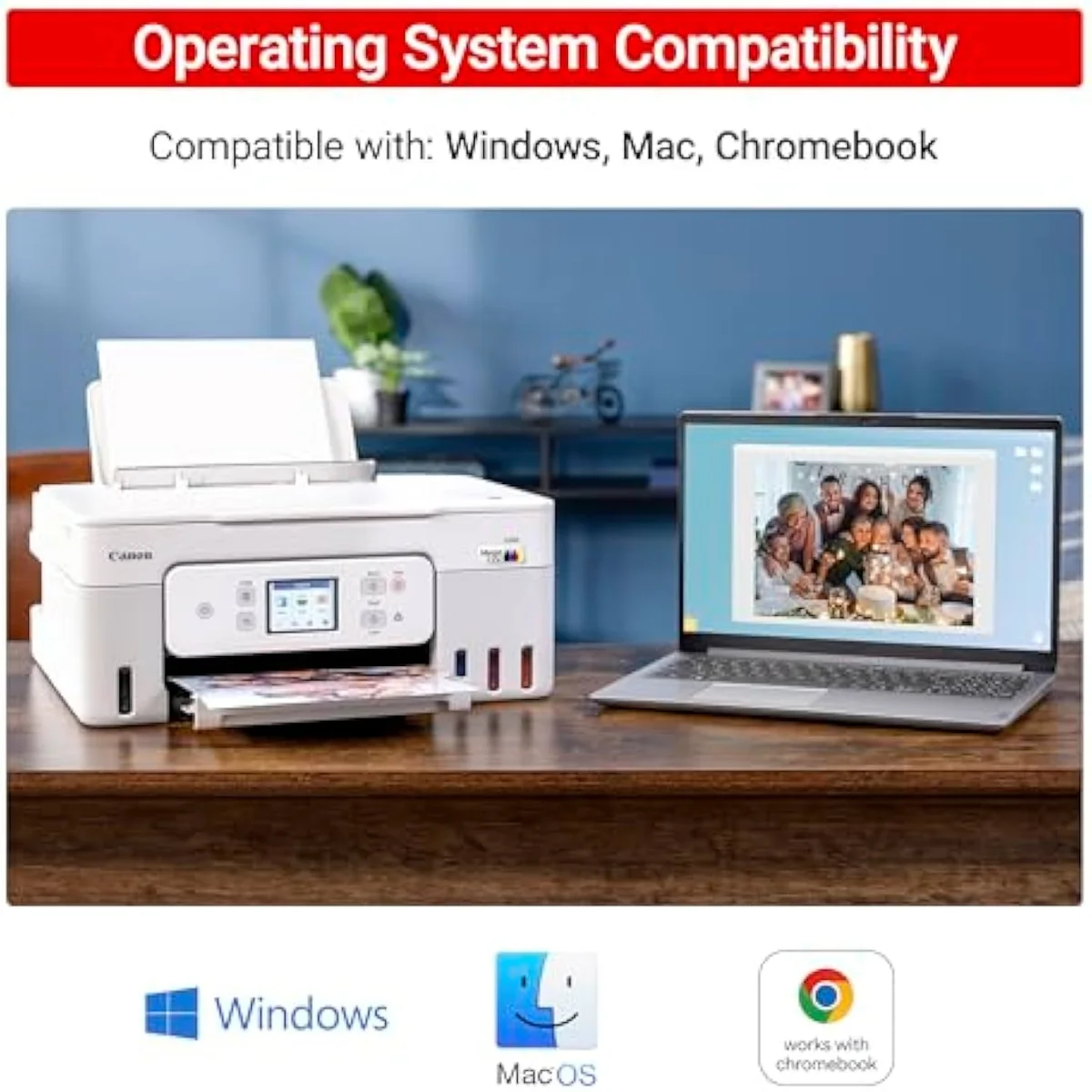
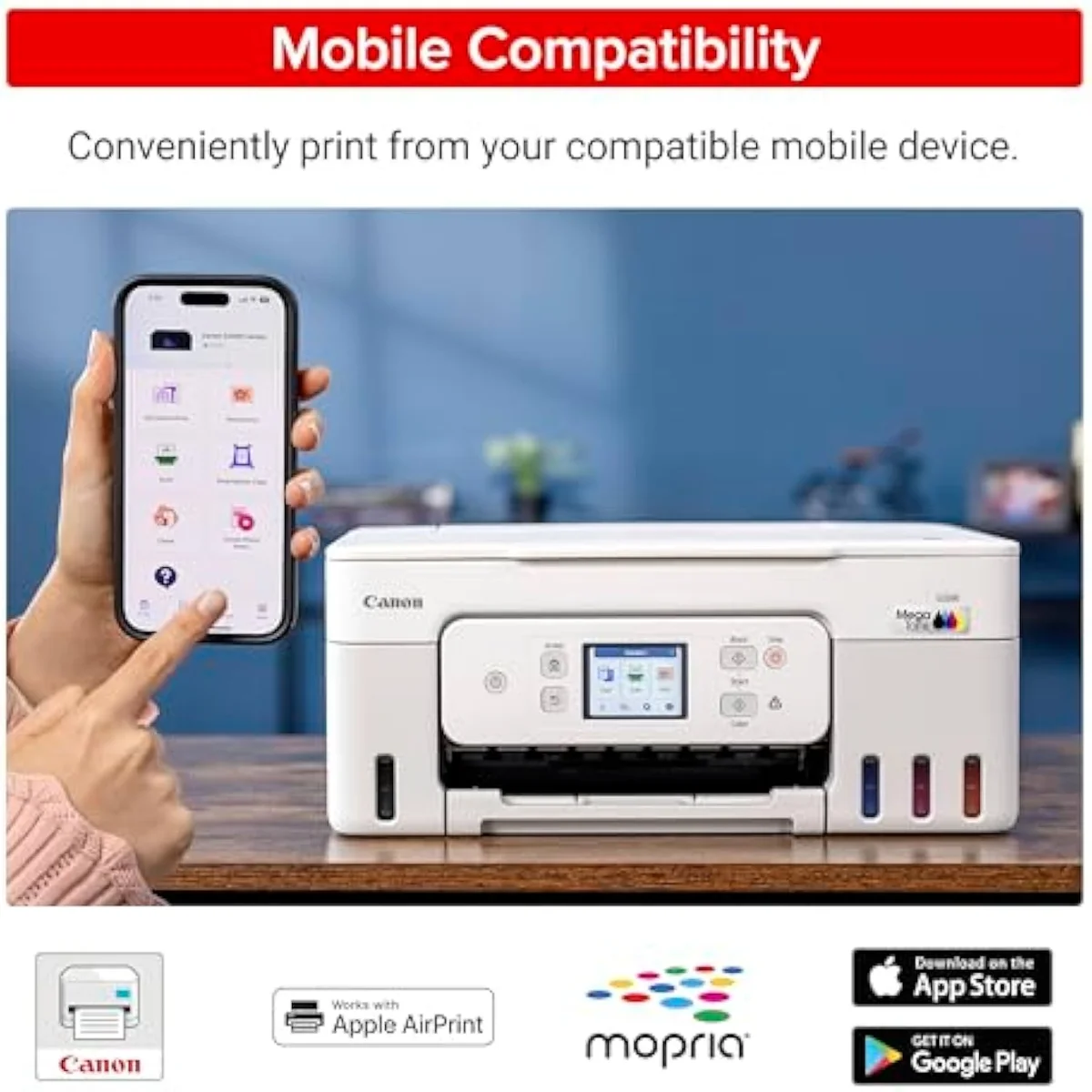
| Connectivity | Wi-Fi, AirPrint, Canon PRINT app |
| Ink System | Cartridge-free refillable tanks |
What the spec sheet actually buys
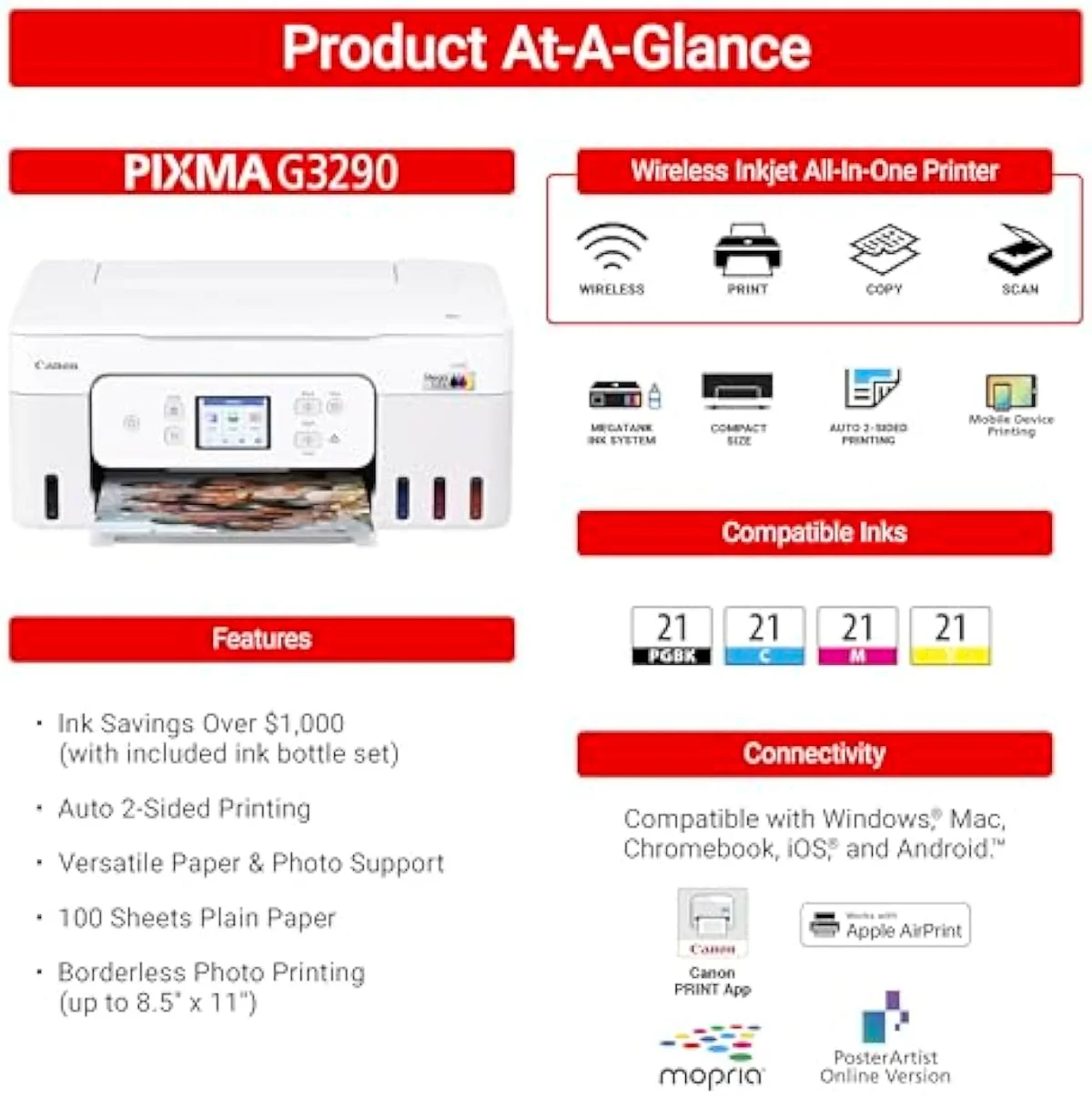
The G3290 is a true all-in-one —
The on-device kit punches above its price. It has
Two niggles catch people out. There's no print-from-USB-stick option:
Pros & Cons
Pros
- Bottle-fed tanks rated for thousands of pages, with up to two years of ink in the box
- Auto two-sided printing and a 2.7-inch colour touchscreen, rare at this entry price
- Owners who print daily report months of trouble-free output
Cons
- Thin owner record — only 13 verified reviews to judge it on
- Setup can fail outright: owners report the wireless setup spooling, glitching, and resetting
- Some owners fight for hours for a clean true-black print, and the tank line carries the usual idle-clog risk
Performance & Real-World Testing
When it prints, owners are happy
Print quality is the calm part of this record. The daily-driver camp is the loudest — one owner who prints every day reported, over the course of several months, no issues at all, and the rating reflects it: a 4.2-star average across 13 verified Amazon reviews. Canon's own MegaTank line pages lean on that high-volume, low-cost story, and for steady printers it largely holds.
Colour holds up under real load, too. One owner ran it non-stop for three days printing colour pictures for a happy-mail subscription business, and the surprise was how good the output looked despite the low price — a budget tank punching above what its sticker promises. Third-party aggregation is steady rather than glowing:
Where it goes wrong: setup and true black
The skip case lives in two places, and the first is setup. It can fail outright — one buyer found
The second is true black. A subset of owners report a real fight to get a clean dark print — one logged
Value Analysis
Cheap to feed, cheap to buy — for once
Here's the thing a supertank usually asks you to swallow: a high entry price you have to trust will pay itself back. The G3290 mostly skips that bargain. It's bottle-fed like the dear machines but priced near the cartridge ones, and it lands with up to two years of ink already in the box.
The per-page math starts in your favour on day one.
Independent testing is clear on why that matters. RTINGS' cost-per-print and page-yield testing puts cartridge ink at several times the per-page cost of bottle ink, and Consumer Reports' inkjet running-cost testing reaches the same verdict. A cartridge model is cheaper to buy and dearer to feed; a tank is the reverse. The G3290's trick is being cheap on both ends at the same time. We run that fork across the whole catalog in our type-versus-type tradeoffs analysis.
THE GAP The fill counts pages; the calendar counts idle weeks — owners who print steadily get the yield, and owners who leave it dark meet the cleaning-cycle tax instead.
The volume test
So the value verdict splits on one number: how much you print. Print most days and the G3290 is honestly excellent value — tank economics at a budget sticker. Print a couple of pages a day and the calculus shifts, and one r/printers owner is blunt about it:
What to Expect Over Time
Living with it: idle time and the long-haul record
Two things shape life with the G3290 past the first week: idleness, and what the longer-term owner record actually shows.
Idleness first, because the tank line has one failure mode a laser doesn't. Leave it unused and the ink can thicken or air-lock in the lines. One owner of the sibling tank model describes the worst case:
The long-haul record is more reassuring than the G3290's own thin review count suggests, because the MegaTank platform has years behind it. Owners of the close siblings report the durability the G3290 hasn't had time to prove: one runs
What MegaTank G3290 buyers want answered
The 13-review record clusters tightly: praise for the printing and the ink economics, frustration at the setup and idle care. These are the questions buyers raise most.
Is the Canon G3290 a good printer?
For a refillable supertank under the premium tier, yes — with a caveat. Across 13 verified owner reviews it holds a 4.2-star average, and the daily-printing camp is happy: months of trouble-free output, big tanks that swallow dozens of photos before a refill. But 13 reviews is a thin record, and a real minority hit a wall during wireless setup. Buy it as a daily driver and the odds are good; buy it for a printer that sits idle and the picture is murkier.
Are Canon MegaTank printers any good?
On running cost, they are the point of the line. Bottle ink costs a fraction of cartridge ink per page, and the MegaTank tanks are rated in the thousands of pages. The catch is the same one every inkjet carries: liquid ink and idle weeks do not mix, and the tank line is fussier about it than a laser.
What is the difference between the Canon G3290 and G3270?
Very little that matters. They are near-identical MegaTank all-in-ones, and most owner advice for one applies to the other. The practical gap is the review record: the G3270 has hundreds of reviews behind it, while the G3290 has only a few dozen so far. If you want the more-proven track record at a similar spec, the G3270 is the safer paper trail.
What are the disadvantages of the MegaTank?
Three recur. Setup can be rough — owners report the wireless setup glitching out entirely. Idle time is the enemy: leave it unused and you risk a clog and wasted cleaning cycles. And the ink-level windows can be hard to read, with one owner of the sibling model resorting to a flashlight to check the level.
Can the Canon G3290 print directly from a USB stick?
No. There is a USB Type-B port to wire it to a PC, but it cannot print from a USB flash drive — owners confirm the feature simply is not there. Printing happens over Wi-Fi, AirPrint, the Canon PRINT app, or a USB cable to a computer.
Does the Canon G3290 do double-sided printing?
Yes — it has automatic two-sided printing built in, so you are not flipping pages by hand. Paired with a 2.7-inch colour touchscreen, the on-device experience is better equipped than the price usually buys.
The thin-record verdict
Promising, on a record too short to call proven
A household that prints most days and wants real tank economics without a premium sticker gets a strong machine here — bottle ink, big tanks, auto duplex, two years of ink in the box. Anyone who prints rarely, needs a long-proven track record, or can't risk a rough setup should weigh the alternatives first. On 13 reviews, the verdict is promising rather than proven.
If you want the more-tested paper trail at a near-identical spec, the sibling G3270 carries hundreds of reviews where the G3290 has dozens — our G3270 vs G3290 comparison lays out exactly what the price step buys. Set against the Epson tank line, the Epson EcoTank ET-2400 is the same cheap-to-feed bargain with a deeper review record but no duplex, while a step up to the Epson EcoTank ET-4850 adds an ADF for office workflows. Compared to the cartridge route in the HP DeskJet 2855e, the G3290 costs more up front and erases the per-page math over months of steady printing — but for very light use, that cheap cartridge machine is the simpler buy, since the tank premium never pays back at a couple of pages a day.
Canon’s sub-premium answer to the EcoTank — bottle-fed running costs without the supertank-premium entry price. Owners who print every day call it a quiet workhorse, but the record is thin and positive-skewed, so treat the verdict as promising rather than proven.
Best for: Households that print most days and want refillable-tank running costs without paying supertank-premium prices
Track the Canon MegaTank G3290
We check the price daily and monitor availability. You hear from us when something changes.
Only when something changes. Unsubscribe anytime.
Citations
- [1]"Print up to 6,000 black & white"https://www.amazon.com/dp/B0DF4GTWWKCaptured June 4, 2026. Verified June 4, 2026.
- [2]"Up to 2 years of ink included"https://www.amazon.com/dp/B0DF4GTWWKCaptured June 4, 2026. Verified June 4, 2026.
- [3]"2.7” LCD Color Touchscreen"https://www.amazon.com/dp/B0DF4GTWWKCaptured June 4, 2026. Verified June 4, 2026.
- [4]"Auto 2-sided printing"https://www.amazon.com/dp/B0DF4GTWWKCaptured June 4, 2026. Verified June 4, 2026.
- [5]"Wireless Print/Copy/Scan"https://www.amazon.com/dp/B0DF4GTWWKCaptured June 4, 2026. Verified June 4, 2026.
- [6]"We've got a Canon G3290 and mostly love it - the print quality is excellent."https://reddit.com/r/printers/comments/1h8br67/i_bought_a_canon_megatank_less_then_a_month_ago/Captured June 4, 2026. Verified June 4, 2026.
- [7]"WiFi is the only way to share this printer between two computers."https://reddit.com/r/printers/comments/1h8br67/i_bought_a_canon_megatank_less_then_a_month_ago/Captured June 4, 2026. Verified June 4, 2026.
- [8]"This new one is like 2 weeks old and is already not working right."https://reddit.com/r/printers/comments/1h8br67/i_bought_a_canon_megatank_less_then_a_month_ago/Captured June 4, 2026. Verified June 4, 2026.
- [9]"They don't always cap the nozzles if they're turned off from an external switch"https://reddit.com/r/printers/comments/1h8br67/i_bought_a_canon_megatank_less_then_a_month_ago/Captured June 4, 2026. Verified June 4, 2026.
- [10]"not worth putting up with a rubbish m-tank when your ink costs would be minimal anyway"https://reddit.com/r/printers/comments/1h8br67/i_bought_a_canon_megatank_less_then_a_month_ago/Captured June 4, 2026. Verified June 4, 2026.
- [11]"Return it for a color laser printer. Laser printers are much less fussy"https://reddit.com/r/printers/comments/1h8br67/i_bought_a_canon_megatank_less_then_a_month_ago/Captured June 4, 2026. Verified June 4, 2026.
- [12]"take roughly 25-30 seconds to empty"https://reddit.com/r/printers/comments/1h8br67/i_bought_a_canon_megatank_less_then_a_month_ago/Captured June 4, 2026. Verified June 4, 2026.
- [13]"The ink windows are NOT clear so have to check with a flashlight to see level."https://reddit.com/r/printers/comments/1h8br67/i_bought_a_canon_megatank_less_then_a_month_ago/Captured June 4, 2026. Verified June 4, 2026.
- [14]"There is no quick setup guide included in the box so you have to go online"https://reddit.com/r/printers/comments/1h8br67/i_bought_a_canon_megatank_less_then_a_month_ago/Captured June 4, 2026. Verified June 4, 2026.
- [15]"a Canon, G4570 (It's a G3270 with fax and sheet scanner) for 2 years"https://reddit.com/r/printers/comments/1h8br67/i_bought_a_canon_megatank_less_then_a_month_ago/Captured June 4, 2026. Verified June 4, 2026.
- [16]"If you mean about printing with USB stick, then yea, it does not have that."https://reddit.com/r/printers/comments/1h8br67/i_bought_a_canon_megatank_less_then_a_month_ago/Captured June 4, 2026. Verified June 4, 2026.
- [17]"the yellow ink was getting low air can get locked in the print tube"https://reddit.com/r/printers/comments/1h8br67/i_bought_a_canon_megatank_less_then_a_month_ago/Captured June 4, 2026. Verified June 4, 2026.
- [18]"Canon MegaTank PIXMA G3290 All-In-One Printer - White — 56 reviews, rated 4.1/5."https://www.amazon.com/dp/B0DF4GTWWKCaptured June 4, 2026. Verified June 4, 2026.
- [19]"Which leads to HOURS to try to get a decent true black print."https://www.amazon.com/dp/B0DF4GTWWKCaptured June 4, 2026. Verified June 4, 2026.
- [20]"The setup page just kept spooling glitching and resetting so there was no way"https://www.amazon.com/dp/B0DF4GTWWKCaptured June 4, 2026. Verified June 4, 2026.