Epson EcoTank Photo ET-8500 Review: A Photo Supertank, Priced for Photo Printers
Updated
A six-ink photo supertank that prints borderless pictures at refill-bottle cost — genuinely good for photo and craft households that print often. Document-only buyers overpay; occasional printers risk the clog this fixed printhead is prone to. The premium is worth it only if photos are the point.
| Best for | Photo and craft homes printing borderless pictures often |
|---|---|
| Skip if | You print documents only, or print rarely |
| Ink | Six-bottle Claria ET Premium refillable tanks |
| Connectivity | Wi-Fi, Wi-Fi Direct, Ethernet, 4.3-inch touchscreen |
| Owner rating | 4.2 / 5 across 13 reviews |
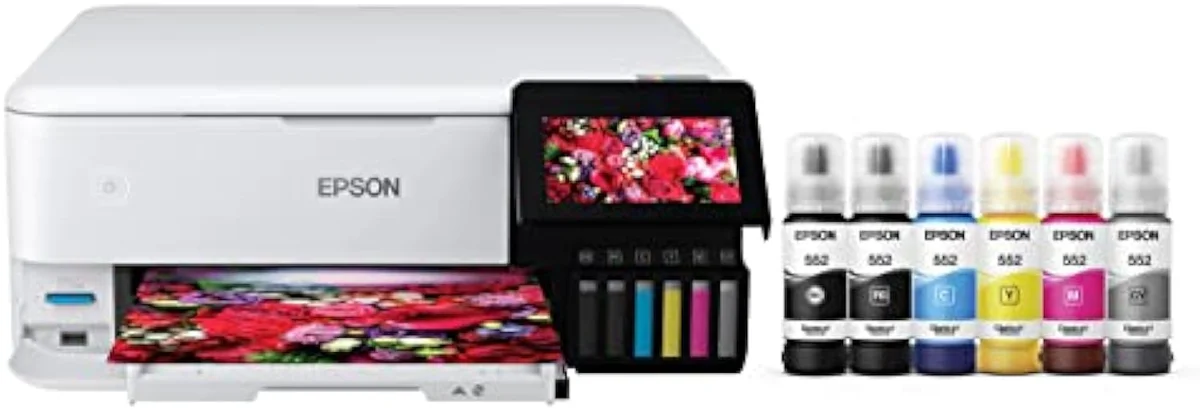
The ET-8500 is the photo-first EcoTank, and on photos it earns its 4.2-star record — the six-ink Claria set delivers borderless prints at bottle-ink cost that a cartridge photo printer can't match over time. The catch is the use case, not the output. Buy it to print pictures and craft projects often and the premium sticker turns into the cheapest photo printing you can do at home. Buy it for documents and you've overpaid for inks you'll barely touch; print rarely and the idle-clog risk this fixed printhead carries turns against you. Pay the photo premium on purpose, keep it printing, and feed the driver the right paper type.
Amazon prices and availability are refreshed live and are subject to change. The price shown on Amazon at purchase applies.
Video Review

This verdict pulls together the 13 verified Amazon owner reviews of the Epson EcoTank Photo ET-8500 (a 4.2-star average), the r/printers and r/Epson owner threads we mined, Epson's own published specifications, and independent printer testing from sources like RTINGS' lab-tested printer reviews. We don't run a print lab — we read the owner record closely and price the cost of ownership the box leaves off. We earn a commission if you buy through our links; it never changes the verdict. Read our full methodology →
Overview
The supertank you buy to print pictures
Most EcoTanks exist to make documents cheap. The ET-8500 exists to make photos cheap. It is the photo-first model in Epson's tank line, built around
The lens this site puts on every machine still holds — not the sticker, but the running-cost math of what a printer actually costs to own over time. The ET-8500 applies refill economics to the most expensive home-printing habit there is: drugstore photo prints, or a cartridge photo printer that drains color faster than you can reload it. Print pictures in volume and bottle ink rewrites that math.
Across the 13 owner reviews, satisfaction splits sharply, and not on quality. One end sounds like the buyer this machine was made for:
Best Use Case: If, like us, your printing needs are 80% creative — artwork and photos — one owner writes, the printer earns its keep. The other end bought it to print documents and met a premium they never use up.
Key Specifications
| Print Speed | Up to 16 ISO ppm black, color photo output focus |
| Functions | Print, scan, copy (six-ink photo all-in-one) |
| Connectivity | Wi-Fi, Wi-Fi Direct, Ethernet, 4.3-inch color touchscreen |
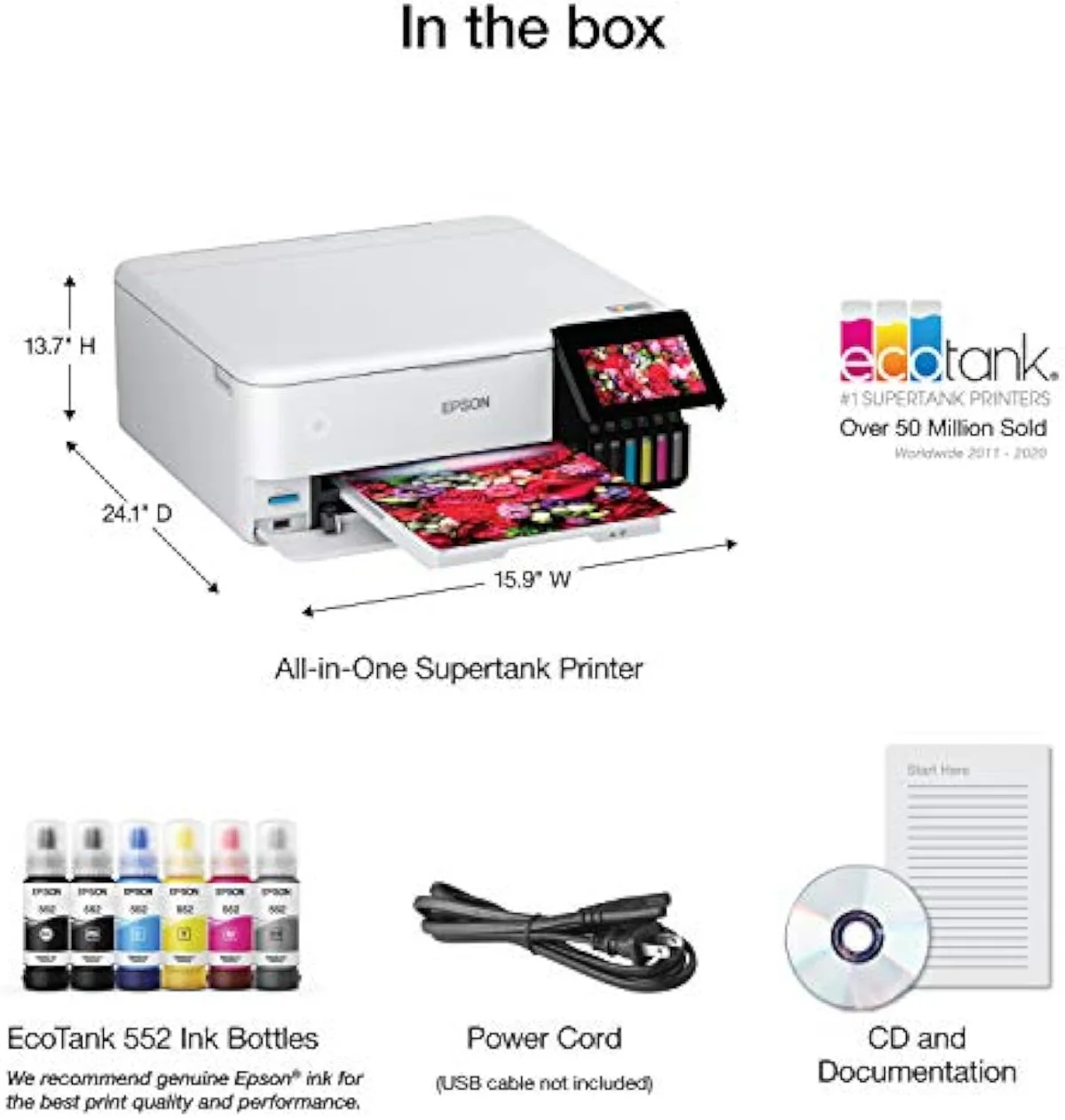
| Ink System | Cartridge-free Claria ET Premium six-bottle refillable tanks |
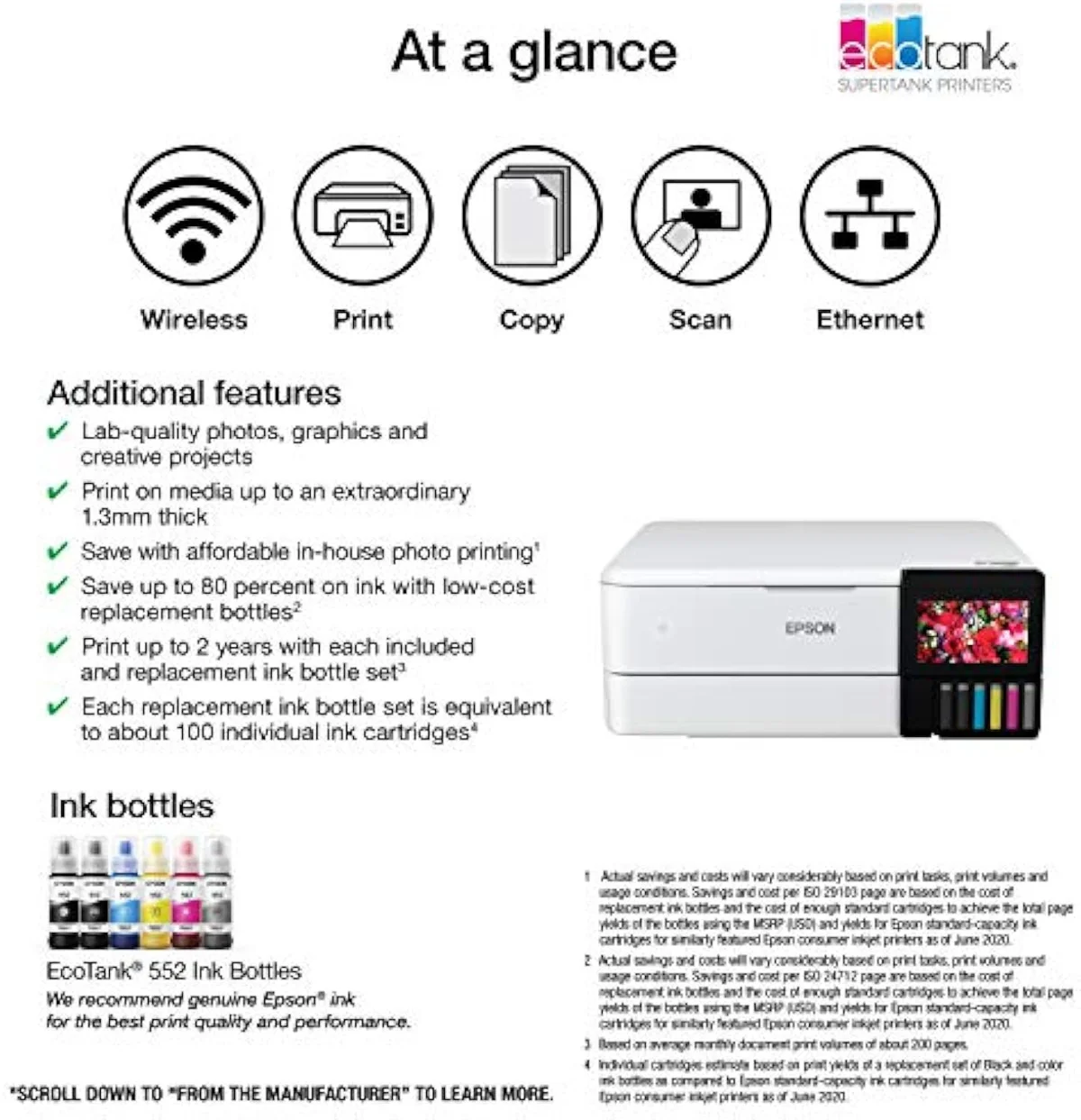
What the six-ink spec sheet actually buys
The headline number is the ink count. Epson markets the ET-8500 as
It is a real all-in-one, not just a photo box. Epson rates it to
The marketing leans on a superiority narrative, and the owner record partly earns it. Epson's claim that
Pros & Cons
Pros
- Six-ink Claria ET Premium set is the standout praise in the owner record
- Borderless photo prints rival store output, and resist fading better than cheap photo printers
- Bottle ink undercuts cartridge photo printing several times over per print
- Setup is surprisingly painless for a photo-capable refill machine
Cons
- Premium sticker is wasted on document-only buyers — a four-ink EcoTank does that for far less
- Fixed printhead clogs if left idle for weeks — a poor match for occasional printers
- Prints are paper-sensitive: great on glossy, weaker on matte, and color needs calibration
- Six inks trail dedicated 8-to-10-ink photo printers on outright color accuracy
- A minority report the Epson mobile apps failing to find the printer
Performance & Real-World Testing
The photos are the point, and they deliver
Photo output is the calm, consistent praise in the record. Owners single out prints on photo stock above every other feature, and the six-ink set is the reason — it resolves color depth a four-ink document machine cannot. For borderless prints on glossy paper, the page that comes out is where this machine justifies its tier.
There is a durability edge over cheaper photo printers too. As one community owner puts it, on a budget machine
Glossy wins, matte loses, and color needs calibration
Now the honest limits. Prints are paper-sensitive: a community owner reports
And there is a quiet driver trap. Black ink can smudge if the wrong paper type is set, because
Where it trails the dedicated photo printers
The ceiling is real. At a similar price, Epson's SureColor photo line uses more inks for finer color — a community owner notes
Value Analysis
Dear to buy, cheap to feed — if you print photos
Here's the thing about a photo supertank: the trap runs the opposite way from a budget printer. A cheap cartridge machine is cheap to buy and brutal to feed. The ET-8500 is the reverse — it sits in the premium price tier, then quietly stops charging you. Compared to the cartridge photo printers most homes start with, the ink in the box lasts, and a refill set is a fraction of what they cost over the same number of prints.
That is the whole economic case. Drugstore prints and cartridge photo printers tax you per picture; bottle ink does not. Independent testing puts cartridge cost-per-page many times higher than tank ink — RTINGS' cost-per-print and page-yield testing measures the gap directly, and Consumer Reports' inkjet running-cost testing reaches the same verdict. A supertank front-loads the savings into a steep sticker and pays them back over months of printing.
THE GAP The box counts years of ink; photo printing spends it faster than documents do — but even a heavy photo year on bottles undercuts a cartridge photo printer by a wide margin.
The volume-and-content test
So the value verdict turns on two questions, not one: how much you print, and what. Print photos often and the ET-8500 is honestly excellent value — store-quality borderless prints at bottle-ink cost, no per-picture tax. Print rarely, or print mostly text, and the premium is wasted.
The ink count you paid for has to leave the machine to earn its keep.
We grade every machine against that running-cost case in our inkjet printers evidence hub.
What to Expect Over Time
Living with it: idle clogs are the real risk
One failure mode shapes life with any EcoTank, and the photo models are no exception: the printhead clogs when the machine sits idle.
Liquid ink hardens in a fixed printhead that goes unused, and the machine spends ink on cleaning cycles to clear it. A community owner is blunt —
The flip side is in the record too: owners who keep the machine working report no trouble. Over the course of several months, one owner ran photos plus thousands of documents and was still on the ink that shipped in the box; another with the narrower ET-8500 went through idle stretches with no blockage or missing color. The pattern is consistent — regular use is the whole insurance policy on a tank printhead.
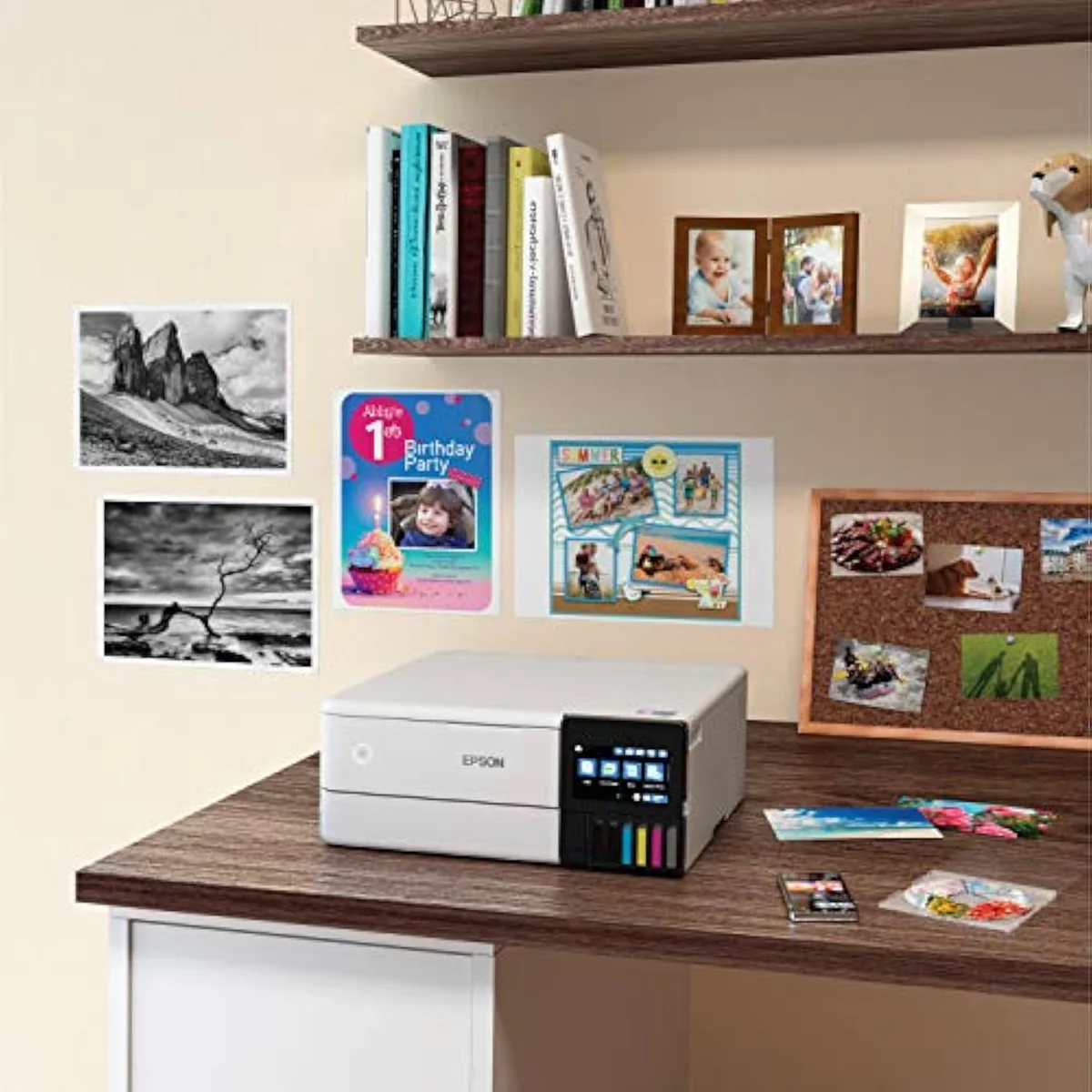
Keep it busy and the clog risk all but disappears.
Setup is easier than a photo printer should be
The reassuring surprise sits against that clog risk. A photo-capable refill printer sounds fiddly to set up; the owner verdict is the opposite. One reviewer working through the unboxing reports
It is not flawless. A minority hit Epson's software: one owner reports
What ET-8500 photo buyers ask first
The 13-review record clusters around one theme: the photos win, the use case decides everything else. These are the questions photo buyers raise most before checkout.
Is the Epson ET-8500 a good printer?
For photos, yes — that is the job it is built for. The six-ink Claria ET Premium set earns the most praise in the owner record, and the 4.2-star average across 13 reviews is split by use case, not output: people who print pictures love it, people who wanted a cheap document machine wonder why they paid the premium. Buy it to print photos at refill-bottle cost and it delivers. Buy it to print spreadsheets and you have overspent on inks you will rarely stretch.
What is the difference between the Epson ET-8500 and ET-8550?
Media size, and almost nothing else. Owners on r/printers are blunt that the ET-8550 runs the exact same printing engine — same six inks, same photo quality — and only adds support for larger paper up to 13 inches wide. If you never print bigger than letter or 8x10, the narrower ET-8500 prints identical pictures for less money.
What are the downsides of the Epson EcoTank line?
Idle clogging. Every EcoTank runs liquid ink through a fixed printhead, and that printhead dries out if the machine sits unused for weeks — which spends ink on cleaning cycles and, at worst, ruins the head. The photo six-ink models are no exception. The other downside is upfront price: a supertank front-loads its ink savings into a steep sticker, so the math only works if you print enough to use that ink.
How good are the photos from the Epson ET-8500?
Good, with two honest caveats. Prints look best on glossy stock and noticeably worse on matte, and the six-ink set trails dedicated nine- and ten-ink photo printers on outright color accuracy. Serious printers profile each paper before they trust the color. For ordinary borderless prints on photo paper, the output is the reason this machine exists.
Is the Epson ET-8500 worth it for occasional printing?
No. A printer that sits idle most of the month is the worst possible match for a fixed-printhead ink tank, because the clog risk climbs with every idle week and the cleaning cycles waste the ink you paid a premium for. Occasional printers are better served by a cheap mono laser, or by a budget cartridge all-in-one they can replace without grief.
Does the Epson ET-8500 connect over Wi-Fi or wired Ethernet?
Both. It has Wi-Fi and Wi-Fi Direct plus a wired Ethernet port and a 4.3-inch color touchscreen for setup, so it suits a fixed home-office desk as well as a phone-and-tablet household. A handful of owners report the Epson mobile apps failing to find the printer, so treat app-based printing as a possible snag rather than a certainty.
Pay the photo premium on purpose
Buy it for pictures, route documents elsewhere
A home that prints photos and craft projects often gets store-quality borderless prints at bottle-ink cost, and after the premium sticker, the cheapest photo printing it can do at home. A household that mostly prints documents, or prints rarely, should walk away — the six-ink premium is wasted and the idle clog risk is real.
If documents are most of your printing, the cheaper four-ink Epson EcoTank ET-2800 delivers the same bottle-ink economics without the photo premium — it is the same machine Epson also sells as the EcoTank ET-2803, and we lay out why they are interchangeable in our ET-2803 vs ET-2800 comparison. If you want a wider 13-inch print, the ET-8550 is the only step up worth paying for — a community owner confirms
The ET-8500 is the photo-first EcoTank, and on photos it earns its 4.2-star record — the six-ink Claria set delivers borderless prints at bottle-ink cost that a cartridge photo printer can't match over time. The catch is the use case, not the output. Buy it to print pictures and craft projects often and the premium sticker turns into the cheapest photo printing you can do at home. Buy it for documents and you've overpaid for inks you'll barely touch; print rarely and the idle-clog risk this fixed printhead carries turns against you. Pay the photo premium on purpose, keep it printing, and feed the driver the right paper type.
Best for: Photo and craft households that print borderless pictures often and want store-quality output at refill-bottle running cost rather than drugstore-print prices.
Track the Epson EcoTank Photo ET-8500
We check the price daily and monitor availability. You hear from us when something changes.
Only when something changes. Unsubscribe anytime.
Citations
- [1]"Epson's Claria ET Premium 6-color ink"https://www.amazon.com/dp/B08R57JK88Captured June 4, 2026. Verified June 4, 2026.
- [2]"Navigate printing like a pro with"https://www.amazon.com/dp/B08R57JK88Captured June 4, 2026. Verified June 4, 2026.
- [3]"Wi-Fi and Wi-Fi Direct"https://www.amazon.com/dp/B08R57JK88Captured June 4, 2026. Verified June 4, 2026.
- [4]"Challenge your artistic boundaries"https://www.amazon.com/dp/B08R57JK88Captured June 4, 2026. Verified June 4, 2026.
- [5]"Print stunning photos"https://www.amazon.com/dp/B08R57JK88Captured June 4, 2026. Verified June 4, 2026.
- [6]"Ditch cartridges and embrace"https://www.amazon.com/dp/B08R57JK88Captured June 4, 2026. Verified June 4, 2026.
- [7]"The 8500 prints 8.5x11 and 8.5x14"https://www.amazon.com/dp/B08R57JK88Captured June 4, 2026. Verified June 4, 2026.
- [8]"Rich, vibrant colors pop from the page"https://www.amazon.com/dp/B08R57JK88Captured June 4, 2026. Verified June 4, 2026.
- [9]"The Epson Apps (Epson Smart Panel & Epson Creative Print) can never find the printer"https://www.amazon.com/dp/B08R57JK88Captured June 4, 2026. Verified June 4, 2026.
- [10]"This is quite possibly the worst printer"https://www.amazon.com/dp/B08R57JK88Captured June 4, 2026. Verified June 4, 2026.
- [11]"This turns out to be just as easy as promised."https://www.amazon.com/dp/B08R57JK88Captured June 4, 2026. Verified June 4, 2026.
- [12]"Best Use Case: If, like us, your printing needs are 80% creative"https://www.amazon.com/dp/B08R57JK88Captured June 4, 2026. Verified June 4, 2026.
- [13]"The 8550 is exactly the same printing engine"https://reddit.com/r/printers/comments/18vbe8x/thoughts_on_epson_ecotank_8500/Captured June 4, 2026. Verified June 4, 2026.
- [14]"no water resistance, not so good for matte papers"https://reddit.com/r/printers/comments/18vbe8x/thoughts_on_epson_ecotank_8500/Captured June 4, 2026. Verified June 4, 2026.
- [15]"Epsons clog easily if left unused"https://reddit.com/r/printers/comments/18vbe8x/thoughts_on_epson_ecotank_8500/Captured June 4, 2026. Verified June 4, 2026.
- [16]"if you only print occasionally, these are NOT the printers to get"https://reddit.com/r/printers/comments/18vbe8x/thoughts_on_epson_ecotank_8500/Captured June 4, 2026. Verified June 4, 2026.
- [17]"Otherwise your photo prints will fade pretty quickly"https://reddit.com/r/Epson/comments/1ed564e/is_the_epson_ecotank_photo_et8550_worth_it/Captured June 4, 2026. Verified June 4, 2026.
- [18]"these could use 8-10 different ink cartridges for good color accuracy"https://reddit.com/r/Epson/comments/1ed564e/is_the_epson_ecotank_photo_et8550_worth_it/Captured June 4, 2026. Verified June 4, 2026.
- [19]"The type of paper you use and tell it that you are using"https://reddit.com/r/Epson/comments/1ed564e/is_the_epson_ecotank_photo_et8550_worth_it/Captured June 4, 2026. Verified June 4, 2026.
- [20]"Prints are great, but need to calibrate for your paper."https://reddit.com/r/Epson/comments/1ed564e/is_the_epson_ecotank_photo_et8550_worth_it/Captured June 4, 2026. Verified June 4, 2026.