Epson EcoTank ET-3850 Review: The Home-Office Supertank, If You Print
Updated
The EcoTank for a home office that prints every week: bottle ink that lasts years, plus an ADF, Ethernet and a 250-sheet tray the cheap 2800-series skips. Idle owners and photo-led buyers should look elsewhere — this machine pays back on volume, not on a shelf.
| Best for | A home office printing weekly that wants cartridge spend gone |
|---|---|
| Skip if | You print rarely, print photos, or need double-sided scanning |
| Office hardware | ADF, wired Ethernet, 250-sheet tray, auto duplex |
| Ink | Cartridge-free refillable bottle tanks |
| Owner rating | 4.1 / 5 across 13 reviews |
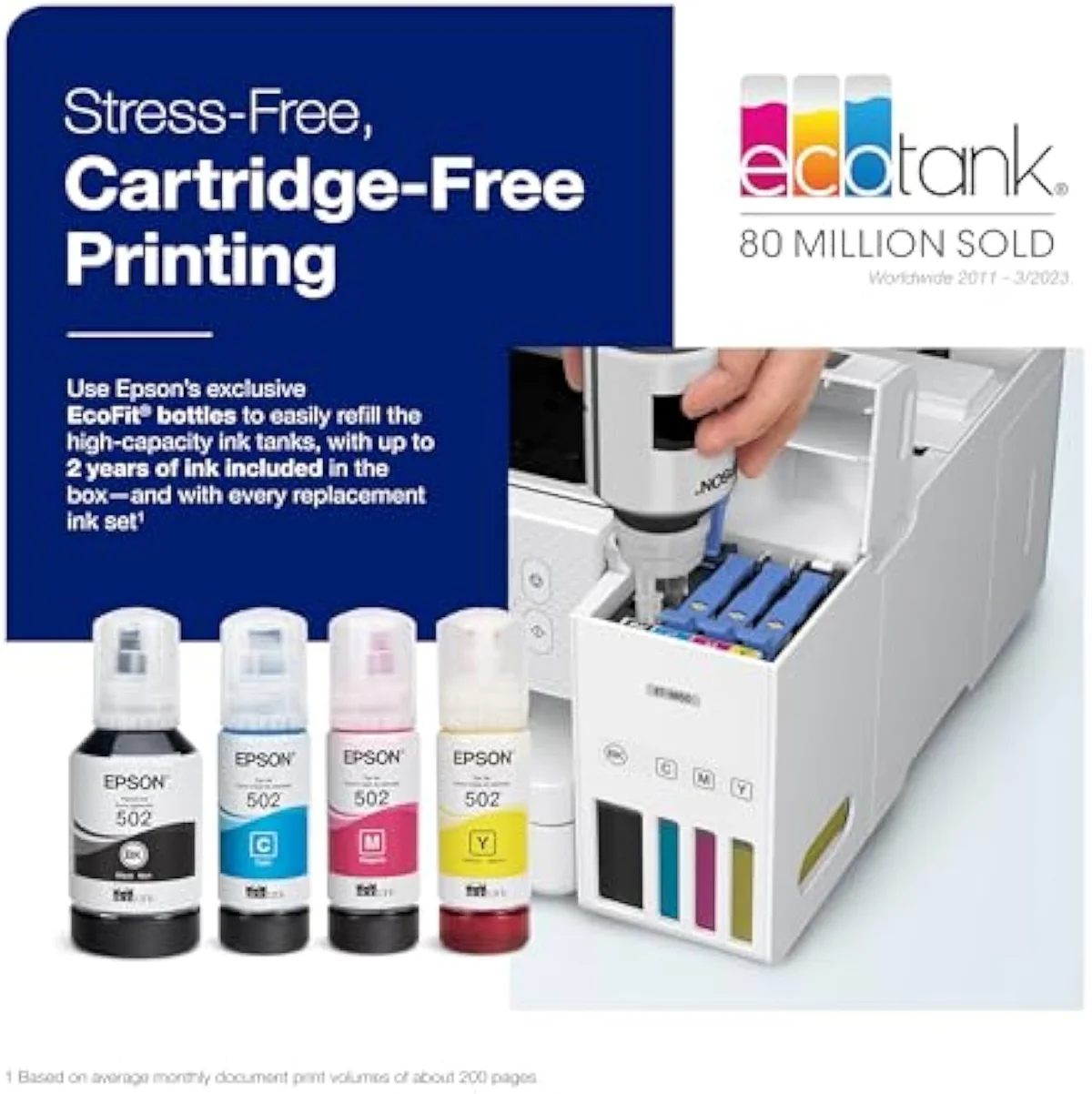
The EcoTank pitched at the home office that does not need fax: refill-bottle economics plus an ADF, Ethernet and 250-sheet tray, gated on volume. Print weekly and the tank premium pays itself back in ink; leave it idle and it stripes and clogs. Wrong choice for photo-led work or double-sided scanning.
Amazon prices and availability are refreshed live and are subject to change. The price shown on Amazon at purchase applies.
Video Review
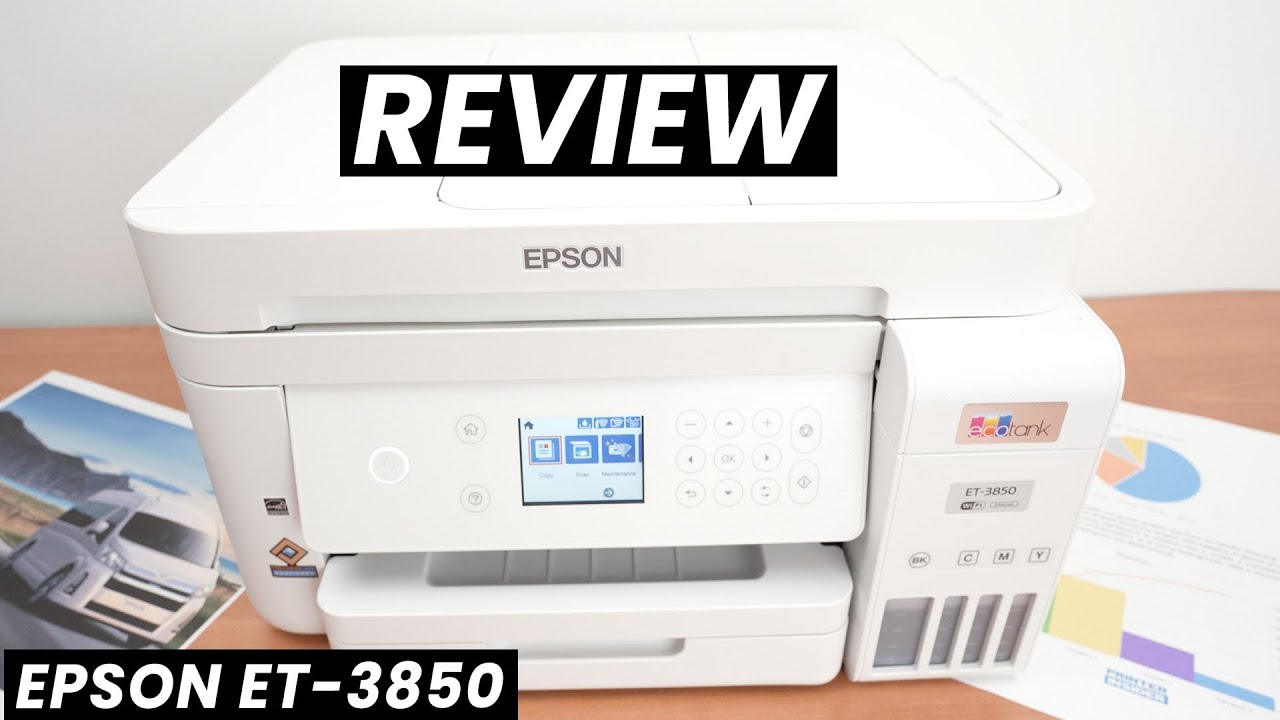
The ET-3850 verdict here weighs the 13 verified Amazon owner reviews (a 4.1-star average), the r/printers and r/homeschool owner threads we mined, Epson's own published specifications, and independent printer testing from sources like RTINGS' lab-tested printer reviews. We don't run a print lab — we read the owner record closely and price the cost of ownership the box leaves off. We earn a commission if you buy through our links; it never changes the verdict. Read our full methodology →
Overview
The EcoTank that buys office hardware
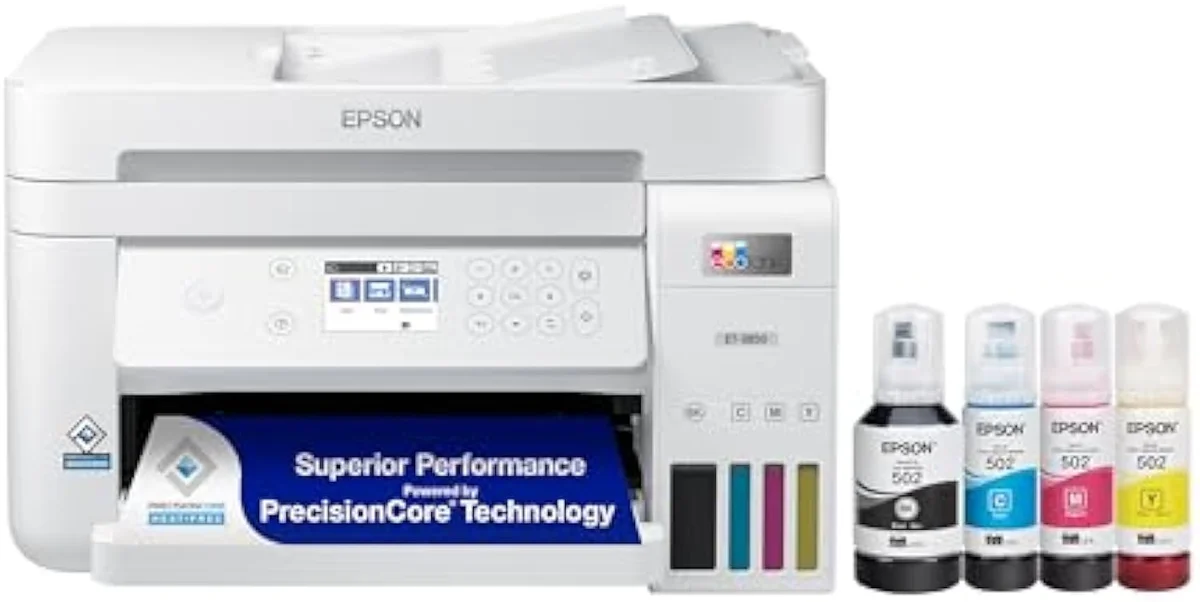
An automatic document feeder is the one part the cheap EcoTanks leave on the shelf, and it is the part a working home office misses first. The ET-3850 adds it — plus a wired Ethernet jack and a 250-sheet tray — on the same bottle-ink economics the 2800-series already nailed, for a higher sticker. Epson's listing names the upgrade in one line: a
The job, though, isn't the spec sheet. It's the cost-of-ownership math the box hides — what bottle ink versus cartridge ink actually costs to run over months, and whether the higher sticker pays itself back. That fork is this site's organizing question, and the ET-3850 sits right on it.
Across the 13 owner reviews we read, a 4.1-star average hides a clean split along one line — usage. One end sounds like this:
All three were great at first but started printing black stripes from top to bottom , one owner writes of three EcoTank units that degraded after sitting. Another is four years in and still on the factory ink. Same line of machine — the difference is how often it runs.
Key Specifications
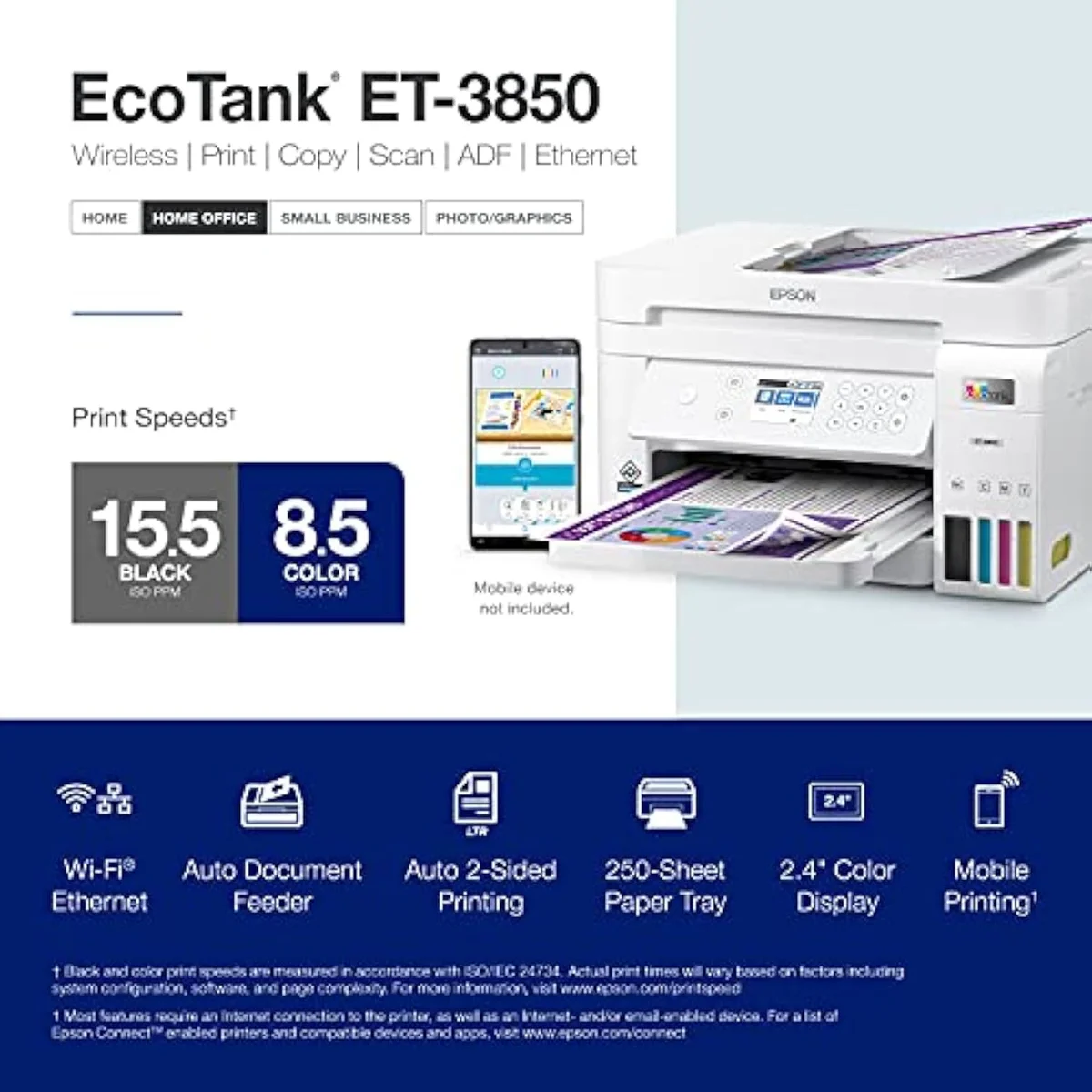
| Print Speed | Up to 15.5 ppm black / 8.5 ppm color |
| Functions | Print, Scan, Copy + ADF |
| Connectivity | Wi-Fi, Ethernet, AirPrint, Smart Panel app |
| Ink System | Cartridge-free refillable tanks |
| Two-Sided Printing | Automatic 2-sided printing |
What the spec sheet promises
The numbers are office-grade, not budget. Epson rates it to
Connectivity is where this tier earns its premium. Beyond Wi-Fi, it ships a wired Ethernet jack — a stable, set-and-forget link a budget printer skips — plus a full software stack. The listing notes it
The feeder is. The ADF is the single feature that justifies stepping up from the 2800-series — and it has one hard limit owners discover late: it scans one side only. It cannot capture the front and back of a page in a single pass. That gap matters more than resolution at this price, and it's the kind of detail we score against the full owner record in our comparison criteria for inkjet printers.
Pros & Cons
Pros
- Bottle ink owners say lasts years — one is below halfway four years in
- Office hardware the base EcoTanks skip: ADF, wired Ethernet, 250-sheet tray
- Automatic 2-sided printing, confirmed 4-to-1 in owner reviews
Cons
- The ADF cannot scan double-sided — a real gap at this tier
- Color runs muted: fine for documents, wrong for photo work
- Idle units stripe and clog — print weekly or buy a laser
Performance & Real-World Testing
When it runs, it runs well
The print quality earns its praise. One owner calls it out plainly:
Setup lands as a surprise for owners braced for EcoTank friction. One summed up the first run as
Where the cracks show
For an Epson rated 4.1 stars, almost none of the complaints are about the printing itself.
Color is the honest weak spot. A heavy-volume EcoTank owner is blunt:
Not every owner is calm about it. The harshest mined review goes all-caps:
Value Analysis
The math that justifies the sticker
Here's the thing about a supertank: the price tag is the scary part, and it's also the point. You pay more at checkout to stop paying at the cartridge shelf. The community framing is exact —
The sticker is the last big money an Epson EcoTank asks for, not the first of many cartridge sets.
What four years of ink looks like
The owner evidence is unusually strong on this. A four-year ET-3850 owner reports still sitting below halfway on the factory-included ink bottles — years of printing on the ink that came in the box. One household coming from a cartridge HP describes the running cost dropping by more than ten-fold after switching from HP to the tank line. That is the cartridge tax, refunded.
The independent data backs the shape. RTINGS' cost-per-print and page-yield testing puts bottle-ink cost-per-page far below cartridge ink, and Consumer Reports' inkjet running-cost testing reaches the same verdict. A supertank is dear to buy and cheap to feed; a cartridge machine is the reverse. We run that fork across the whole catalog in our type-versus-type tradeoffs analysis.
THE GAP For once the buried claim and the owner reality point the same way — the in-box ink really does last years, but only for an owner who actually prints.
Street price versus list
One practical note before you judge the sticker: listings for the ET-3850 swing hard. The same model has appeared well below its list price and, at the top end, far above it — so the number you see today is not the number to anchor on. Check the live price, then weigh it against the bottle-ink math, not against the highest listing you remember.
What to Expect Over Time
Living with it: idle weeks and the feeder
Two things decide life with this Epson EcoTank past the first weeks: how often it runs, and what you bought the document feeder to do.
Idleness first, because every inkjet shares one failure mode a laser doesn't — liquid ink dries in the nozzles when the printer sits, and the machine burns ink on cleaning cycles trying to clear it. The damage builds over several weeks of disuse, not overnight. The owner protocol is specific:
The feeder is the second long-term thread, and it under-delivers for some. The ADF is the reason to buy this tier over the 2800-series, but it scans single-sided only — one two-year owner touched theirs barely a handful of times for that reason. If your scanning leans on double-sided originals, the feature you paid up for won't carry the load.
And there is a standing counterargument worth naming. For a text-only household, the cheapest cost-of-ownership often isn't an EcoTank at all:
ET-3850 questions, answered before checkout
The owner record clusters on two things: praise for the ink economics, frustration when the machine sits idle or the feeder falls short. These are the questions that pattern raises most.
Is the Epson EcoTank ET-3850 a good printer?
For a home office that prints weekly, yes. The 4.1-star average across the owner record praises the bottle-ink economics and the office hardware — an ADF, wired Ethernet and a 250-sheet tray the cheaper EcoTanks omit. The catch is that it punishes idle owners: leave it dark for weeks and the printhead stripes and clogs. It is a printer to use, not to park.
What is the difference between the ET-2850 and the ET-3850?
Both run the same refillable EcoTank bottle ink and both do automatic two-sided printing. The ET-3850 steps up the office hardware: it adds an automatic document feeder for multi-page scan and copy jobs, wired Ethernet, and a larger 250-sheet paper tray. If your workflow never feeds a stack of originals through a scanner, the cheaper ET-2850 saves you money on the same ink math.
Does the ET-3850 print double-sided automatically?
Yes — automatic two-sided printing is built in, and owners confirm it works.
Does the ET-3850 have an ADF, and can it scan both sides?
It has an automatic document feeder — that feeder is the headline reason to step up from the 2800-series. But the feeder is single-sided only: it cannot scan the front and back of a page in one pass. One two-year owner used theirs barely a handful of times for that reason. If double-sided scanning is part of your routine, this is the wrong feeder.
How do you stop the ET-3850 from clogging?
Print something with both color and black ink at least once a week — an email, a web page, anything on plain paper. That single habit is what separates the four-year owners still on their first ink bottles from the owners who met black stripes and washed-out color. An inkjet that sits idle is an inkjet heading for a cleaning-cycle clog.
Is the ET-3850 good for printing photos?
Not really. Owners describe EcoTank color as muted, which is fine for documents and worksheets but flat for photo-led work. For saturated borderless prints, a dedicated photo supertank handles color far better than this document machine.
The volume call, plainly
Match it to your print habit, not the spec list
A home office that prints something every week, wants cartridge spending gone, and needs to feed a stack of originals through a scanner gets a strong machine for the money — bottle ink that lasts years and office hardware the cheap EcoTanks omit. Print rarely, print photos, or need double-sided scanning, and the math turns against you.
Against the cheaper Epson EcoTank ET-2850, the ET-3850 charges more for the ADF, Ethernet and bigger tray on identical ink economics — so if you'll never feed originals through a scanner, the 2850 saves you the difference, and our ET-2850 vs ET-3850 comparison walks through exactly when that feeder is worth paying for. Step up instead to the Epson EcoTank ET-4850 if you want fax and a touchscreen — it rates a touch higher,
The EcoTank pitched at the home office that does not need fax: refill-bottle economics plus an ADF, Ethernet and 250-sheet tray, gated on volume. Print weekly and the tank premium pays itself back in ink; leave it idle and it stripes and clogs. Wrong choice for photo-led work or double-sided scanning.
Best for: A home office that prints something every week and wants the ADF, Ethernet, auto-duplex and 250-sheet tray the cheaper EcoTanks omit — on bottle ink that lasts years
How the Epson EcoTank ET-3850 compares
Track the Epson EcoTank ET-3850
We check the price daily and monitor availability. You hear from us when something changes.
Only when something changes. Unsubscribe anytime.
Citations
- [1]"Prints up to 15.5 pages per minute"https://www.amazon.com/dp/B096N7TXR1Captured June 5, 2026. Verified June 5, 2026.
- [2]"Prints at a 4800 x 1200 resolution"https://www.amazon.com/dp/B096N7TXR1Captured June 5, 2026. Verified June 5, 2026.
- [3]"Auto 2-sided printing helps save"https://www.amazon.com/dp/B096N7TXR1Captured June 5, 2026. Verified June 5, 2026.
- [4]"Offers mobile printing options, including the Epson Smart Panel"https://www.amazon.com/dp/B096N7TXR1Captured June 5, 2026. Verified June 5, 2026.
- [5]"Cartridge-Free Supertank with Scanner Copier, ADF and Ethernet"https://www.amazon.com/dp/B096N7TXR1Captured June 5, 2026. Verified June 5, 2026.
- [6]"After 5 years, my HP home printer died"https://www.amazon.com/dp/B096N7TXR1Captured June 5, 2026. Verified June 5, 2026.
- [7]"Epson EcoTank ET-3850 Wireless All-in-One Supertank Color Printer"https://www.amazon.com/dp/B096N7TXR1Captured June 5, 2026. Verified June 5, 2026.
- [8]"Epson EcoTank ET-4850 All-in One Supertank Printer"https://www.amazon.com/dp/B096N7TXR1Captured June 5, 2026. Verified June 5, 2026.
- [9]"EPSON HAS BECOME A SOURCE OF INSANITY AND WASTE OF MONEY"https://www.amazon.com/dp/B096N7TXR1Captured June 5, 2026. Verified June 5, 2026.
- [10]"Was printing in 20 minutes after opening the box"https://www.amazon.com/dp/B096N7TXR1Captured June 5, 2026. Verified June 5, 2026.
- [11]"The print quality is flawless and beautiful with crisp black"https://www.amazon.com/dp/B096N7TXR1Captured June 5, 2026. Verified June 5, 2026.
- [12]"All easy peasy"https://www.amazon.com/dp/B096N7TXR1Captured June 5, 2026. Verified June 5, 2026.
- [13]"The new tank printers are more expensive but the savings on the ink pays for the printer"https://reddit.com/r/printers/comments/1q2alcw/the_epson_et3850_is_the_greatest_thing_on_gods/Captured June 5, 2026. Verified June 5, 2026.
- [14]"Try to print something at least once per week"https://reddit.com/r/printers/comments/1q2alcw/the_epson_et3850_is_the_greatest_thing_on_gods/Captured June 5, 2026. Verified June 5, 2026.
- [15]"All three were great at first but started printing black stripes from top to bottom"https://reddit.com/r/printers/comments/1q2alcw/the_epson_et3850_is_the_greatest_thing_on_gods/Captured June 5, 2026. Verified June 5, 2026.
- [16]"Get a laser printer. We have had our Brother for four years"https://reddit.com/r/homeschool/comments/1msvlxe/do_you_use_the_epson_ecotank_printer_if_so_which/Captured June 5, 2026. Verified June 5, 2026.
- [17]"The color on the ET series is very muted"https://reddit.com/r/homeschool/comments/1msvlxe/do_you_use_the_epson_ecotank_printer_if_so_which/Captured June 5, 2026. Verified June 5, 2026.