Epson EcoTank ET-2800 Review: The Base Supertank, and the Cheaper-Twin Catch
Updated
The cheapest door into Epson's cartridge-free EcoTank line, with bottle ink rated for thousands of pages — worth it for a home that prints weekly or more. Check the price of the identical ET-2803 first, and skip both if you print twice a year.
| Best for | First-time supertank buyers printing 100–200 pages a month |
|---|---|
| Skip if | You print rarely, need an ADF or auto-duplex, or want speed |
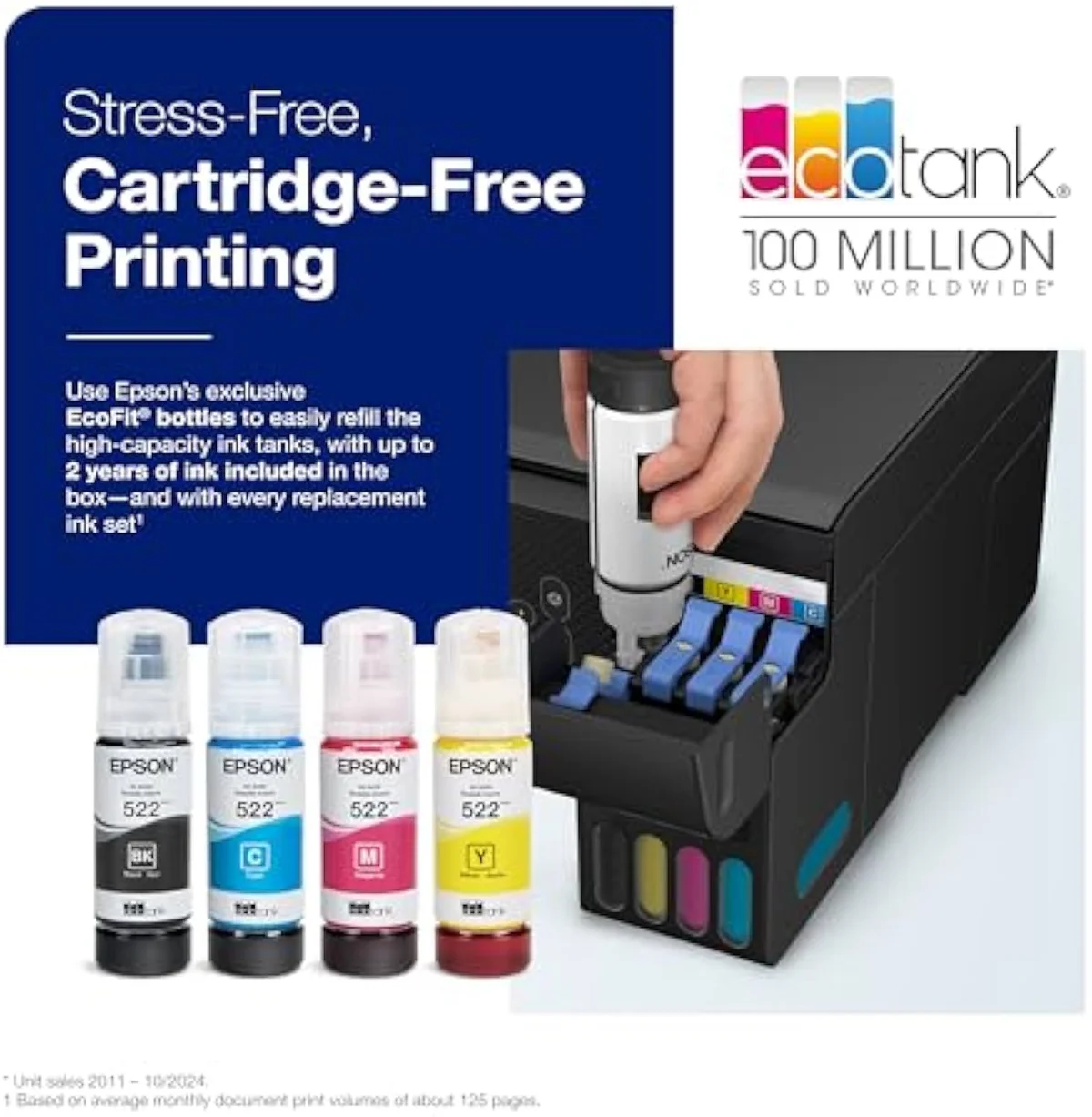
| Ink | Cartridge-free bottle tanks — up to 2 years of ink in the box |
| Weak spot | Idle clogs; maintenance box is not user-replaceable |
| Owner rating | 4.1 / 5 across 13 reviews |
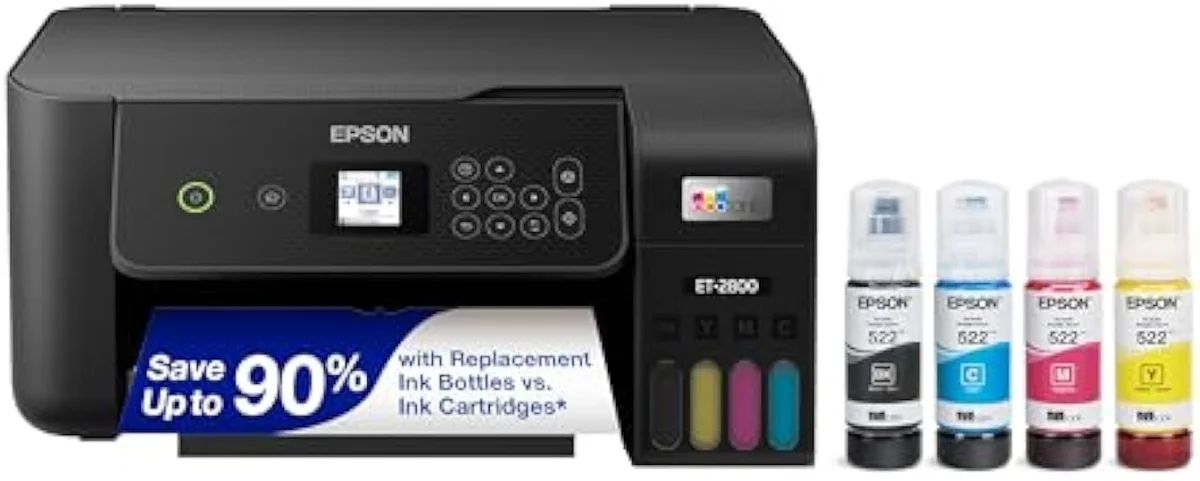
Functionally the ET-2803 in a different box: the lowest-entry EcoTank, the same refill-bottle economics, and owner reports of it lasting — bought by anyone who prints often enough to keep the heads wet.
Amazon prices and availability are refreshed live and are subject to change. The price shown on Amazon at purchase applies.
Video Review

This verdict reads the 13 verified Amazon owner reviews of the Epson EcoTank ET-2800 (a 4.1-star average), the r/printers owner thread we mined, Epson's own published specifications, and independent printer testing from sources like RTINGS' lab-tested printer reviews. We don't run a print lab — we read the owner record closely and price the cost of ownership the box leaves off. We earn a commission if you buy through our links; it never changes the verdict. Read our full methodology →
Overview
The entry ticket to bottle ink — under a second model number
Most buyers reach the ET-2800 after the cartridge shelf ambushed them, and the printer's whole job is to make that ambush impossible to repeat. It is the lowest-entry model in Epson's cartridge-free EcoTank line, billed plainly as
There is a catch at the till before you even open the box. Epson sells the same machine as the ET-2803, and owners report the sibling ET-2803 turning up at Walmart for less than the ET-2800 list price. Same tanks, same scanner, same yield ratings — so the first move is to price both and buy whichever is cheaper, a point we lay out in full in our ET-2803 vs ET-2800 comparison.
That price-versus-running-cost fork is the lens this site puts on every machine — what a printer actually costs to own over months, not what it costs on the shelf. Across the 13 owner reviews and the r/printers thread we read, the split is sharp: enthusiasts outnumber critics heavily, and the divide is almost entirely about how often the printer runs. One steady-use owner reports
The hinge is something owners didn't expect to enjoy. The headline anxiety with any tank printer was the messy refill — and on the ET-2800 it is the part people like best:It is very easy and surprisingly satisfying to fill the ink tank. The chore the EcoTank was supposed to add turned out to be the moment that sells it — output that punches above the entry price helps, but the refill is the genuine surprise.
Key Specifications
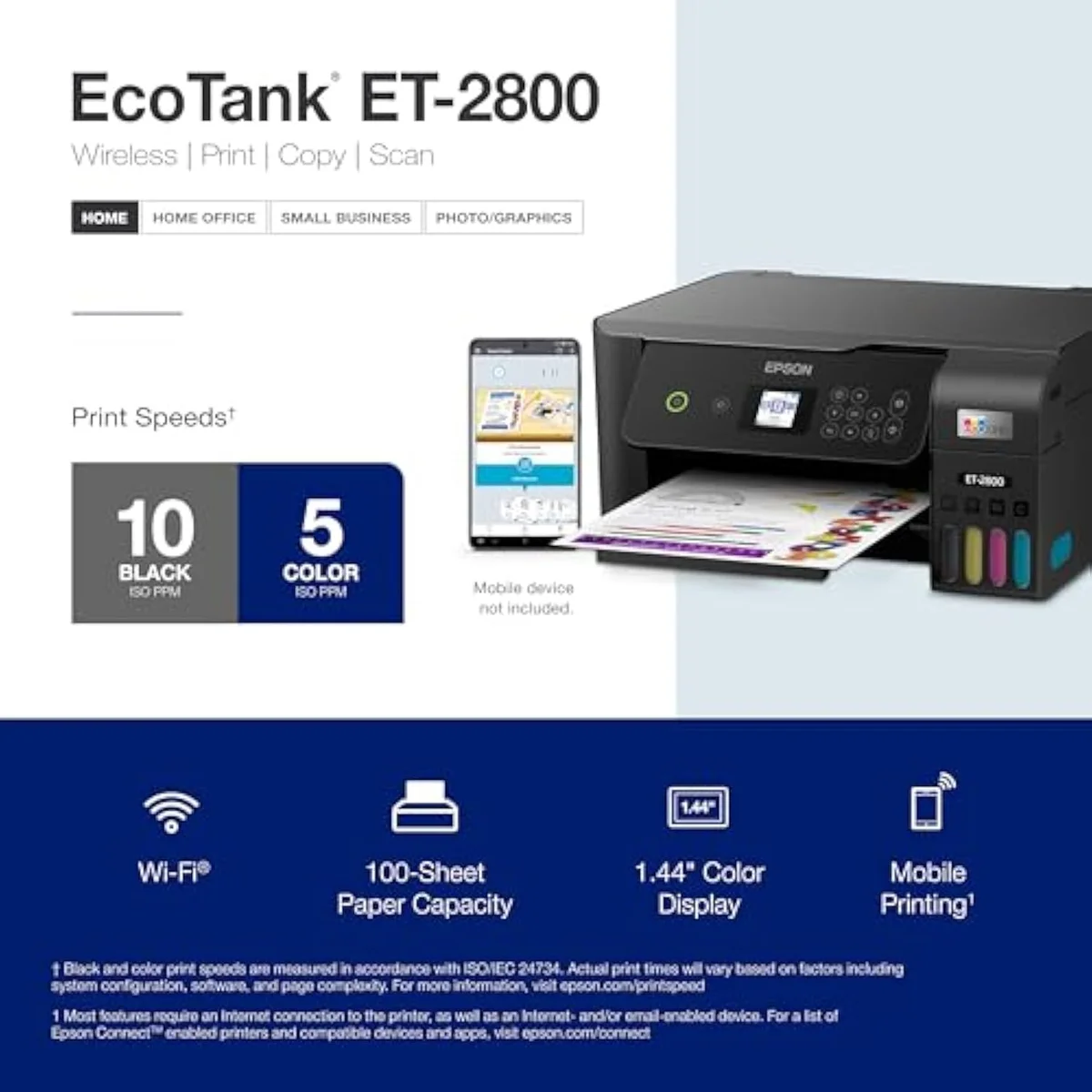
| Print Speed | Up to 10 ppm black |
| Functions | Print, Scan, Copy |
| Connectivity | Wi-Fi, AirPrint, Smart Panel app |
| Ink System | Cartridge-free refillable tanks |
What the spec sheet buys, and what it leaves out
It is a true color all-in-one, not just a printer — it prints, scans, and copies as a basic home machine. The engine is Epson's heat-free piezo head: the listing's
The cartridge-free system is the whole point, and Epson quotes it in pages. The box claims
What it leaves out is the part the price hides. There is no automatic document feeder and no two-sided printing — this is the stripped-back base of the EcoTank family, and a home that scans stacks or prints double-sided wants the step-up ET-2850 or ET-4850 instead. The office-tier ET-4800 is the cleanest illustration of that gap: it carries the same bottle ink at the same cost-per-page but adds the feeder, fax, Ethernet, and auto-duplex this model has none of, which is exactly the call we settle in our ET-4800 vs ET-2800 comparison. That feature gap, not print quality, is the honest reason to look up the line, and it is the kind of trade we track across the catalog in our guide to all-in-one wireless printers.
Pros & Cons
Pros
- Cartridge-free bottle ink rated for thousands of pages
- Surprisingly easy, spill-free tank refills owners enjoy
- Owner reports of half the in-box ink left after a year of regular color
Cons
- Heads clog under idle use; cleaning cycles waste ink
- No ADF or auto-duplex — a stripped-back base model
- Maintenance box is not user-replaceable
Performance & Real-World Testing
When it prints, owners are happy
Print quality is the calm part of the record. Owners describe the ET-2800 as durable and well-engineered with high print quality, and the praise holds on color too — one owner reports
The ink economy holds up in real ownership, not just the spec sheet — and this is where the ET-2800 earns the supertank premium. A reviewer printing full pages of color regularly for around a year still had about half the original ink left. The page-yield claim is landing in real homes, not just footnotes.
The crossover is the whole decision
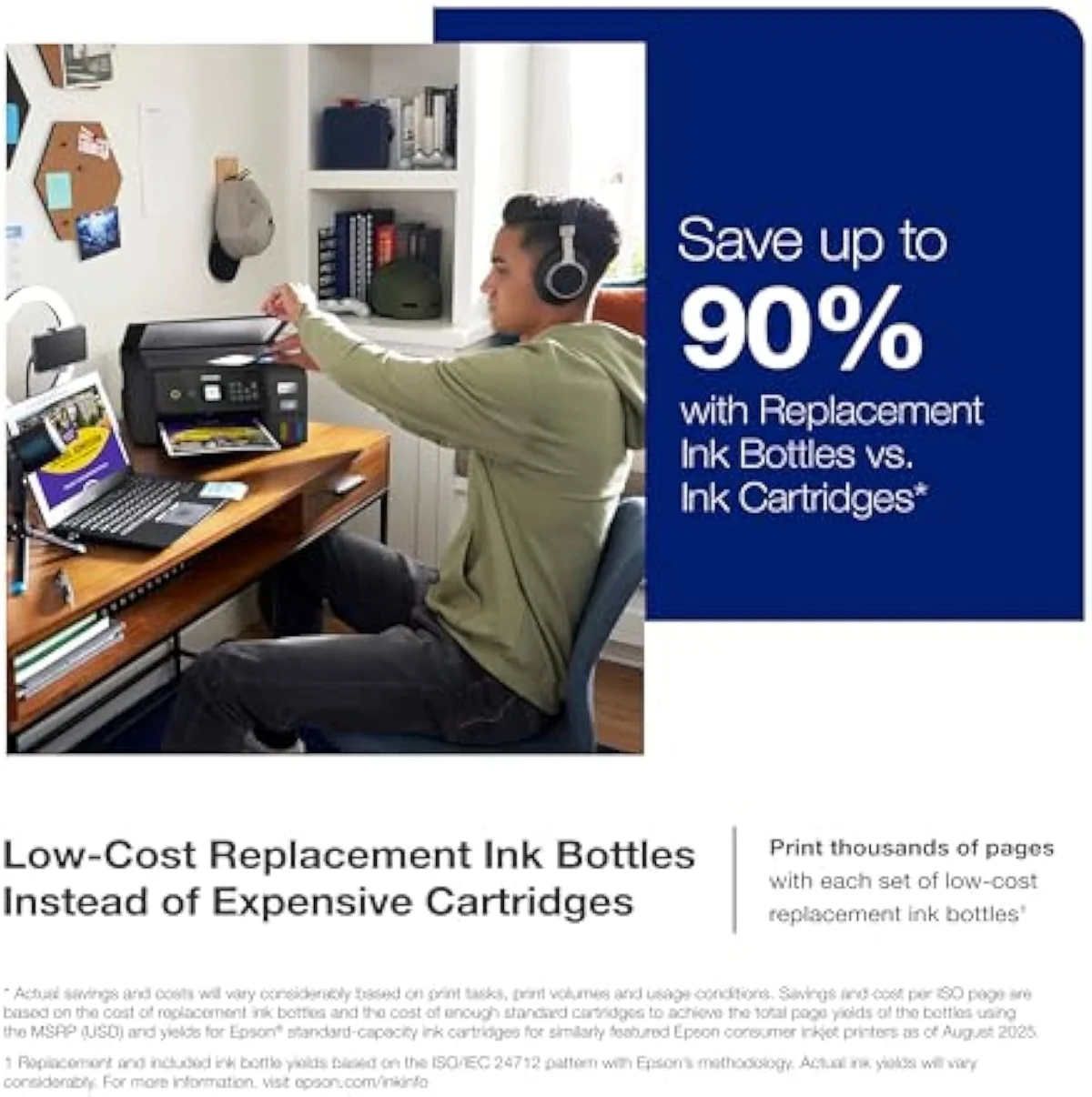
Here is the math that flips a cheap printer's logic. A budget cartridge all-in-one wins at checkout and loses at the ink shelf; the ET-2800 does the reverse — dearer to buy, almost nothing to run. RTINGS' independent cost-per-print and page-yield testing puts cartridge cost-per-page many times higher than bottle ink, and Consumer Reports' inkjet running-cost and reliability testing reaches the same verdict.
The month the two lines cross is the month the supertank starts winning.
How fast that crossover arrives is the number to interrogate, and Epson's own page-yield rating is the headline to test against the owner record. The meter below stages the claimed bottle yield against what owners actually report — including the year-long-still-half-full account above.
THE GAP The yield claim is unusually well-supported here — the cost-per-page case is real. What the rated number cannot promise is the ink burned on cleaning cycles when the machine sits idle.
Value Analysis
Cheap to feed — if you feed it, and dodge the early misprints
Here's the thing: the value verdict splits on one number, and it is not the sticker — it is how much you print. Print weekly or more and the ET-2800 is honestly cheap to own; the entry premium over a cartridge machine is gone within a year, and the bottle ink keeps going. Print rarely and you have paid a premium for a machine that clogs while it waits. One long-term tank owner reports
The early-life record is not spotless, and the honest case names it.
Setup, at least, is not the friction point it is on some rivals.
What to Expect Over Time
Living with it: idle clogs and a hard end of life
Two things decide whether the ET-2800 stays on the desk past the first month: idle clogging, and the maintenance box.
Idle clogging is the one that bites hardest, and it tends to surface over several weeks of a printer sitting unused rather than on day one. The plain warning on r/printers is that
The maintenance box is the second thread, and it sets a hard ceiling. One owner's warning is stark:
The third thread is fit, and the community polices it from both ends.
What ET-2800 buyers ask before checkout
The owner record clusters tightly: praise for print quality and ink economy, frustration with idle clogs and the no-frills feature set. These are the questions buyers raise most.
What is the difference between the Epson EcoTank ET-2800 and ET-2803?
Functionally nothing. They are the same printer sold under two model numbers, usually split across retail channels — same cartridge-free tank system, same print/scan/copy functions, same heat-free piezo head, same page-yield ratings. The only practical difference is price: the ET-2803 has turned up at Walmart for less than the ET-2800 list price. Buy whichever is cheaper or in stock, because the hardware in the box is identical.
What are the downsides of the Epson EcoTank ET-2800?
Three, and only one is about the print. It is still an inkjet, so the printhead clogs when it sits idle and the machine spends ink on cleaning cycles to clear it — one occasional-use owner burned through half the black tank on purges after only about 15 pages. It is the stripped-back base model, with no automatic document feeder and no auto-duplex. And the maintenance box is not user-replaceable, so the printer reaches a hard end of life when that box fills.
Is the Epson EcoTank ET-2800 a good printer?
For a household that prints regularly, yes. It earns its 4.1-star average on print quality and ink economy — bottle ink rated to print thousands of pages, and one owner still had a quarter of the black tank and three-quarters of the color after six months of heavy use. The catch is the print rate. Run a page or two most weeks and it pays itself back against a cartridge machine; leave it dark for weeks and the head clogs. Match it to 100 to 200 pages a month and it is a strong pick.
Is the Epson EcoTank ET-2400 a better buy than the ET-2800?
The ET-2400 is the cheaper, stripped-back sibling — both are cartridge-free EcoTanks at a similar entry price, and on r/printers it is the budget alternative owners name alongside the Canon G3270. The ET-2800 carries the fuller scan-and-copy workflow. If you only ever print, the ET-2400 saves a little; for an all-in-one home the ET-2800 is the one to get.
Will the Epson EcoTank ET-2800 clog from occasional printing?
Likely, yes. Liquid ink dries in the nozzles when an inkjet sits unused, and the community steer is blunt: if your printing is sporadic, buy a color laser instead. A print-twice-a-year household is the exact buyer this printer punishes.
How fast does the Epson EcoTank ET-2800 print?
Up to 10 pages per minute in black and white, at up to 5760 x 1440 dpi resolution. That is fine for homework, letters, and the odd photo, and slow next to a laser. One returning buyer found it terribly slow for their needs and switched — so if speed is your priority, it is not the machine.
Who it's for
The base EcoTank, with one caveat at the till
A household that prints weekly or more — roughly 100 to 200 pages a month — gets the cheapest honest way out of the cartridge tax: bottle ink rated for thousands of pages, output owners rate well, and a refill they end up enjoying. The ET-2800 sits at a mid-range retail price and a strong rating across thousands of Amazon reviews, and the 4.1 average on our 13-review set undersells the experience for the buyer it actually fits.
The caveat is the one to act on before you click buy. The identical ET-2803 often costs less for the same hardware, so price both first. And the contradiction at the heart of the pitch is real: cartridge-free convenience collides with a clog the moment the machine sits idle, plus a maintenance box you cannot replace. A print-twice-a-year home, or anyone who needs an ADF or auto-duplex, should look elsewhere — the budget cartridge HP DeskJet 2855e never clogs from sitting at low volume, while a step-up like the Epson EcoTank ET-2803 is the same tank economics in the same box. If you want the same bottle economics but faster output and a color screen, the step-up Epson EcoTank ET-2980 adds PrecisionCore speed and auto-duplex for a higher entry price. If your printing is mostly photos rather than documents, the six-ink Epson EcoTank Photo ET-8500 trades this machine's four inks for borderless picture output at the same bottle-fed running cost. For lower-cost tank rivals, owners on r/printers point to the cheaper Epson EcoTank ET-2400 and the Canon G3270 as lower-cost ink-tank alternatives to the ET-2800; we weigh that entry-tank choice directly in our ET-2400 vs ET-2800 comparison. On the ET-2400 versus the EcoTank twins, one owner notes
Feed it regularly and check the twin's price, and the cartridge tax is over.
Functionally the ET-2803 in a different box: the lowest-entry EcoTank, the same refill-bottle economics, and owner reports of it lasting — bought by anyone who prints often enough to keep the heads wet.
Best for: First-time supertank buyers who want EcoTank refill economics at the lowest entry price and print often enough to keep the heads from clogging
How the Epson EcoTank ET-2800 compares
- HP Smart Tank 5101 Wireless All-in-One Refillable Printer vs Epson EcoTank ET-2800 Wireless Color All-in-One Cartridge-Free Supertank Printer
- Epson EcoTank ET-2800 Wireless Color All-in-One Cartridge-Free Supertank Printer vs Epson EcoTank ET-3850 Wireless Color All-in-One Cartridge-Free Supertank Printer Read the Epson EcoTank ET-3850 review
Track the Epson EcoTank ET-2800
We check the price daily and monitor availability. You hear from us when something changes.
Only when something changes. Unsubscribe anytime.
Citations
- [1]"Features Micro Piezo Heat-Free"https://www.amazon.com/dp/B096N8DN2HCaptured June 4, 2026. Verified June 4, 2026.
- [2]"Innovative cartridge-free printing"https://www.amazon.com/dp/B096N8DN2HCaptured June 4, 2026. Verified June 4, 2026.
- [3]"High-capacity ink bottles provide"https://www.amazon.com/dp/B096N8DN2HCaptured June 4, 2026. Verified June 4, 2026.
- [4]"Includes up to 2 years of ink in"https://www.amazon.com/dp/B096N8DN2HCaptured June 4, 2026. Verified June 4, 2026.
- [5]"EcoTank design helps reduce the amount"https://www.amazon.com/dp/B096N8DN2HCaptured June 4, 2026. Verified June 4, 2026.
- [6]"The Ideal Basic Home Printer"https://www.amazon.com/dp/B096N8DN2HCaptured June 4, 2026. Verified June 4, 2026.
- [7]"Set up was easy."https://www.amazon.com/dp/B096N8DN2HCaptured June 4, 2026. Verified June 4, 2026.
- [8]"It only took me about 10 minutes"https://www.amazon.com/dp/B096N8DN2HCaptured June 4, 2026. Verified June 4, 2026.
- [9]"The photo printing has not been smudged"https://www.amazon.com/dp/B096N8DN2HCaptured June 4, 2026. Verified June 4, 2026.
- [10]"Toward the end of January"https://www.amazon.com/dp/B096N8DN2HCaptured June 4, 2026. Verified June 4, 2026.
- [11]"It is very easy and surprisingly satisfying to fill the ink tank."https://www.amazon.com/dp/B096N8DN2HCaptured June 4, 2026. Verified June 4, 2026.
- [12]"we got 3 years out of our black ink"https://reddit.com/r/printers/comments/1jddelm/in_need_of_inexpensive_printer_i_love_the_epson/Captured June 4, 2026. Verified June 4, 2026.
- [13]"If your printing is sporadic"https://reddit.com/r/printers/comments/1jddelm/in_need_of_inexpensive_printer_i_love_the_epson/Captured June 4, 2026. Verified June 4, 2026.
- [14]"ink tank printers are still inkjet printers"https://reddit.com/r/printers/comments/1jddelm/in_need_of_inexpensive_printer_i_love_the_epson/Captured June 4, 2026. Verified June 4, 2026.
- [15]"Printer is trash at end of maintenance box life"https://reddit.com/r/printers/comments/1jddelm/in_need_of_inexpensive_printer_i_love_the_epson/Captured June 4, 2026. Verified June 4, 2026.
- [16]"The colors are muted, the text"https://reddit.com/r/printers/comments/1jddelm/in_need_of_inexpensive_printer_i_love_the_epson/Captured June 4, 2026. Verified June 4, 2026.
- [17]"Epson printers are ideal for small offices."https://reddit.com/r/printers/comments/1jddelm/in_need_of_inexpensive_printer_i_love_the_epson/Captured June 4, 2026. Verified June 4, 2026.
- [18]"Both it and the 2400 were the same exact price"https://reddit.com/r/printers/comments/1jddelm/in_need_of_inexpensive_printer_i_love_the_epson/Captured June 4, 2026. Verified June 4, 2026.
- [19]"It prints hundreds of pages without issues."https://reddit.com/r/printers/comments/1jddelm/in_need_of_inexpensive_printer_i_love_the_epson/Captured June 4, 2026. Verified June 4, 2026.
- [20]"Epson EcoTank ET-2800 5760 x 1440 dpi"https://www.amazon.com/dp/B096N8DN2HCaptured June 4, 2026. Verified June 4, 2026.