Epson EcoTank ET-4800 vs ET-2850: Office Plumbing You May Not Need
Updated
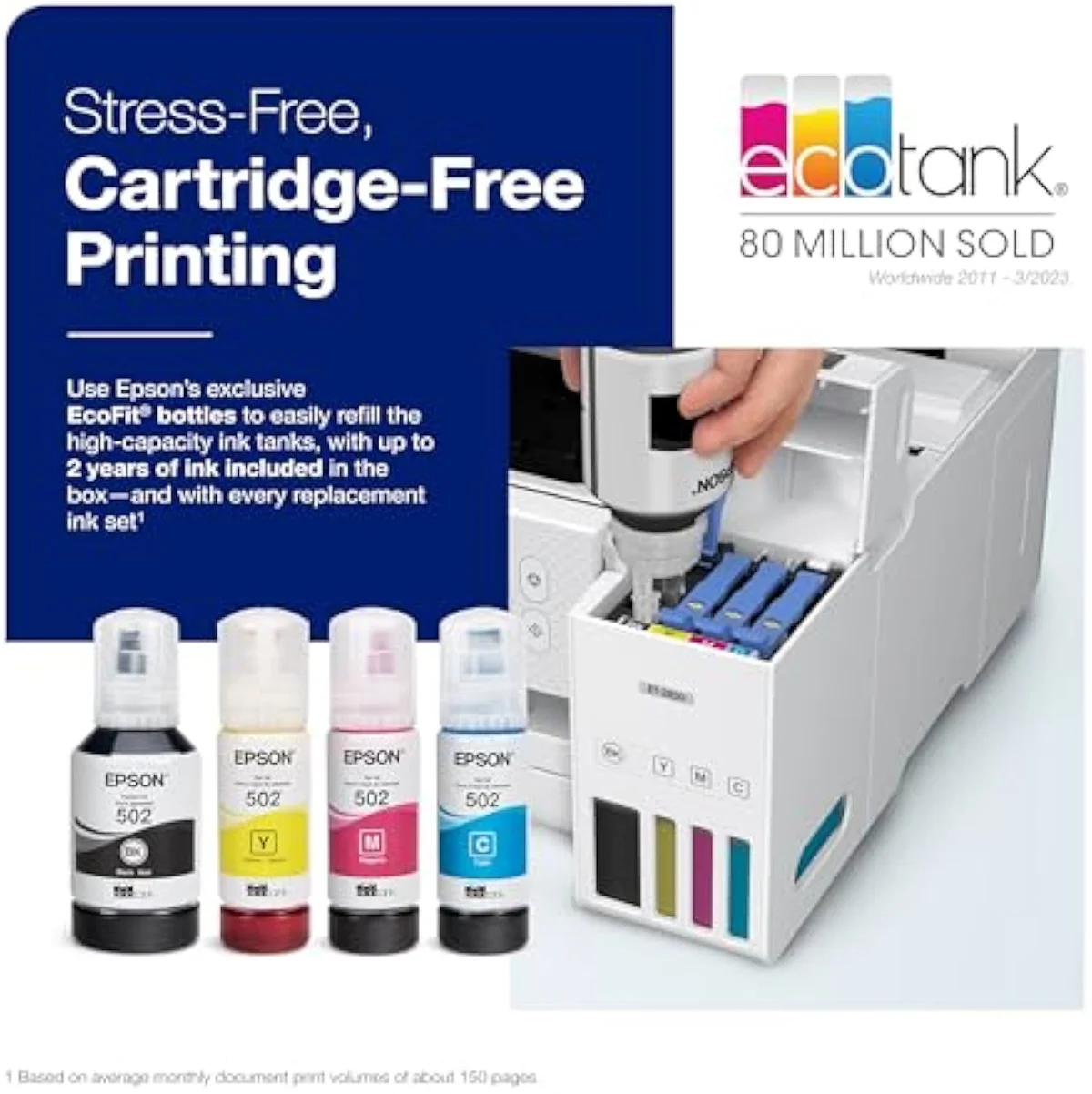
Same ink, two very different boxes. The ET-4800 and the ET-2850 are fed by the same cartridge-free EcoFit bottles, so on cost-per-page — the number this site cares about most — they are a tie. The ET-4800 charges its premium for office hardware: an automatic document feeder, a fax, wired Ethernet, a color screen. The ET-2850 wins the matchup for most buyers because that extra plumbing is also the ET-4800's failure surface — the feeder jams, the network scan drops machines, the software resets, and for a light user the idle-clog risk has bricked units before one ink fill. Buy the ET-4800 only if you really copy stacks, fax, or need a wired port; for everyone else the simpler ET-2850 saves the same on ink with fewer parts to break.
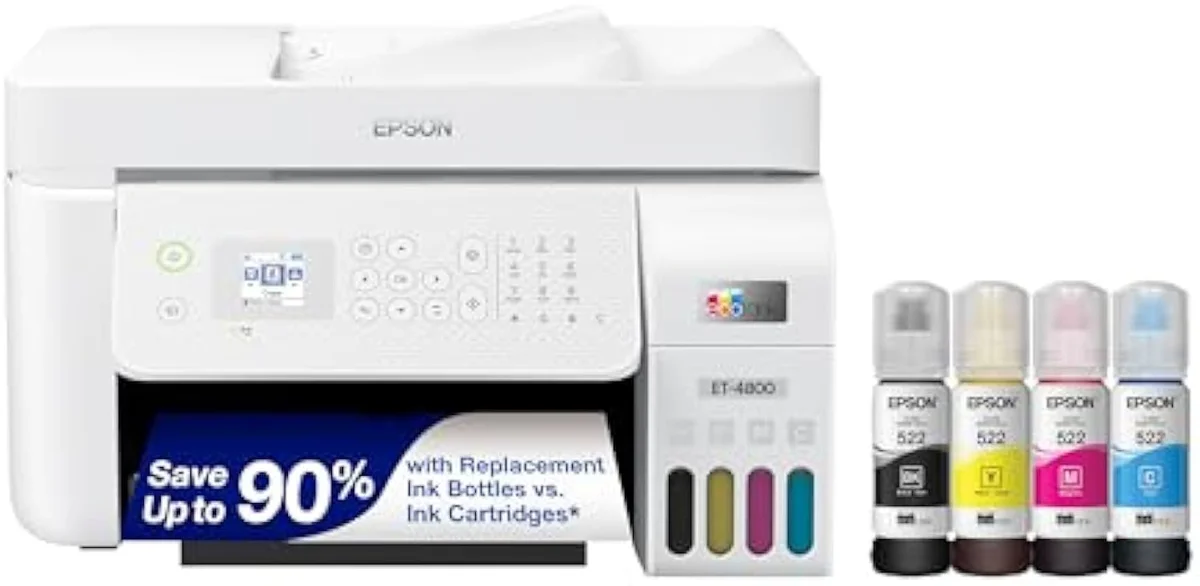
Epson EcoTank ET-4800 Wireless All-in-One Cartridge-Free Supertank Printer wi…
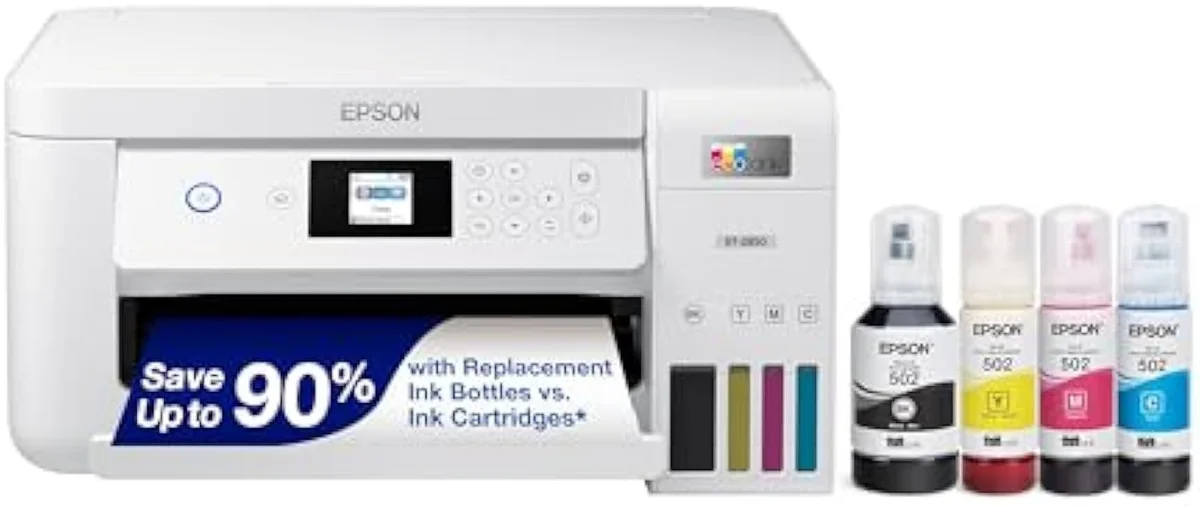
Epson EcoTank ET-2850
These are two rungs of the EcoTank line built for different jobs, not two takes on one printer. They share the cartridge-free bottle ink, so cost-per-page is a tie. Our pick is the ET-2850 for most buyers: the ET-4800's price step buys office plumbing — an automatic document feeder, fax, wired Ethernet, a color screen — that is also its most failure-prone hardware. Pay up for the ET-4800 only if you copy stacks, send faxes, or need a wired port; otherwise the simpler ET-2850 saves the same on ink with less to go wrong.
| Shared core | Same cartridge-free EcoFit bottles, auto-duplex, no subscription |
|---|---|
| ET-4800 adds | Automatic document feeder, fax, wired Ethernet, color display |
| ET-2850 keeps | Print / scan / copy only — a simpler, lighter box |
| Cost-per-page | Identical — neither EcoTank is cheaper to feed |
| Shared catch | Idle-clog risk if either sits unused for weeks |
Honestly, for most people shopping these two, the simpler one is the right answer — and not because it runs cheaper. The office EcoTank ET-4800 and the home EcoTank ET-2850 sit on the same Epson line: refillable bottle tanks, the same EcoFit fill, the same no-subscription promise. Whichever you choose, you have already walked out of the cartridge tax that drives most printer regret. So the question is never which one saves you more on ink — they save the same — but whether the office model's extra hardware earns its price step for how you actually print.
The split is short and concrete. The ET-4800 adds the home-office stack: an automatic document feeder, a fax, wired Ethernet, and a color display. The ET-2850 keeps it to print, scan, and copy. Both already print on both sides by themselves. So the rest of this page is about one thing — do you need that office plumbing, because every part of it is a feature you pay for and, as the owner reviews show, a part that can fail.
Epson EcoTank ET-4800 Wireless All-in-One Cartridge-Free Supertank Printer wi…
Epson EcoTank ET-2850
At a Glance
| Feature | Epson EcoTank ET-4800 Wireless All-in-One Cartridge-Free Supertank Printer wi… | Editor's Pick Epson EcoTank ET-2850 Wireless Color All-in-One Cartridge-Free Supertank Printer |
|---|---|---|
| Print Speed | — | Up to 10.5 ppm black / 5 ppm color |
| Functions | — | Print, Scan, Copy |
| Connectivity | — | Wi-Fi, AirPrint, Smart Panel app |
| Ink System | — | Cartridge-free refillable tanks |
| Material | Glass | — |
The ink math is a tie — both already won it
Here's the thing: the reason to read an EcoTank-versus-EcoTank comparison is not to find the cheaper printer to feed. They cost the same to feed. The expensive printer is the cartridge machine neither of these is.
Both escape cartridges by the identical route. Epson builds the ET-4800 on
So spend your attention on the hardware, because that is where these two actually differ — and where the price step goes. The cost-per-page line is flat between them.
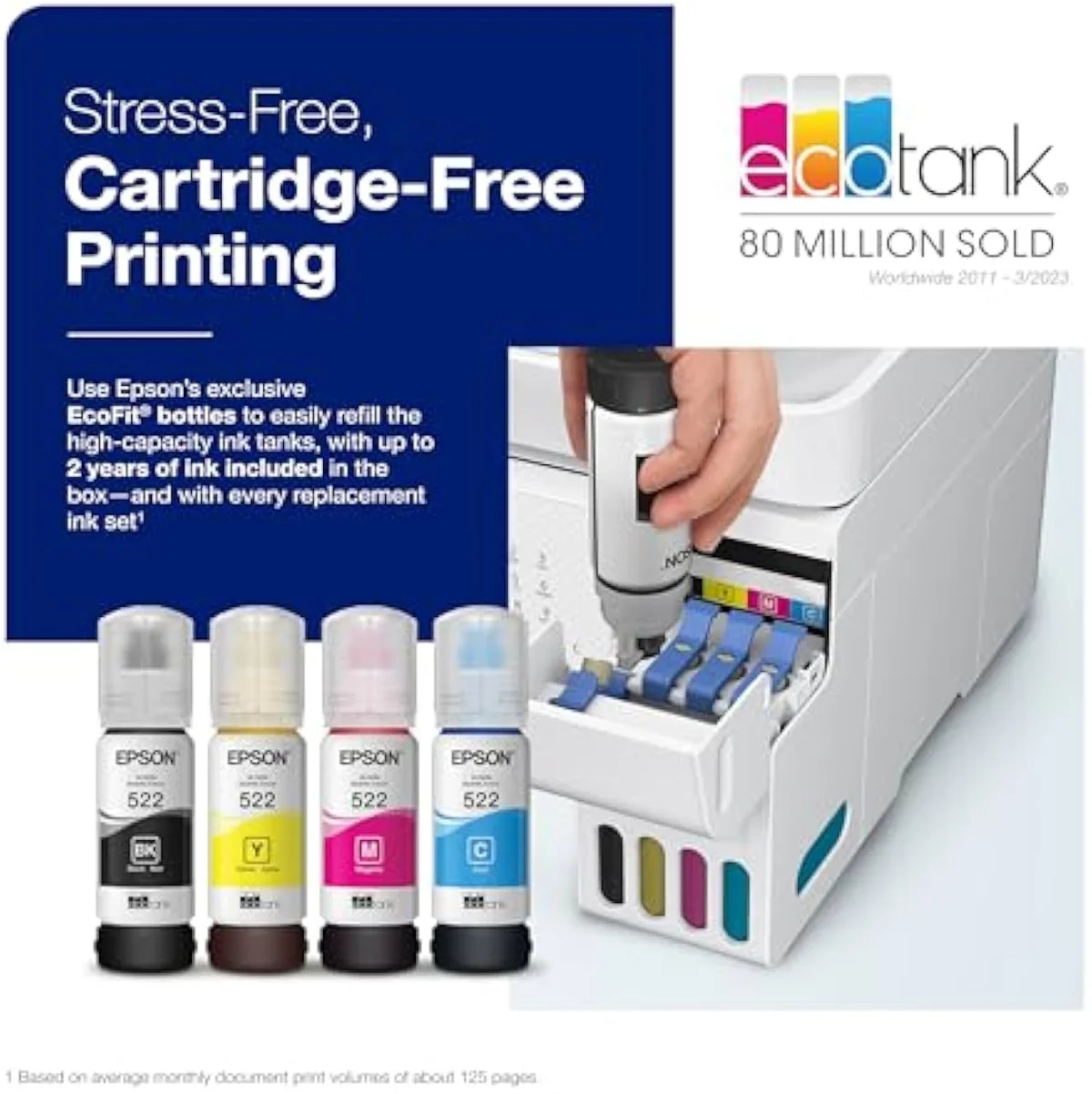
Where the office model spends your money
With cost off the table, the differences are the feeder, the fax, the wired port, and the color screen. From the ET-4800 you get the home-office stack; from the ET-2850 you get the same ink engine in a leaner box.
Start with what the ET-4800 actually is. Epson sells it as a full office machine — its own listing reads
The features both share are the ones that matter daily. Both print on both sides by themselves — Epson confirms the office model
The office plumbing is the failure surface
One pattern runs through the owner reviews and it is the heart of this decision: on the ET-4800, the very parts you pay extra for are the parts most likely to break. This is the part the spec sheet will not tell you.
The feeder leads the complaints. One owner reports that
The ET-2850 is not immune — it shares the same EcoTank clog risk, and a sensible owner manages it the same way, exercising the nozzles weekly so they never dry. But it has far less hardware to fail in the first place. No feeder to jam, no fax module, no wired network stack to drop a computer. For a home or light-office user, that leaner build is the quieter machine. Epson's own EcoTank specifications confirm the shared cartridge-free design across both models — the difference is the office stack bolted onto the bigger one.
Where the ET-4800 does pay back is genuine volume. A heavy office owner who switched to EcoTank put it plainly —
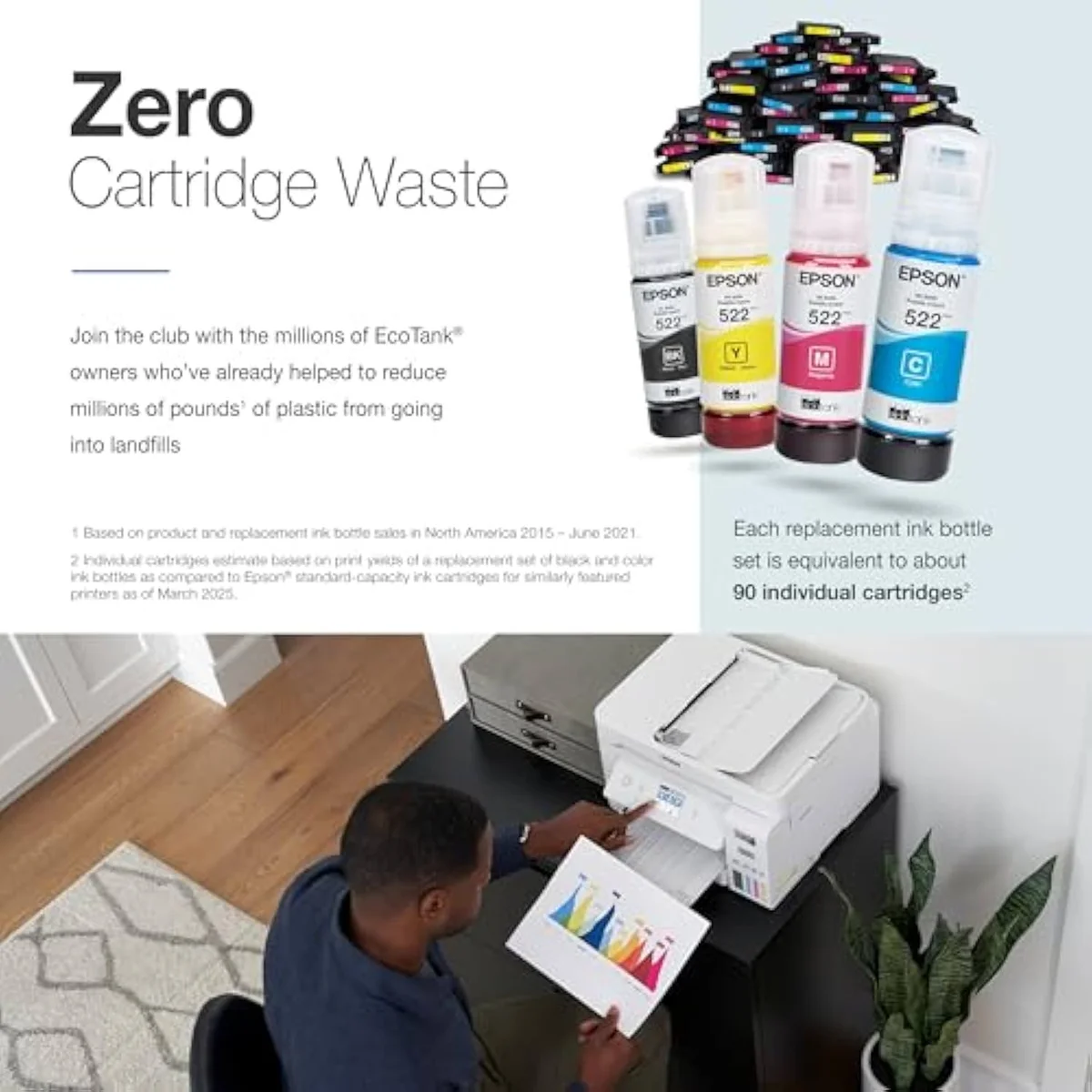
Epson EcoTank ET-4800 Wireless All-in-One Cartridge-Free Supertank Printer wi…
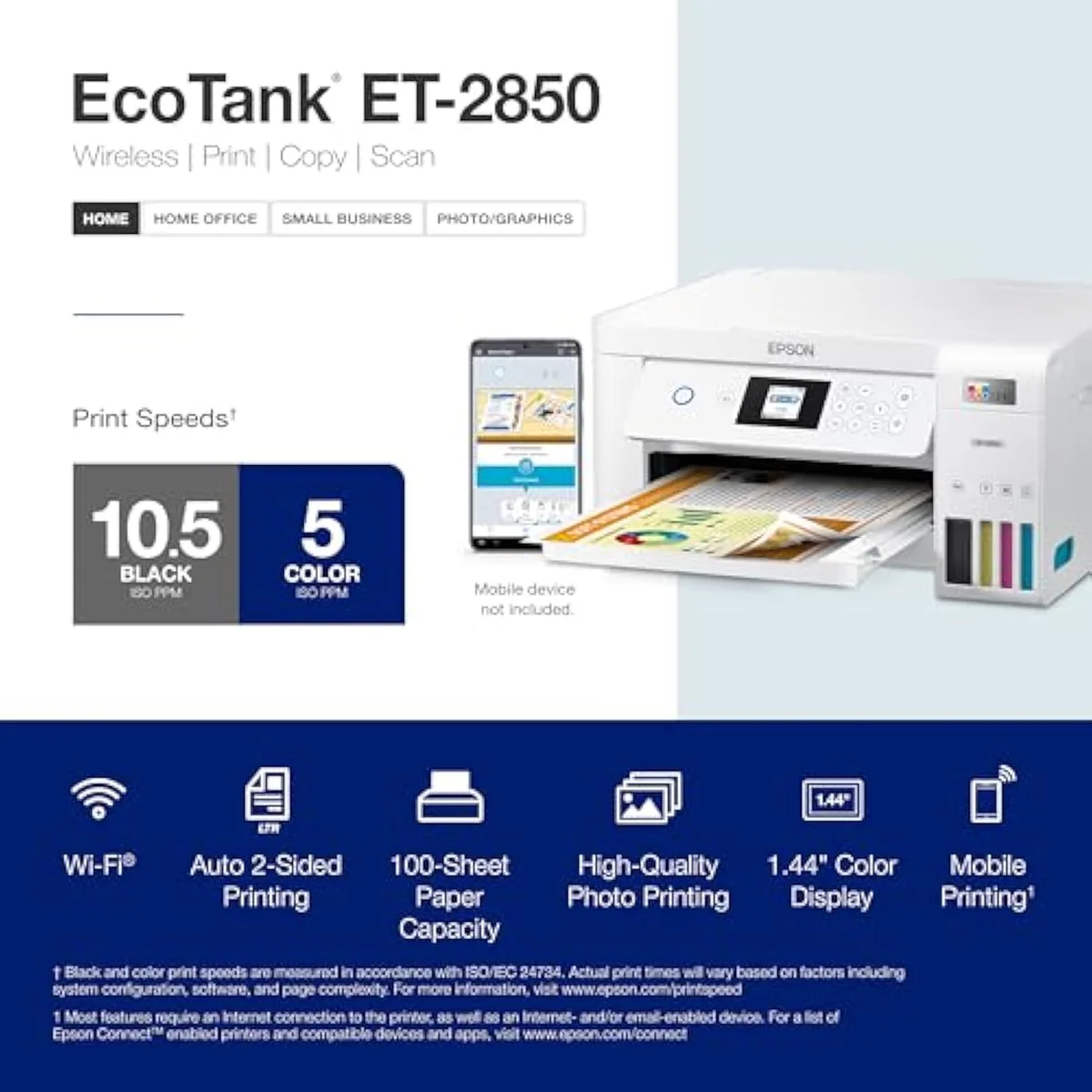
Epson EcoTank ET-2850
So which EcoTank — office box or simple one?
Because the ink math is a tie, "who buys which" comes down to one question: do you need the ET-4800's office plumbing — the feeder, the fax, the wired port — enough to accept that it is also the hardware most likely to fail? If you're coming from a clogged or bricked cartridge printer, either EcoTank is the upgrade, and the cost savings land the same on both. The split is purely about office features versus a simpler, sturdier box.
Buy the ET-4800 if…
…you run a real home office that copies multi-page stacks, sends faxes, or needs a wired Ethernet connection. Those are exactly the parts the simpler model cannot do, and the same low cost-per-page comes along for free — at heavy volume the ink savings are dramatic. Go in clear-eyed: treat the feeder as a convenience rather than a workhorse, lean on the flatbed glass for important scans, and keep the printer printing so the heads stay wet. For the genuine office user, the plumbing earns its place.
Buy the ET-2850 if…
…you print at home and do not need a feeder, a fax, or a wired port. The ET-2850 gives you the identical cartridge-free ink economics, the same auto-duplex, and the same no-subscription freedom in a leaner box with fewer parts to break. For homework, recipes, return labels, and the odd scan, it does everything you actually need and skips the office hardware you would only watch gather dust — or jam. We cover its real-world setup and ownership quirks in our full review of the ET-2850.
Skip both if…
…you print rarely, or you need print quality these dye-ink EcoTanks were not built for. A printer that sits idle for weeks will fight you on either rung — a color laser is the honest pick for sporadic use. And neither is a photo machine: their muted color suits documents, not saturated borderless prints. For the full cross-brand running-cost picture, weigh both against the field in our best supertank printers roundup, and read the whole cartridge-versus-tank case in our guide to refillable inkjet printers.
ET-4800 vs ET-2850: the cross-tier questions buyers ask
Almost every 4800-vs-2850 question reduces to two things: "is one cheaper to run?" (no, they're level) and "is the office hardware worth it?" — so here are the straight answers, feature by feature.
Epson EcoTank ET-4800 or ET-2850 — which should most people get?
For a home or light-use buyer, the ET-2850. The two pour the same cartridge-free EcoFit ink, so they cost the same per page — the running-cost case that makes a supertank worth owning is a dead tie. The ET-4800 charges extra for office plumbing: an automatic document feeder, a fax, wired Ethernet, and a color display. Those parts are also where the machine breaks — owners report the feeder jamming, the network scan dropping computers, and the setup software resetting. Buy the ET-4800 only when you really do copy stacks, send faxes, or need a wired connection; otherwise the ET-2850 gives you the same ink savings with fewer fragile parts to fail.
Do both Epson supertanks cost the same to run?
Yes. Both are cartridge-free EcoTanks fed by the same refillable EcoFit bottles, so cost-per-page is identical between them. Neither charges a subscription, and neither blocks third-party ink the way a budget cartridge printer does. The price gap between the two is about hardware — the office feeder and fax on the ET-4800 — not about how cheap they are to feed.
What does the ET-4800 add over the ET-2850?
An automatic document feeder for copying multi-page stacks, a fax modem, wired Ethernet, and a color control display — the home-office stack the ET-2850 leaves out. Both already do automatic two-sided printing and both scan and copy from a flatbed. So the step up buys you the feeder, the fax, and the wired port; it does not buy you cheaper ink or better print quality.
Will the ET-4800 be more reliable because it costs more?
No — if anything the opposite for a light user. More moving parts means more to go wrong: the feeder, the fax, and the network stack are the ET-4800's most-complained-about features, and a buyer who left it idle saw it brick before finishing one ink fill. The ET-2850's simpler print-scan-copy body has fewer failure points. Both share the EcoTank idle-clog risk, so whichever you buy, print in color weekly to keep the heads wet.
Is the ET-4800 worth it for a home office?
For a real home office that scans paperwork, sends the occasional fax, and wants a wired connection, yes — those are exactly the parts the ET-2850 cannot do, and the same low cost-per-page comes along for free. Just treat the feeder as a convenience, not a workhorse; at volume the flatbed glass is the dependable scan path. If your office printing is heavy, the math swings hard in EcoTank's favour — one office owner cut ink spend from hundreds of dollars a year on cartridges to a fraction of it.
Which one should an occasional printer avoid?
The ET-4800. A printer that sits idle for weeks fights any EcoTank, and the ET-4800's extra electronics give a sporadic user more to troubleshoot for features they rarely touch. If you print rarely, the simpler ET-2850 is the safer EcoTank — and a color laser is worth a look if you go weeks between jobs.
Track Both Products
We'll email you if either price drops or availability changes.
Only when something changes. Unsubscribe anytime.
Read the Full Reviews
Citations
- [1]"Epson EcoTank ET-4800 Wireless All-in-One Cartridge-Free Supertank Printer with Scanner,"https://www.amazon.com/dp/B09P45LR5TCaptured June 3, 2026. Verified June 3, 2026.
- [2]"Innovative Cartridge-Free Printing ― High-capacity ink tanks mean no more tiny, expensive"https://www.amazon.com/dp/B09P45LR5TCaptured June 3, 2026. Verified June 3, 2026.
- [3]"The printer dues Dual-Sided Print"https://www.amazon.com/dp/B09P45LR5TCaptured June 3, 2026. Verified June 3, 2026.
- [4]"The scanner is very slow and the amount of sheets you can put into the autofeeder is"https://www.amazon.com/dp/B09P45LR5TCaptured June 3, 2026. Verified June 3, 2026.
- [5]"Bad software that resets."https://www.amazon.com/dp/B09P45LR5TCaptured June 3, 2026. Verified June 3, 2026.
- [6]"The printer didn't even get through 1 round of ink before it failed."https://www.amazon.com/dp/B09P45LR5TCaptured June 3, 2026. Verified June 3, 2026.
- [7]"Constantly not printing the text. Have to clean out nozzles, align"https://www.amazon.com/dp/B09P45LR5TCaptured June 3, 2026. Verified June 3, 2026.
- [8]"My office was burning through ink cartridges"https://www.amazon.com/dp/B09P45LR5TCaptured June 3, 2026. Verified June 3, 2026.
- [9]"EcoTank ET-2850 All-in-One Supertank Printer"https://www.amazon.com/dp/B096N85ZHWCaptured June 4, 2026. Verified June 4, 2026.
- [10]"Auto 2-sided printing helps save"https://www.amazon.com/dp/B096N85ZHWCaptured June 4, 2026. Verified June 4, 2026.
- [11]"Prints up to 10.5 pages per minute (ppm) in black and 5 ppm in color."https://www.amazon.com/dp/B096N85ZHWCaptured June 4, 2026. Verified June 4, 2026.
- [12]"The ink lasts a long time and saves a lot of money."https://www.amazon.com/dp/B096N85ZHWCaptured June 4, 2026. Verified June 4, 2026.
- [13]"No subscription is required, you can just use the ink bottles"https://www.amazon.com/dp/B096N85ZHWCaptured June 4, 2026. Verified June 4, 2026.