Inkjet All-in-One Wireless Printers: What Decides the Bill
Updated

An all-in-one wireless inkjet does three jobs from one box — print, scan, copy — over Wi-Fi instead of a cable. That part is easy. The part that decides what you actually pay is the ink system feeding it, and the box never puts that next to the price.
Buyers search "inkjet all in one wireless printers" about 54,000 times a month in our keyword data, and most of the answers they land on rank machines by speed and resolution. Speed gets the headline. The consumable system writes the bills.
Cost first. Specs second.
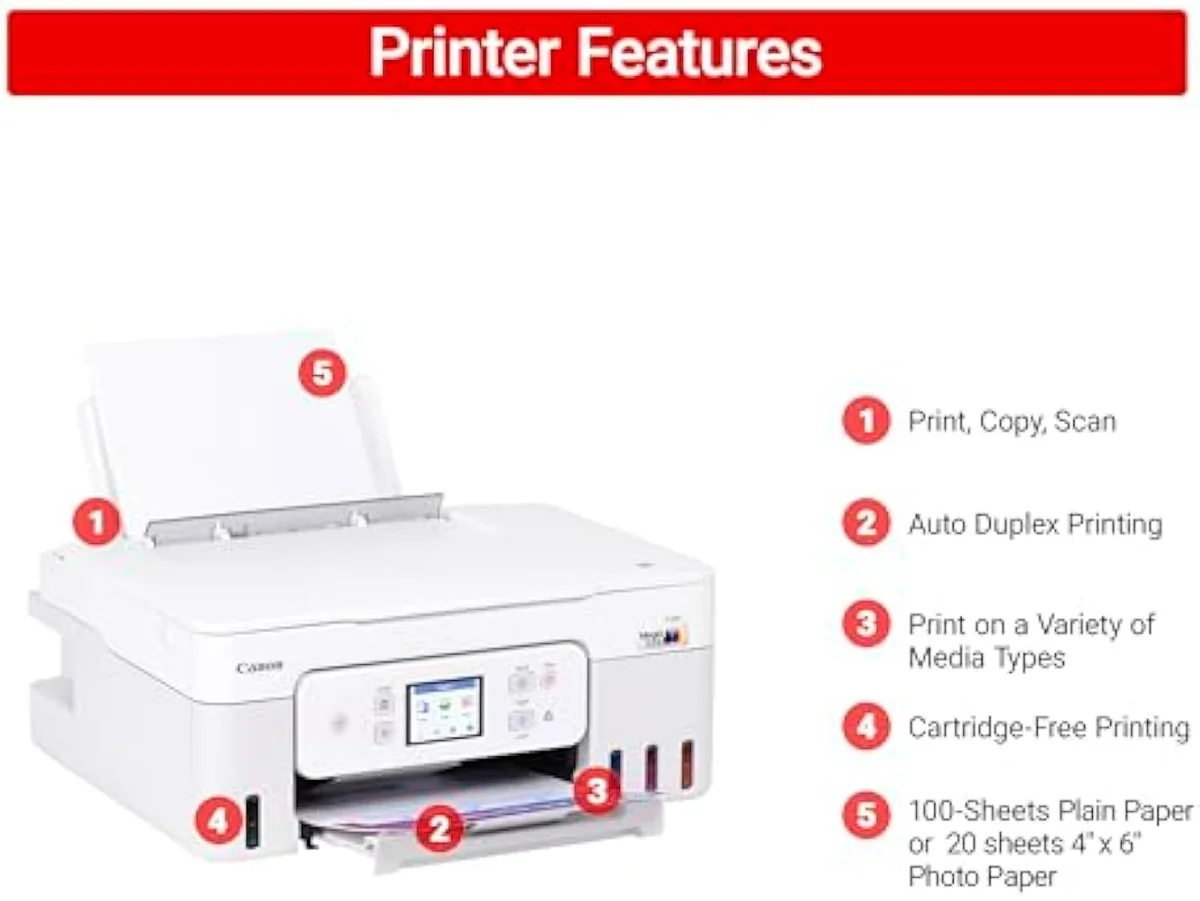
What "all-in-one wireless" actually buys you
It prints, scans, and copies from one box over Wi-Fi — no cable, any device on the network. "Inkjet" means liquid ink, which is why it handles color and photos. That same liquid-ink choice is what sets the running cost.
An all-in-one (or multifunction) inkjet bundles a printer, a flatbed scanner, and a copier into one chassis; the better models add a fax line, an automatic document feeder (ADF) for scanning stacks, and automatic two-sided printing (duplex). Apple's AirPrint and the cross-platform Mopria standard let phones and tablets print directly. The brand gap is mostly first-run setup, not printing — Wi-Fi onboarding failure is the single most common one-star complaint across all four major brands in the owner reviews we synthesized, well ahead of print quality. A machine that prints reliably for years can still earn a one-star review on its first evening.
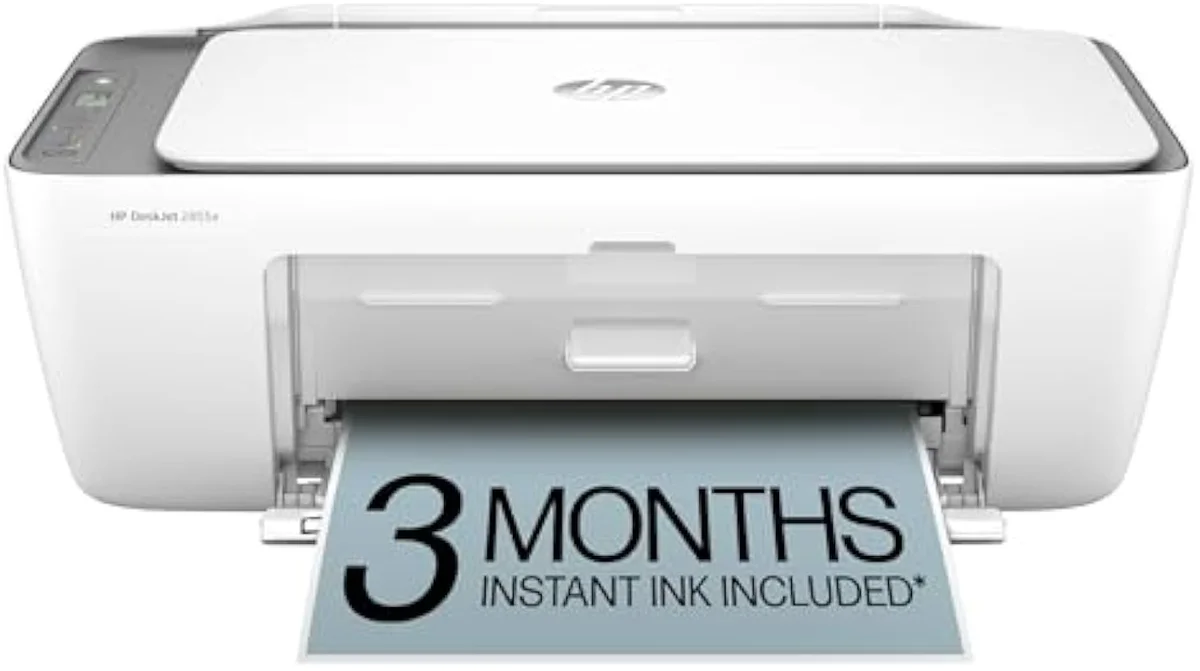
Cartridge
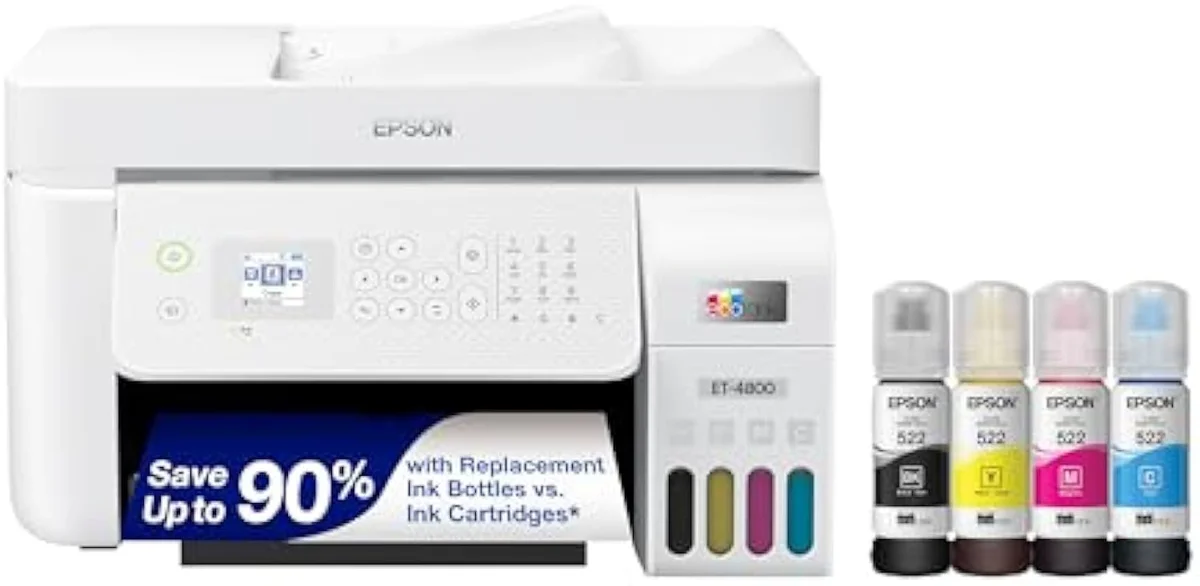
Supertank
Those two machines look like rivals on a shelf. They are really two different bets about where you pay. To see which bet wins for you, ignore the sticker for a second and follow the ink. We sort the whole catalog by this fork in our guide to the inkjet printer families and how they're structured.
The cheapest printer is usually the dearest to own
Short version: a budget cartridge model is cheap to buy and expensive to feed, and over a year of regular printing it becomes the more expensive machine to own. The sticker is the bait.
A budget all-in-one is priced to sell, and the maker recovers margin on ink — the razor-and-blades model, pointed at your printer. A full set of replacement XL cartridges can approach the cheap machine's own sale price, and at around 80 pages a month a set does not last long. Independent cost-per-print testing at RTINGS, which has lab-tested 182 models, puts cartridge cost-per-page many times higher than bottle ink. Plot cumulative ownership cost over time and the lines tell the story the price tags hide: the cartridge machine climbs, the supertank stays flat, and the month they cross is the month the cheap printer stops being cheap.
The ink-cost runway
≈ 150 pages a month
This is the whole reason InkVerdict exists: to put running cost next to the price, where the brand sites refuse to. We break the cartridge-versus-tank decision down across the catalog in our type-versus-type tradeoffs analysis.
Page yield: the number the box gets wrong
Page yield is the pages a cartridge or bottle is rated to print — and the number owners distrust most, because the rating assumes ideal, continuous use.
Makers measure it to the ISO/IEC 24711 standard, which prints a fixed suite nonstop — nothing like a household that prints in bursts and goes quiet for a week. Bottle yields survive regular use and pay back beautifully; under light or idle use they quietly die to cleaning cycles instead of pages. That gap between the box number and lived reality is the category's core trust problem.
Cartridge or supertank — pick your ink system
The whole decision compresses to one question: do you print enough to pay back a tank? Match the machine to your real volume, not the volume you imagine.
Ink lock-in: subscriptions and firmware
Liquid ink invites lock-in, and it is a first-class buying axis — not a footnote. HP's Instant Ink is an opt-in subscription that ships cartridges based on pages printed; cancel it and the Instant Ink cartridges stop working at the end of the final billing cycle, ink still inside. Firmware updates on several cartridge lines have also rejected third-party (aftermarket) ink, narrowing your refill options after purchase.
Owners feel this sharply. One representative thread in our research asked, plainly, for the best home printer "that doesn't require a subscription or an account on their site." Bottle-fed supertanks sidestep the whole question — you refill from ink you buy outright, no plan attached. If freedom from a subscription matters to you, that is a reason to weight the tank machines, and a risk we track in our safety and known-risks guidance.
The functions that actually matter
Past the ink system, a short list of features separates a machine that fits your desk from one that fights you. Buy for the jobs you do weekly, not the spec sheet's longest column. If those weekly jobs are document stacks rather than school worksheets, our best office inkjet printers roundup ranks the ADF-and-duplex field on throughput against ink lock-in.
- ADF (automatic document feeder) — scans and copies multi-page stacks without you lifting the lid each time. The line between "home" and "home office."
- Duplex — automatic two-sided printing. Halves your paper and quietly halves a chunk of your ink on text documents.
- ISO ppm — the standardized pages-per-minute rating. Real, comparable speed, unlike the inflated "up to" number on the box.
- Borderless photo — edge-to-edge prints on photo stock. Present on photo-leaning models, absent on the cheapest office boxes.
Reliability: the clog you only meet when you need it
Inkjets have one failure mode lasers don't: the ink dries. Idle the printer and liquid ink sets in the nozzles; the machine clears it with cleaning cycles that spend ink printing nothing.
RTINGS scores risk-of-clogging as a first-class printer metric precisely because it is the second-most-repeated owner anxiety after running cost. The exposure is highest on permanent-head supertanks, which run those cleaning cycles automatically whether or not you asked.
The fix is free: print something in color at least once a week. A supertank like the Canon MegaTank G3290 that prints regularly stays healthy for years; the same machine left dark for a month greets you with a clogged nozzle the evening you need a boarding pass. We grade how each model holds up over time against the full evidence record in our inkjet printers evidence hub.
Where to start
For most homes, a supertank all-in-one is the default — it absorbs a mixed print diet (homework, labels, the odd photo) at bottle-ink rates and clears its premium inside the first year of regular use. Drop to a budget cartridge model only if you truly print rarely. The full reasoning, model by model, lives in our research layer below.
Frequently Asked Questions
All-in-one wireless inkjets in one paragraph
An all-in-one wireless inkjet prints, scans, and copies over Wi-Fi using liquid ink, which is why it owns color and photos — but its real cost is the ink system feeding it: cartridge models are cheap to buy and dear to refill, while refillable supertanks cost more up front and far less per page, so the right pick is decided by how much you actually print, not by the sticker price.
What is an all-in-one wireless inkjet printer?
One machine that prints, scans, and copies — often with a fax line and an automatic document feeder — and connects over Wi-Fi instead of a USB cable, so any phone or laptop on the network can print to it. The "inkjet" part means it fires liquid ink, which is what makes it good at color and photos and what sets its running cost.
Are supertank all-in-one printers worth it?
For regular printing, yes. A refillable supertank like the EcoTank or MegaTank class costs three to four times a budget cartridge model up front, then refills from bottles that print thousands of pages for a fraction of cartridge ink. Print only a handful of pages a month and the tank premium never pays itself back — a cartridge model is the cheaper machine to own at that volume.
Do all-in-one inkjet printers need a subscription?
No. Bottle-fed supertank models have no subscription attached. The subscription lives on the cartridge side — HP Instant Ink is opt-in, and cancelling it stops those Instant Ink cartridges from printing at the end of the final billing cycle. You can run any of these printers on ink you buy outright.
Why do inkjet printers clog?
Liquid ink dries in the microscopic nozzles when the printer sits idle. The machine fights this by running automatic cleaning cycles that flush the nozzles with ink — which is why a printer that sits unused for weeks can clog and burn through ink doing nothing. Supertanks with permanent printheads are the most exposed to this; print something in color at least weekly and it rarely becomes a problem.
What is the difference between a cartridge inkjet and an EcoTank?
Same liquid-ink technology, opposite cost structure — cheap-to-buy and dear-to-feed versus dear-to-buy and cheap-to-feed.
Is an inkjet or laser all-in-one better for a home?
Inkjet for most homes. Laser wins only if you print plain black text and nothing else — it cannot do photos or saturated color at consumer prices. For homework, recipes, return labels, and the occasional photo, a supertank inkjet handles the full mix at bottle-ink rates.
Read the Full Review
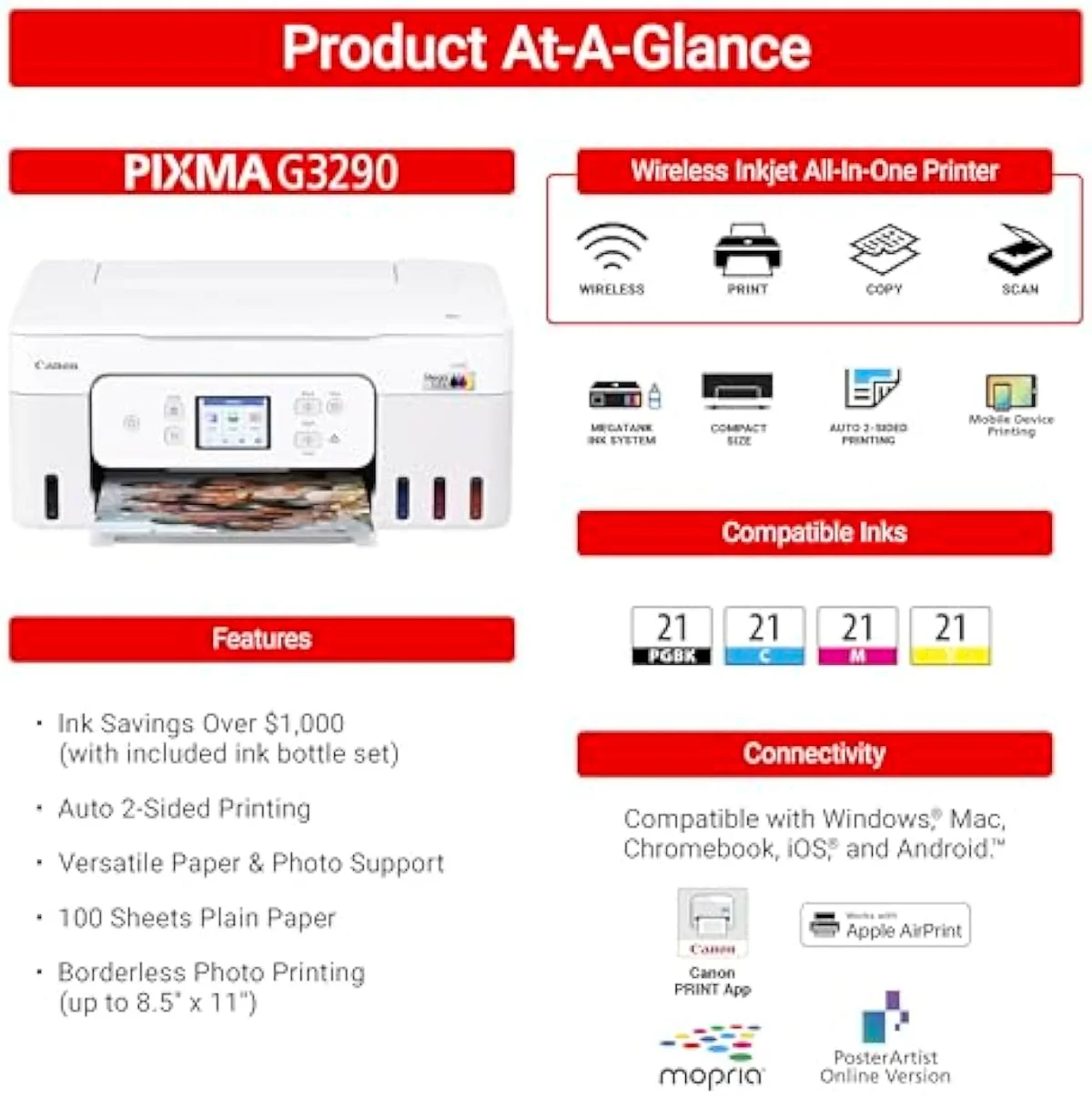
Want a deeper look at the Canon MegaTank G3290?
Keep reading
Two ad-free explainers that take the cost-of-ownership case deeper, model by model:
Sources
- RTINGS — printer test methodology, cost-per-print and risk-of-clogging scoring
- Epson — EcoTank supertank specifications and published page-yield claims
- HP — Instant Ink subscription terms
- Inkjet printing — technology overview (Wikipedia)
- ISO/IEC 24711 — the standard page-yield measurement method (Wikipedia)
Inkjet Printers notes that actually mention the tradeoffs
Occasional updates on inkjet printers evidence, price movement, and buyer-fit changes.
Only when something changes. Unsubscribe anytime.