The Best Office Inkjet Printers in 2026, Ranked on Throughput and Ink Lock-In
Updated
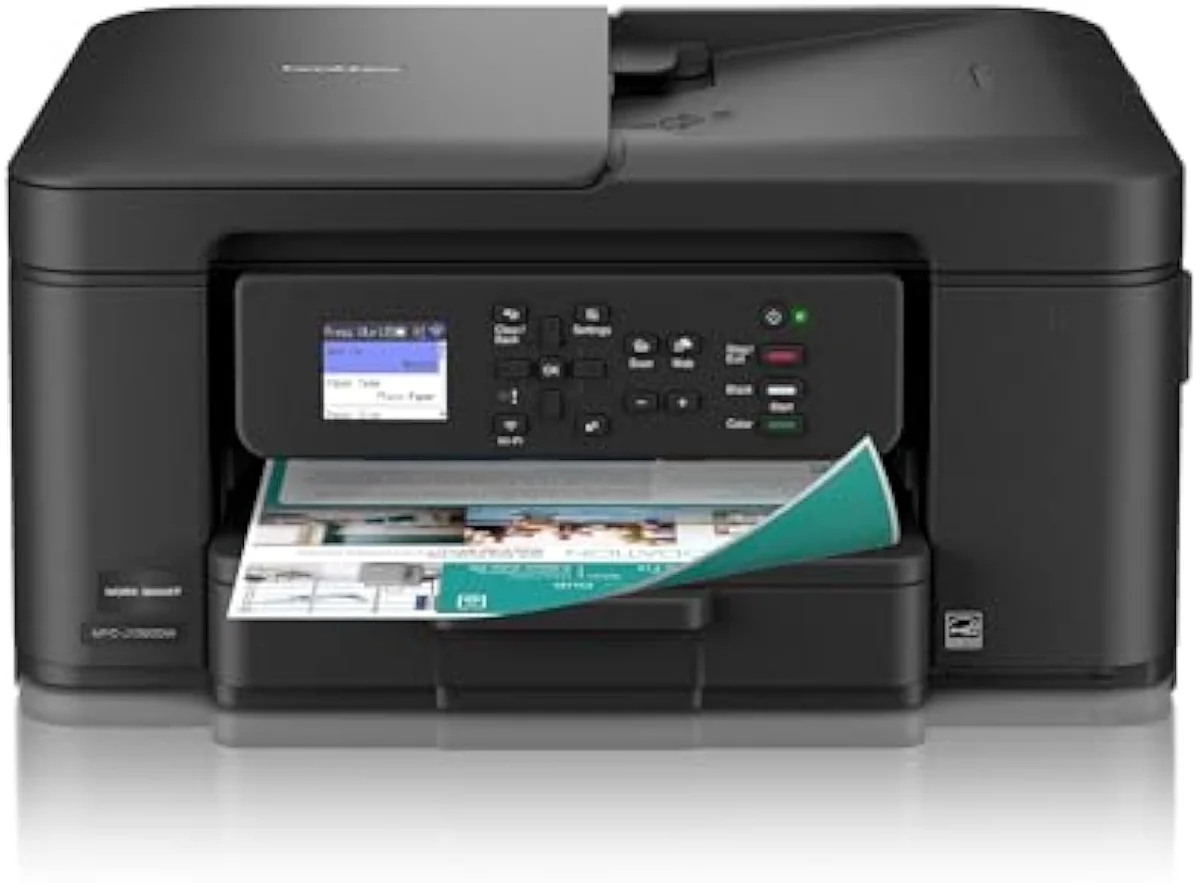
The best office inkjet for most small offices is the Brother Work Smart 1360 — full document features without the ink lock-in. Rank office printers on throughput and ink freedom, not the cheap sticker.
| Best overall | The Brother above — ADF, duplex, cheap tolerant ink |
|---|---|
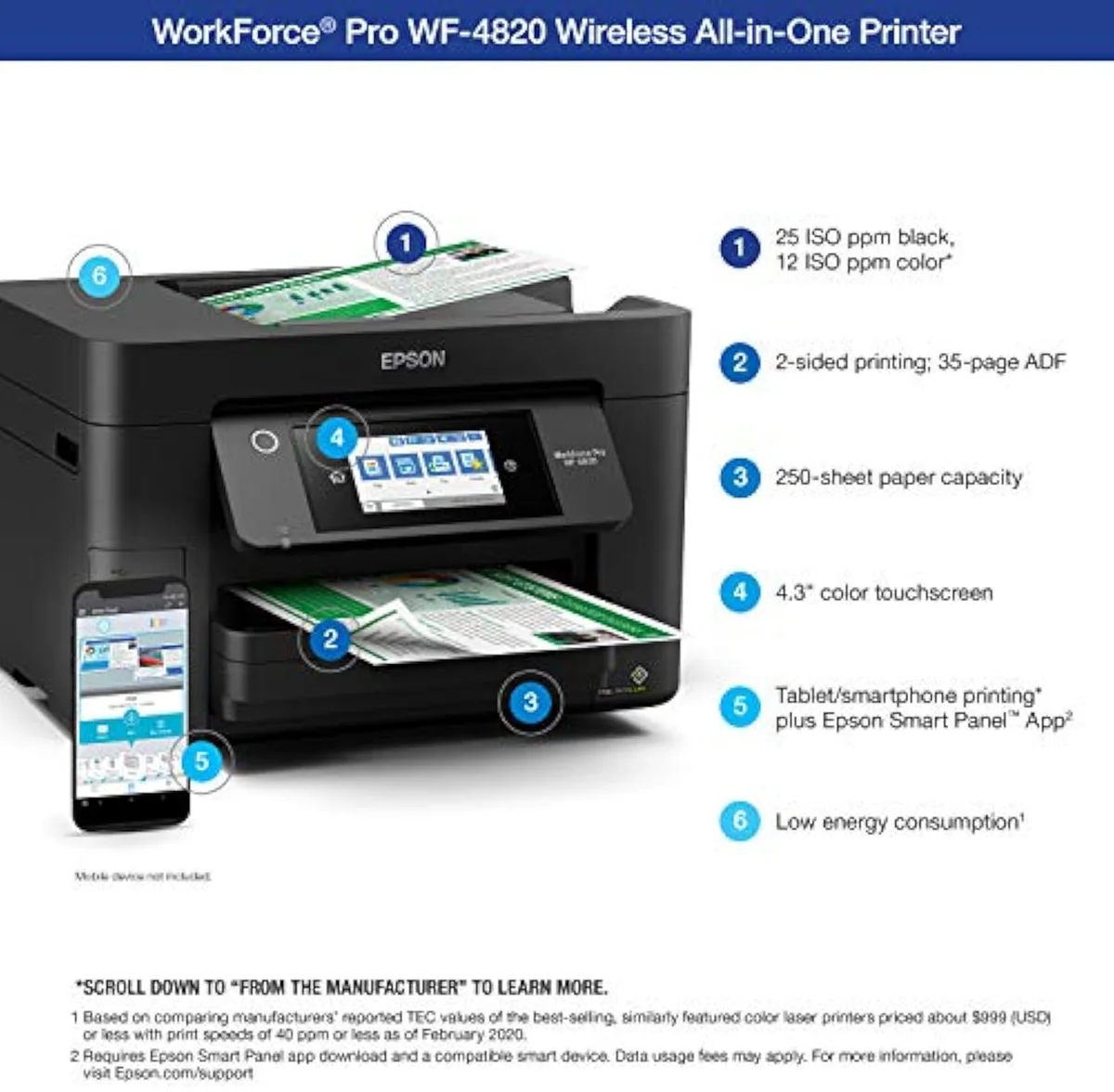
| Fastest throughput | The Epson WorkForce Pro — 25 black ISO ppm, Ethernet |
| Lowest cost per page | The Brother INKvestment hybrid — high-yield carts |
| The subscription trap | HP OfficeJet Pro — HP+ Instant Ink locks the ink |
| How we rank | ISO ppm, ADF and duplex, then ink lock-in |
An office printer is judged on two numbers the brand pages keep apart: how fast it clears a stack, and what it costs you to feed once the starter ink runs dry. The OfficeJet glamour shot sells the first and hides the second. We rank office inkjets the way they earn their desk space — by ISO ppm and the document hardware that decides real throughput, an automatic document feeder and auto-duplex, and by how hard each brand locks you into its own ink. The cheapest office printer to buy is often the one that bills you hardest at the cartridge shelf.
Our top pick is the office all-in-one that prints fast and feeds cheap — the Brother 1360. The right office printer turns on three things: raw document speed, the lowest cost per page, or escaping a subscription. Two picks here carry the HP+ lock-in tax, which is exactly why they rank below the throughput-and-freedom winners. Here is the shortlist, ranked.
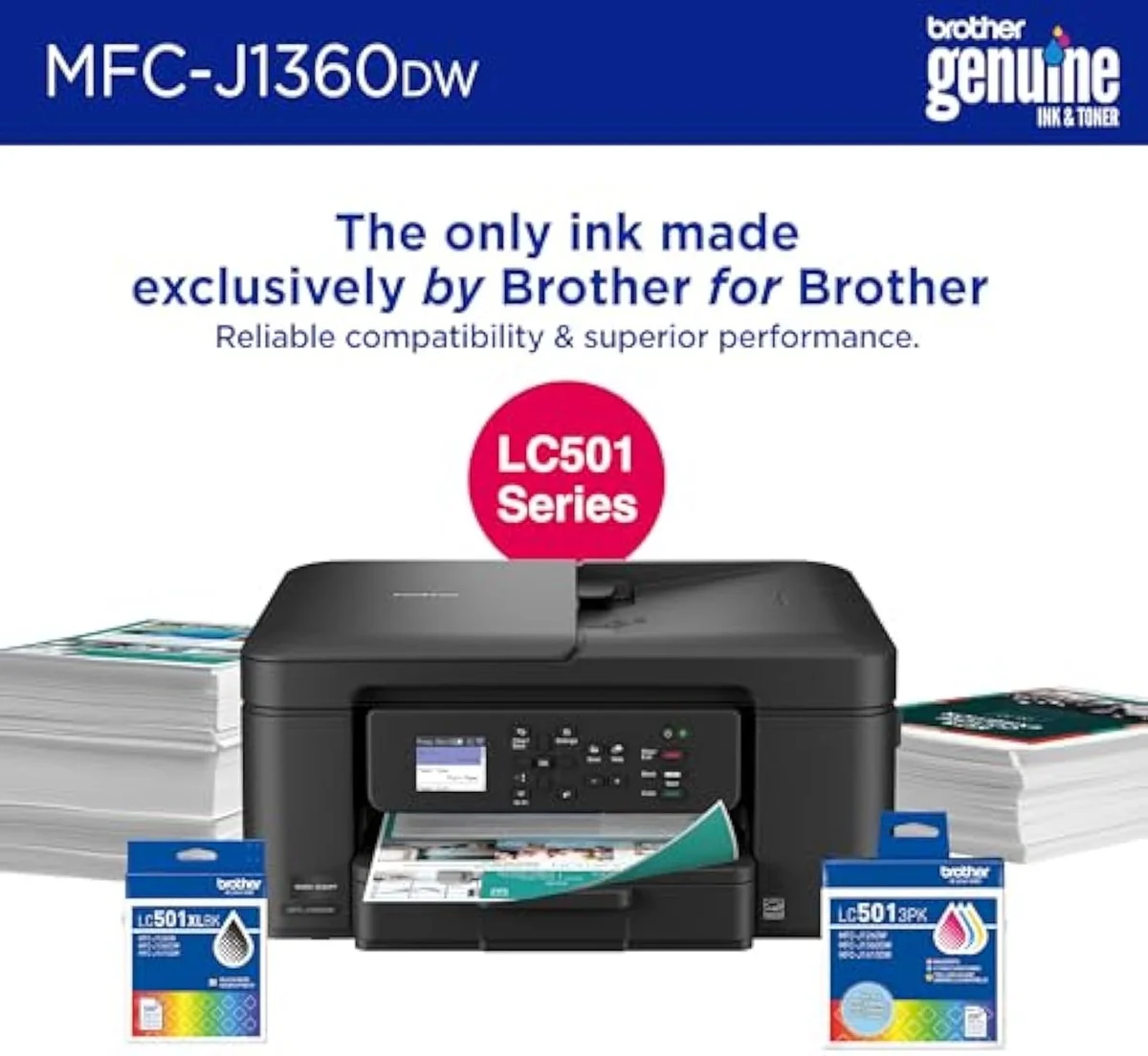
- Brother Work Smart 1360 — best overall: ADF, auto-duplex and tolerant, cheap ink with no subscription lock.
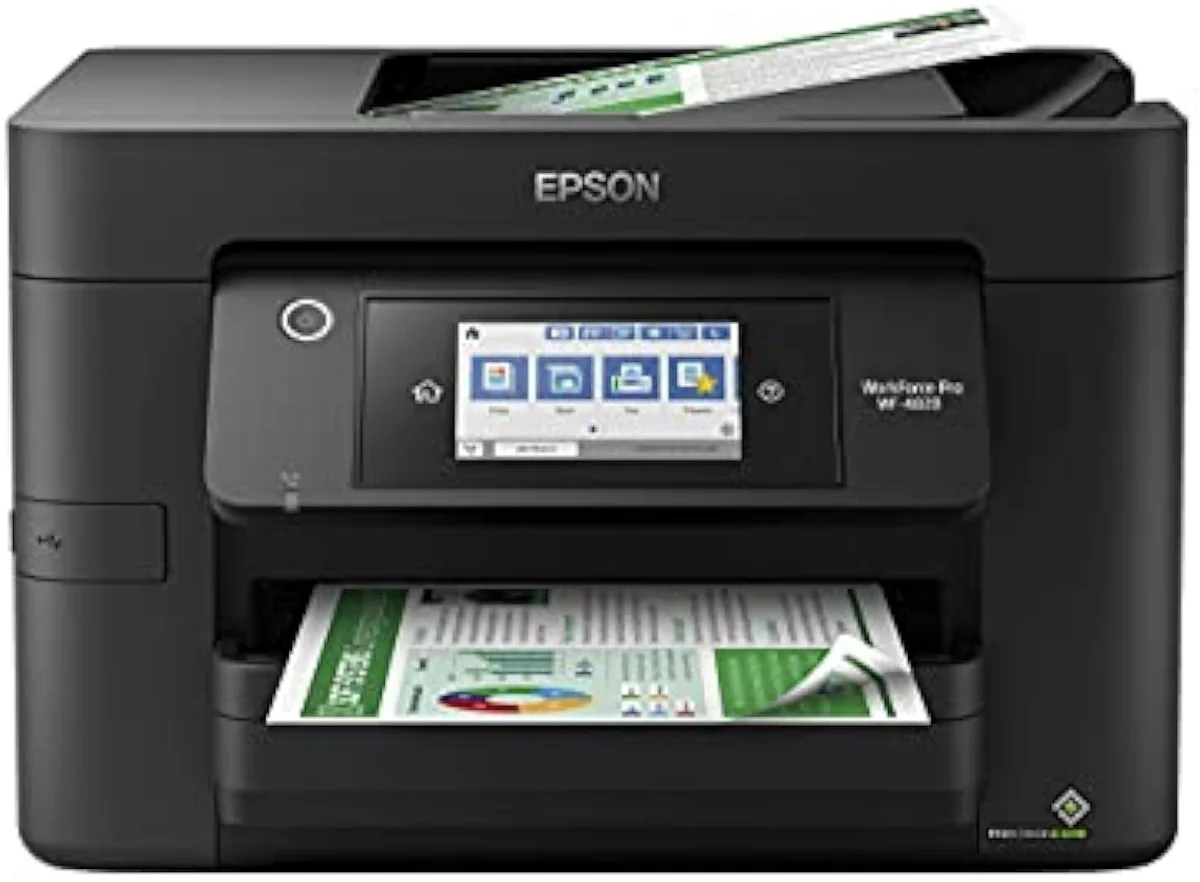
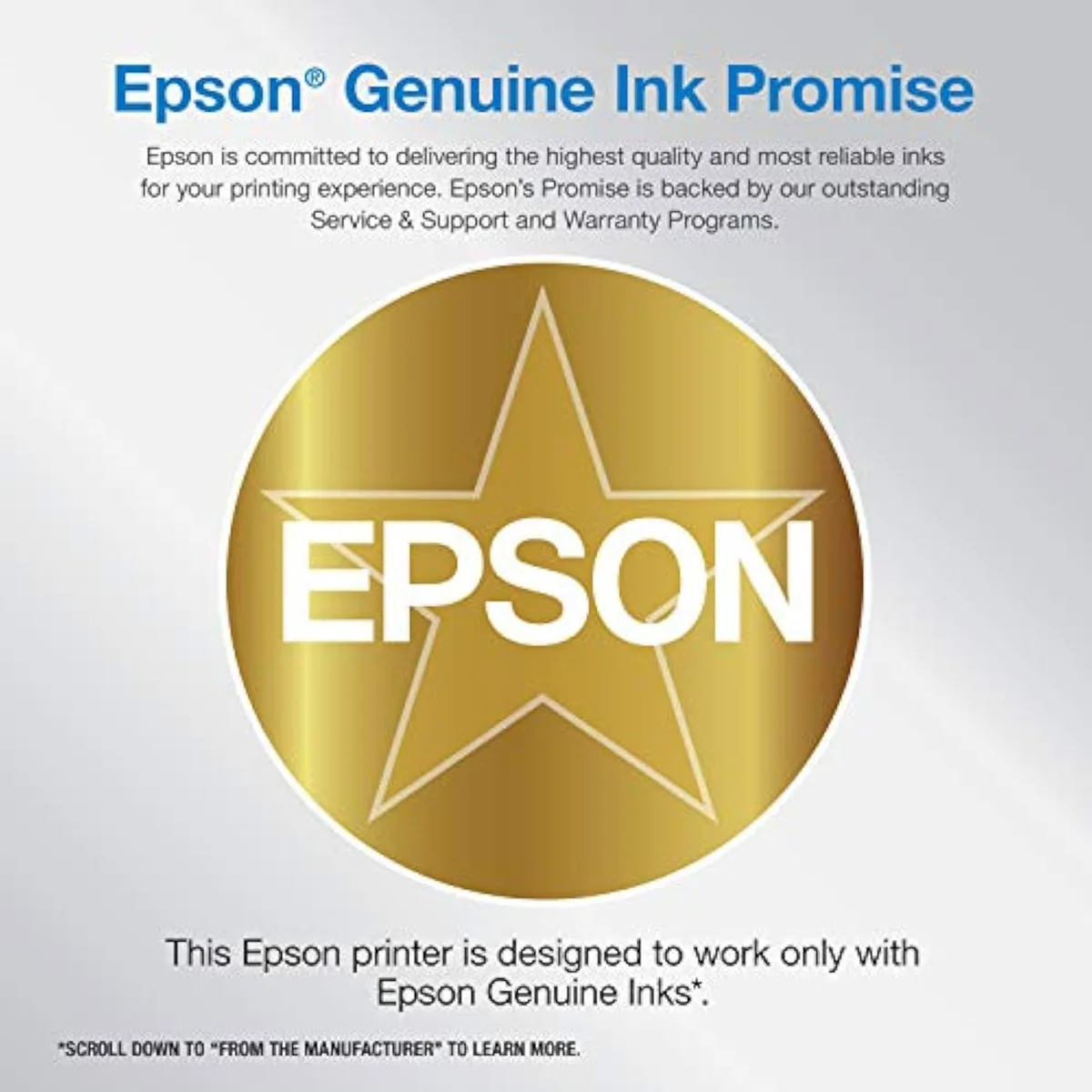
- Epson WorkForce Pro WF-4820 — fastest throughput: 25 black ISO ppm, Ethernet, and a 250-sheet tray.
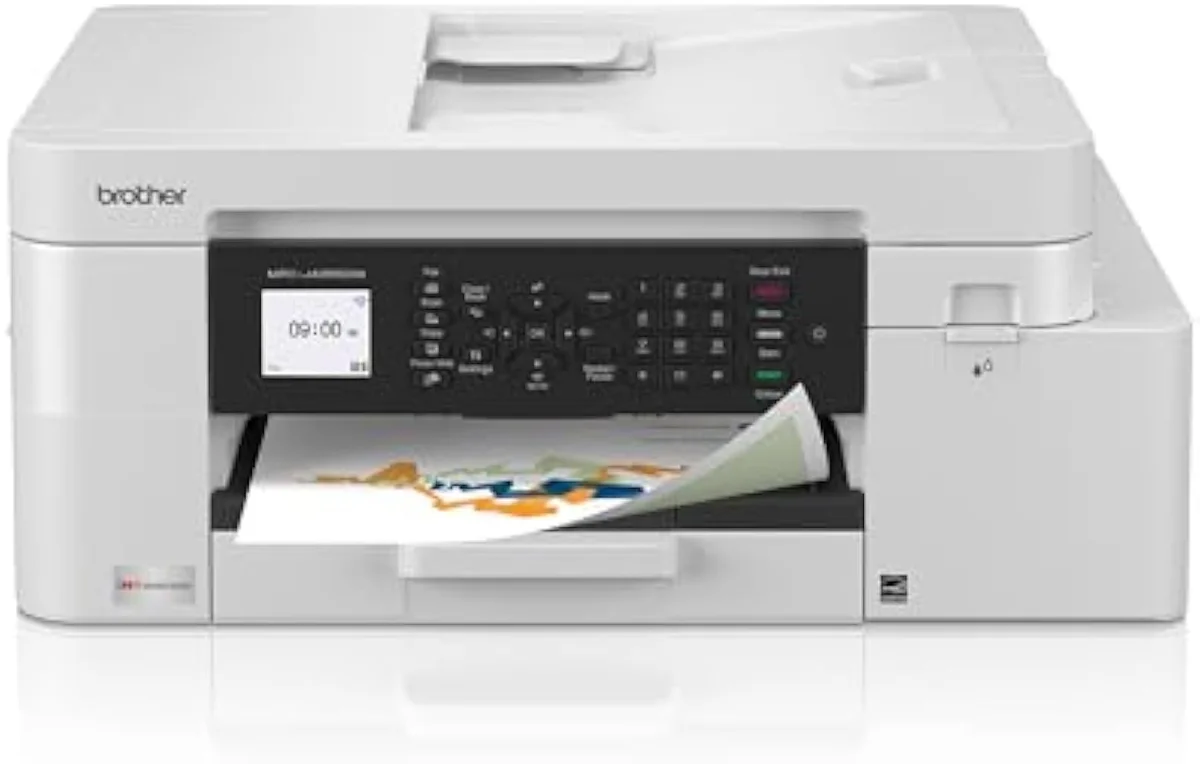
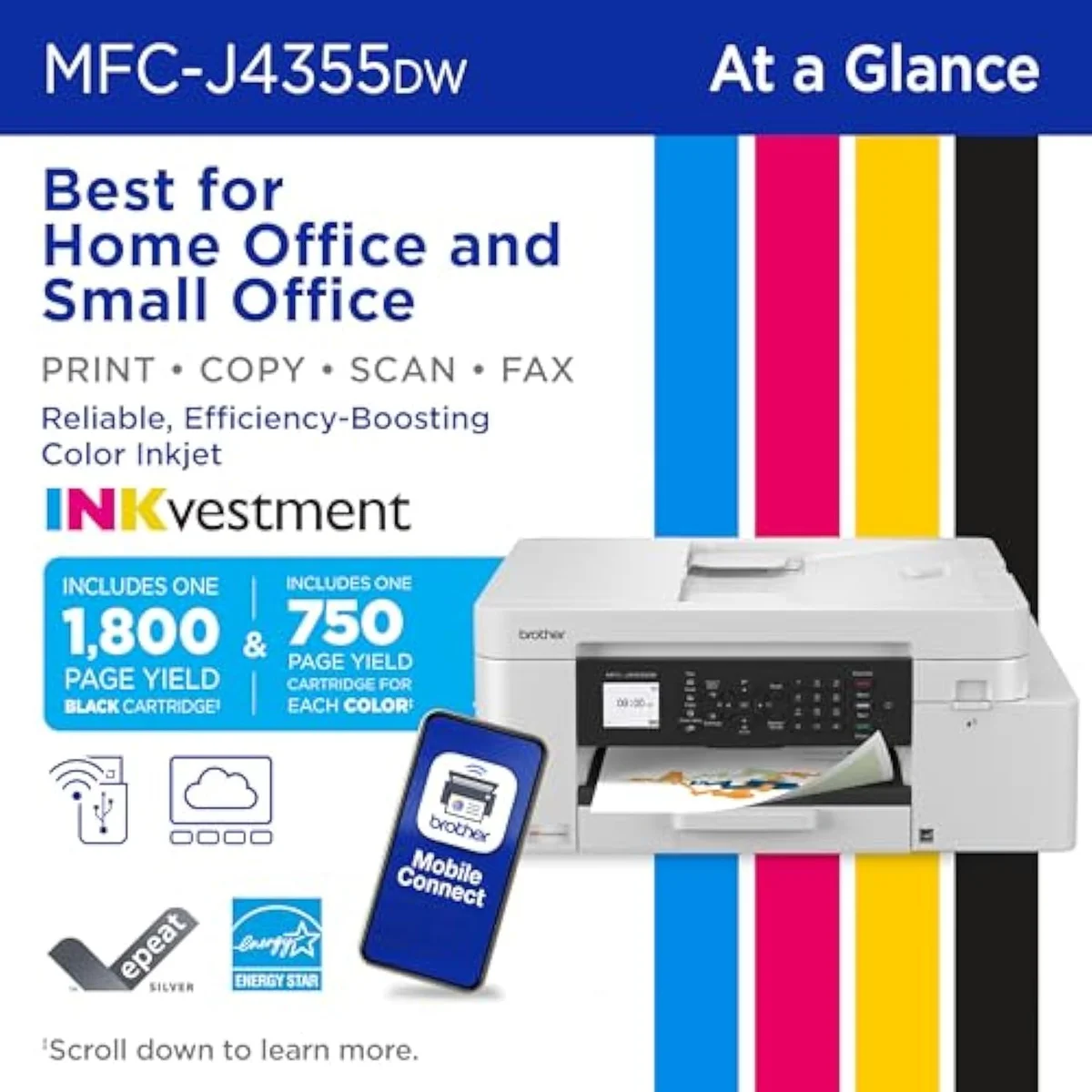
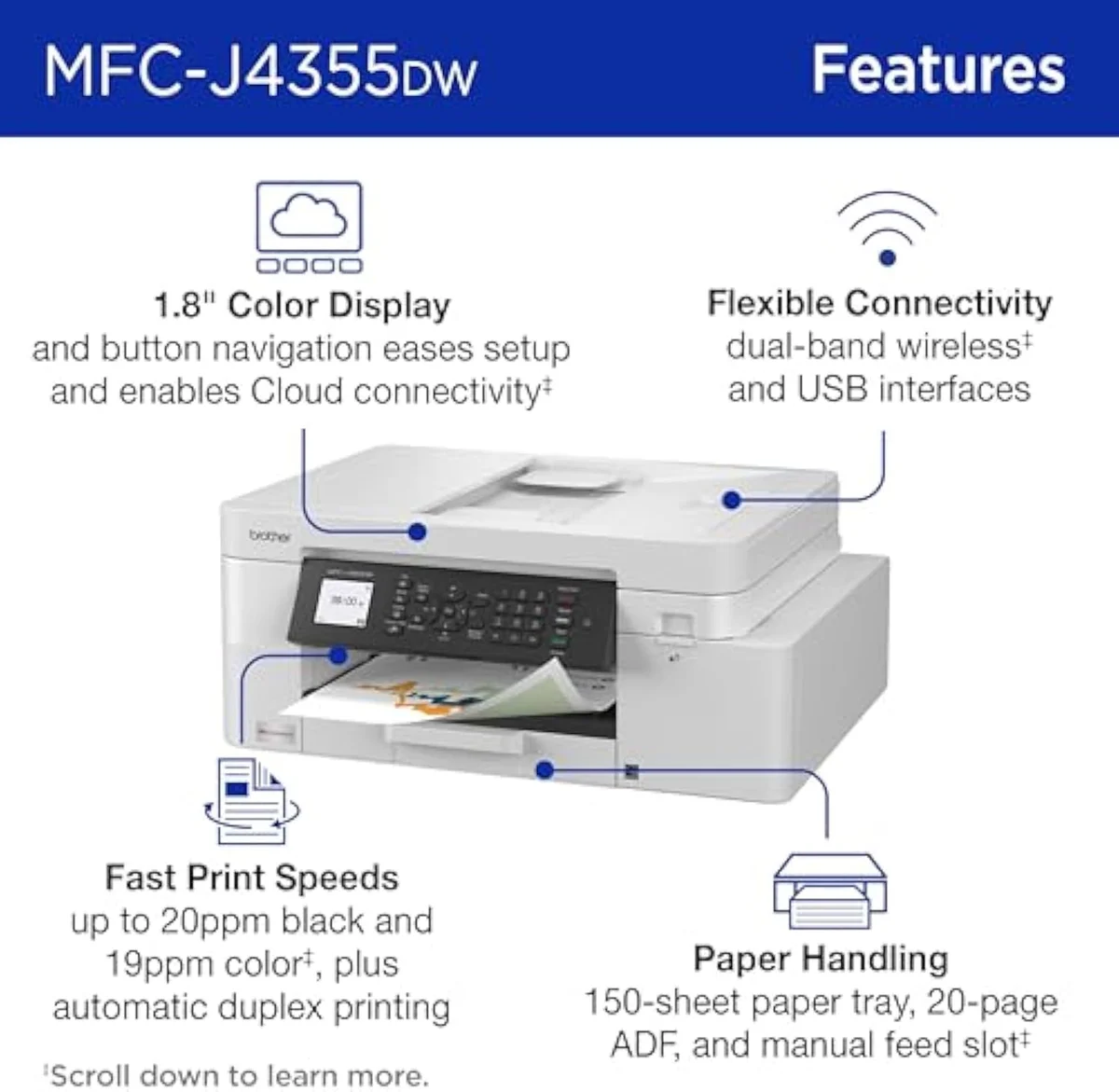
- Brother INKvestment 4355 — lowest cost per page: high-yield cartridges split the gap to a tank.
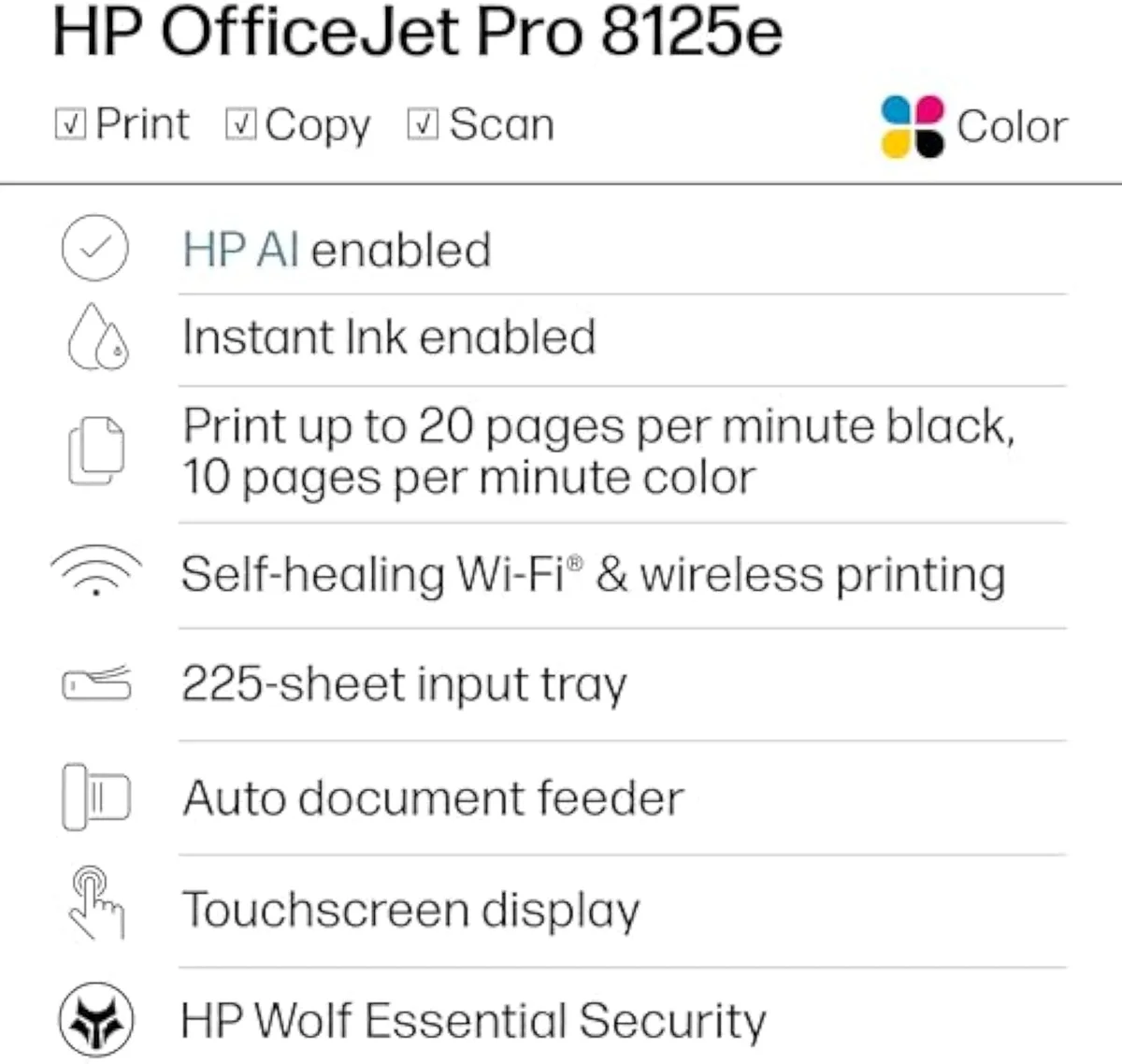
- HP OfficeJet Pro 8125e — capable but taxed: a strong AIO undercut by HP+ Instant Ink lock-in.
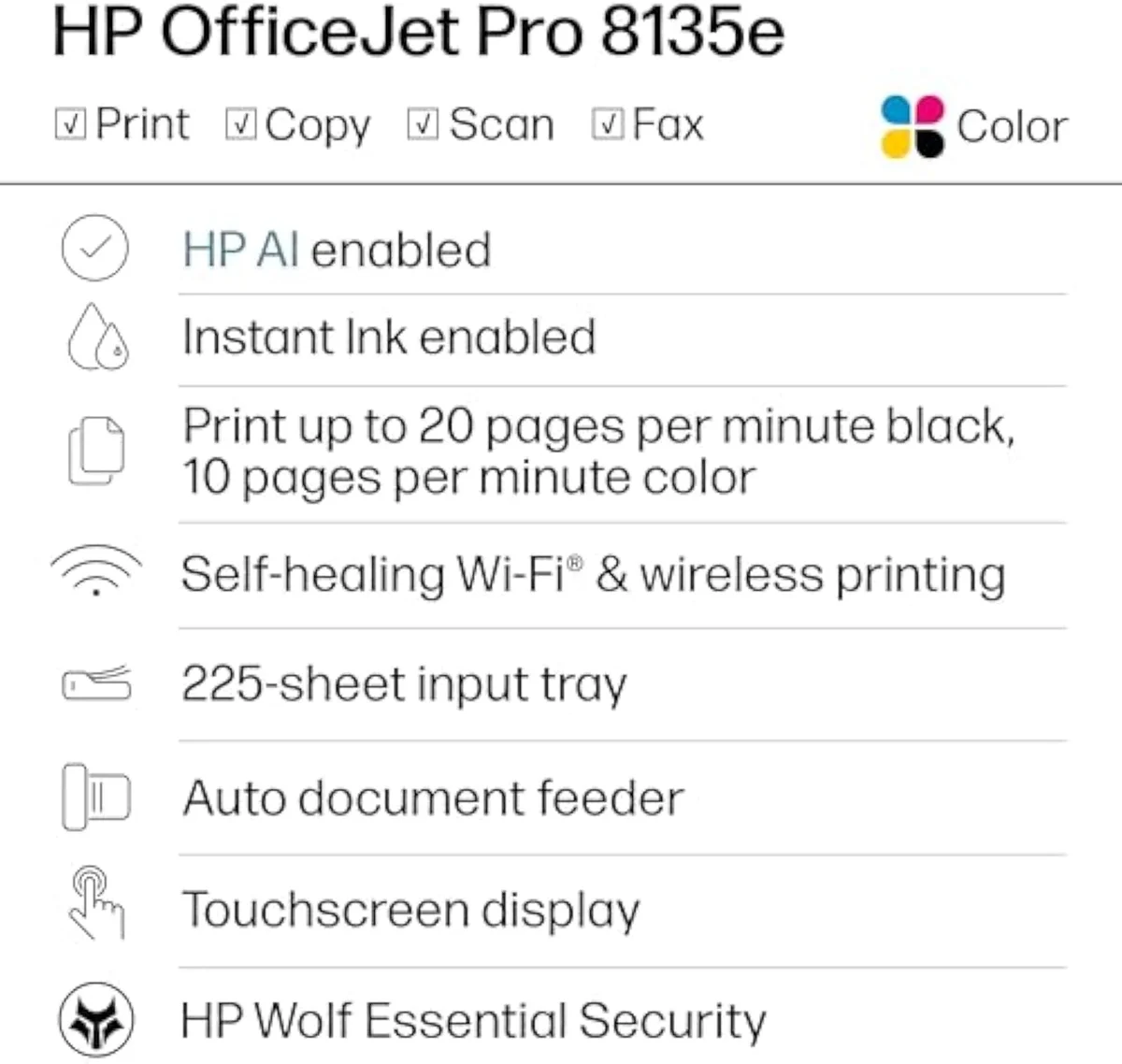
- HP OfficeJet Pro 8135e — the subscription trap: same lock-in, the lowest owner rating here.

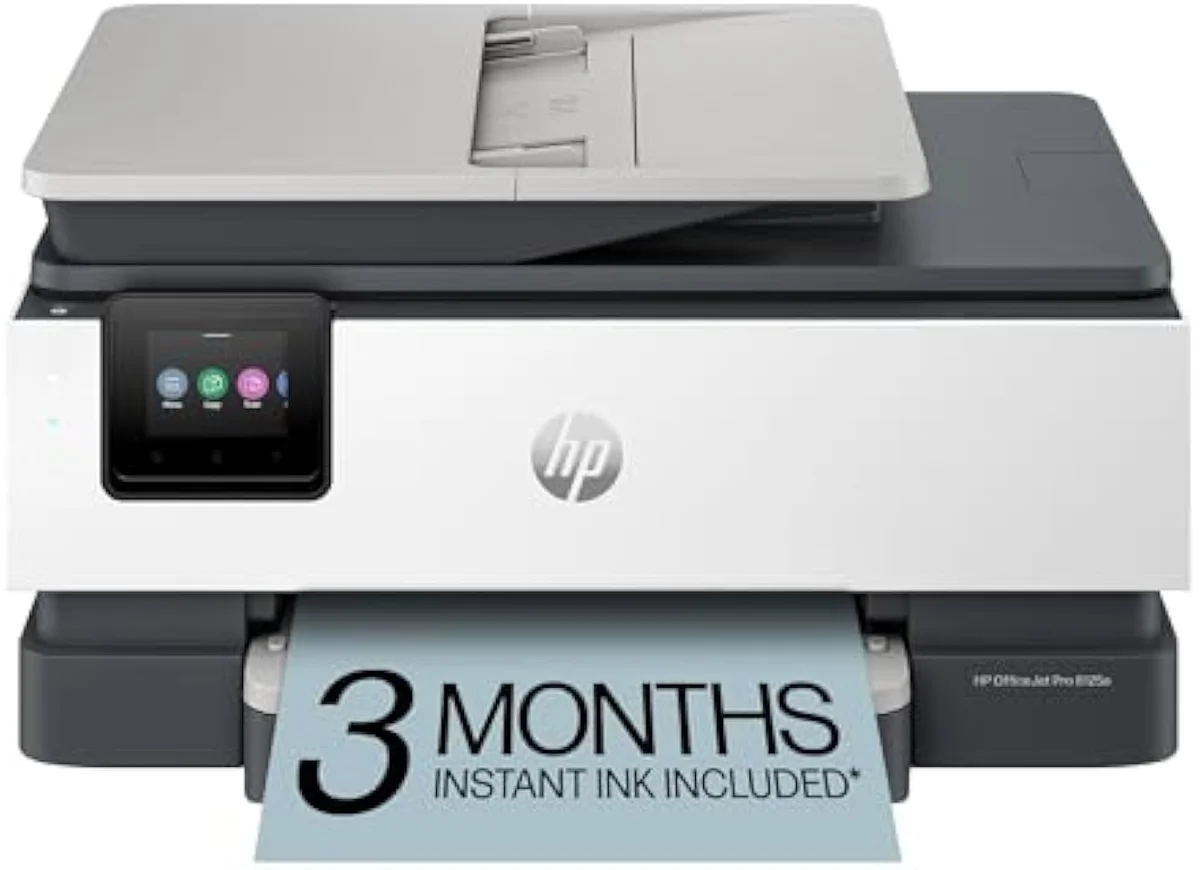
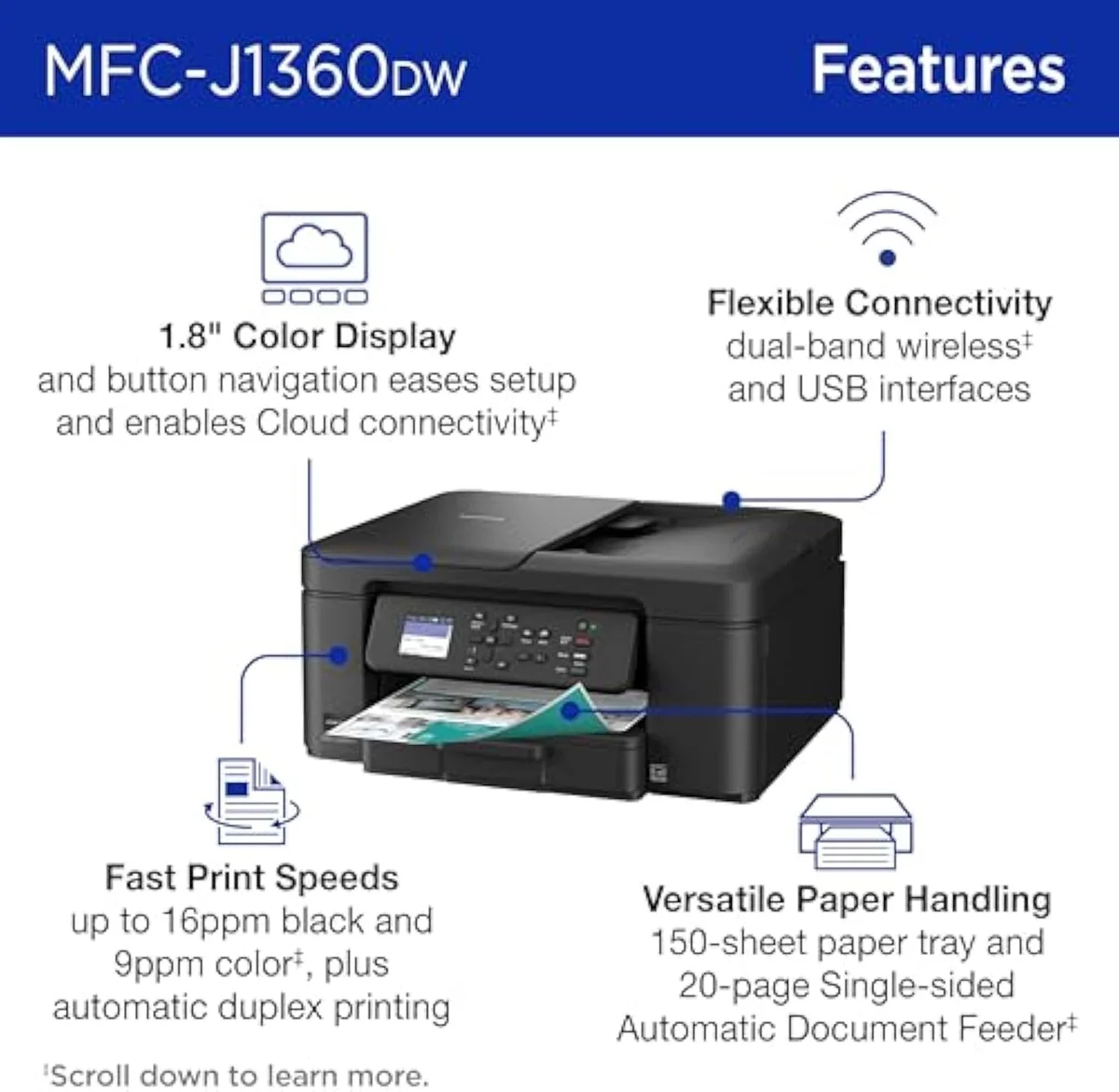
Quick Picks at a Glance
| Feature | Editor's Pick Brother Work Smart 1360 Wireless Color Inkjet All-in-One Printer | Epson® Workforce® Pro WF-4820 Wireless Color Inkjet All-In-One Printer | Brother INKvestment 4355 Wireless Color Inkjet All-in-One Printer with 1.8” C… | HP OfficeJet Pro 8125e Wireless All-in-One Color Inkjet Printer | HP OfficeJet Pro 8135e Wireless All-in-One Color Inkjet Printer |
|---|---|---|---|---|---|
| Live Price | $100–$250* | $100–$250* | $100–$250* | $100–$250* | $50–$100* |
| Amazon Savings | Check Amazon | Check Amazon | Check Amazon | Check Amazon | Check Amazon |
| Availability | Checking Amazon | Checking Amazon | Checking Amazon | Checking Amazon | Checking Amazon |
| Current Offer | Checking Amazon | Checking Amazon | Checking Amazon | Checking Amazon | Checking Amazon |
| Amazon Rating | |||||
| Amazon Sales Rank | Check Amazon | Check Amazon | Check Amazon | Check Amazon | Check Amazon |
| Live Data Refresh | Refresh pending | Refresh pending | Refresh pending | Refresh pending | Refresh pending |
| Functions | Print, scan, copy, auto-duplex, 20-sheet ADF | — | — | Print, scan, copy, auto-duplex, ADF | Print, scan, copy, fax, auto-duplex, ADF |
| Connectivity | Wireless or USB (no Ethernet), AirPrint, Mopria | — | — | Dual-band Wi-Fi, USB, AirPrint, HP Smart app | Self-healing dual-band Wi-Fi, AirPrint, HP Smart app |
| Ink System | LC501 series cartridges | — | — | HP cartridges with HP+ Dynamic Security (e-model DRM) | HP cartridges, firmware-locked to HP chips |
| Check Price | Check Price | Check Price | Check Price | Check Price |
Amazon prices and availability are refreshed live and are subject to change. The price shown on Amazon at purchase applies.
1. Brother Work Smart 1360 — Best Office Value
The 1360 is the office all-in-one we would actually put on a desk. It clears the two jobs that define office work — Brother rates it
Check Price on Amazon Read our full Brother 1360 review →
2. Epson WorkForce Pro WF-4820 — Fastest Throughput
When the office runs batches all day, speed and capacity stop being optional. The WF-4820 is the fastest printer on this list — Epson rates its
Check Price on Amazon What office all-in-one features matter →
3. Brother INKvestment 4355 — Lowest Cost per Page
The INKvestment 4355 is the cost-of-ownership pick: it splits the difference between a cartridge office printer and a bottle-fed tank. Brother bundles outsized cartridges —
Check Price on Amazon How cartridge yield decides cost per page →
4. HP OfficeJet Pro 8125e — Capable but Taxed
On hardware the 8125e is a real small-office machine — it does
Check Price on Amazon Read our full OfficeJet Pro 8125e review →
5. HP OfficeJet Pro 8135e — The Subscription Trap
The 8135e is the 8125e’s pricier sibling, and it lands last for a blunt reason. Its spec sheet reads well — it does
Check Price on Amazon Read our full OfficeJet Pro 8135e review →
Also worth a look in the office tier
These office machines did not make the five-pick shortlist, but each tracked through our research as a sensible fit for a specific desk. Run the cost-per-page math from our buying guide before you commit to any of them.
- HP OfficeJet Pro 8139e — a higher-trim OfficeJet Pro all-in-one, with the same HP genuine-ink lock-in to weigh.
- Epson WorkForce Pro WF-4834 — a cartridge WorkForce all-in-one with auto two-sided printing for a busy home office.
- Epson WorkForce Pro WF-7840 — the wide-format pick that prints and scans up to tabloid size.
- Canon PIXMA TR8620a — a compact home-office all-in-one that keeps a fax line and a document feeder.
- Brother Work Smart 1410 — the touchscreen step-up from our Brother 1360 top pick, with the same relaxed third-party ink.
- Canon PIXMA TS702a — a single-function printer for a desk that never needs to scan or copy.
- Canon PIXMA iX6820 — a wide-carriage single-function business printer for up to 13-by-19-inch output.
Also on the radar: more office machines we tracked
Eight more office-class machines earned a spot on our radar without making the ranked five. We list them honestly: each tracked through our research as a fit for a specific desk, but the owner record on every one is still thin, so we point you at the brand guides rather than pretend to a verdict the reviews cannot back. They split into HP and Canon battery-powered mobile units for working out of the office, extra Epson WorkForce all-in-ones around our ranked pick, Brother INKvestment hybrids near our cost-per-page winner, and a wide-format option. For most office buyers the ranked five above are the safer call — but if one of these fits a need the shortlist misses, price the cartridge before the printer.
- HP OfficeJet 250 Wireless Mobile — a battery-powered mobile all-in-one for working away from a desk, the kind of unit that prints, scans, and copies on the road. It carries the highest owner rating of this radar group, but the review base is still thin, so we send you to HP's guide rather than rank it. A fit for field work, not a fixed office. Check Price on Amazon · More on HP's ink economics →
- HP OfficeJet 200 Wireless Mobile — the print-only sibling of the 250 above: same battery-powered mobile format for a buyer who needs to print on the move but never scans or copies. The owner record stays shallow here too, so treat it as a portable niche pick and read HP's ink terms first. Check Price on Amazon · How HP locks its ink →
- Epson WorkForce Pro WF-3820 — a WorkForce Pro all-in-one that sits one step below our ranked WF-4820, a close Epson sibling for the buyer who finds this model on the shelf instead. The review base is thin, so we send you to Epson's guide rather than rank it — but it shares the WorkForce office DNA at a lower trim. Check Price on Amazon · More on Epson's WorkForce line →
- Epson WorkForce WF-2960 — Epson's entry WorkForce all-in-one with scanning, a budget step under the Pro models, for a light-duty office desk. The owner record is thin and the rating sits lower than our ranked picks, so keep it on the radar rather than the ranked list and confirm the ink math for your volume. Check Price on Amazon · How Epson's WorkForce models compare →
- Brother INKvestment 1365 — a Brother INKvestment hybrid all-in-one near our ranked INKvestment 4355 cost-per-page pick, running the same high-yield cartridges that stretch the gap toward a tank. The review base stays shallow, so we point you at Brother's guide before any ranking — but it shares the relaxed third-party-ink stance and INKvestment economics. Check Price on Amazon · More on Brother's INKvestment line →
- Brother INKvestment 6960 — the wide-format INKvestment we tracked: a Brother hybrid all-in-one that prints up to 11-by-17-inch tabloid size for an office that needs the larger sheet. The owner record is the thinnest of this group, so we keep it on the radar, not the ranked list — but it pairs INKvestment running cost with wide-format reach. Check Price on Amazon · How Brother's INKvestment carts work →
- Canon PIXMA TR4720 — a Canon entry all-in-one with a document feeder for a light home office, the budget PIXMA that shows up in "is it worth it" threads. The review base is thin and the rating modest, so we send you to Canon's guide rather than rank it. Worth a look if you want the lowest Canon office sticker. Check Price on Amazon · More on Canon's office line →
- Canon PIXMA TR160 — a compact portable Canon printer for a small or mobile workspace, a print-focused unit for a buyer tight on desk space. The owner record is thin, so treat it as a space-conscious niche pick and read Canon's guide before any verdict. A fit when footprint matters more than office throughput. Check Price on Amazon · How Canon's PIXMAs compare →
How We Chose
Here's the thing: the office sticker price is the easiest number to find and a poor guide to what the printer costs you. We do not run a print lab. We read the owner record closely — the verified Amazon reviews, the community threads — and we price the cost of ownership the box leaves off. For office inkjets specifically, that meant scoring three things the OfficeJet glamour shot skips: real throughput once you count ISO ppm against the document feeder and tray, the cost per page once the starter ink is gone, and how hard each brand locks you to its own cartridges.
That last factor reshuffled the order. The two HP OfficeJets print well and still landed at the bottom because the ink math is hostile — HP+ firmware blocks third-party cartridges and the Instant Ink trial becomes a monthly fee. Independent testing backs the cost case: RTINGS' lab-tested inkjet printers and Consumer Reports' inkjet printer ratings both score cost-per-print as a first-class number, and both flag subscription and lock-in as ownership costs buyers underweight. The manufacturers confirm the speed spread in their own specs — Epson's inkjet printer specifications quote the highest ISO ppm here, while Brother's inkjet printer page yields lead on cartridge runway, and HP's inkjet printer Instant Ink terms lean on subscription rather than a low cost per page. We grade every model against the full owner record in our inkjet printers evidence hub, and the office cost case carries into our Brother 1360 review.
The result is one clear winner, two strong alternatives, and two printers taxed by their own ink.
Buying Guide: What to Look For
Three things decide an office printer, and none of them is the box price. Read them in this order.
Throughput, not headline speed. Office work is multi-page work, so the document hardware matters as much as the ISO ppm. An automatic document feeder lets the printer scan or copy a stack unattended; auto-duplex halves the paper on long reports; a deep input tray keeps a batch run from stalling for a refill. The Epson WorkForce Pro's 25 black ISO ppm and 250-sheet tray suit all-day batches, while the Brother 1360's 16 ppm fits a busy home office. Buy the duty cycle your real volume needs — speed you never use is paid-for capacity sitting idle.
Cost per page and ink lock-in. This is where office printers ambush you. HP's "e" OfficeJets block non-HP cartridges and push Instant Ink, so you cannot shop for cheaper ink; Brother's ink is reasonably priced and accepts aftermarket cartridges; the Brother INKvestment hybrid runs high-yield carts that approach tank economics. Brother's inkjet printer page-yield figures rate its bundled cartridges far above a standard set. Before you buy, look up the replacement-cartridge price and its page yield, divide for cents per page, and check whether the firmware blocks third-party ink — that number, not the sticker, predicts the bill.
An office printer is a multi-year commitment to one company's ink.
Duty cycle and how much you print. HP's own guidance puts the OfficeJet Pro line above 100 pages a month — below that, a feature-packed office machine is paid-for capacity you waste. Print heavy color volume and the cartridge tax compounds until a refillable supertank is cheaper to own; we map that crossover in our inkjet printer buyer problem guide and weigh every office axis in our comparison criteria. Be honest about your monthly volume before you size the machine.
Connectivity and reliability. A wired office wants Ethernet, which only the Epson WorkForce Pro carries here; the rest are Wi-Fi or USB. And every machine on this list is an inkjet, so idle weekends and holidays invite dried nozzles and ink-wasting cleaning cycles. Print in color most weeks and an office inkjet is the cheapest document machine you can run; let it sit, and the heads dry out before the savings arrive. Confirm the connection your desk needs and keep the printer working.
Office inkjet questions every buyer asks
Office printer shopping raises the same questions across every brand. Here are the answers that decide the buy.
What is the best office inkjet printer for most small offices?
A fast all-in-one that does not tax you on ink. The Brother Work Smart 1360 leads our list because it pairs a 35-page-class document feeder and auto-duplex with Brother ink that costs little and accepts cheap third-party cartridges — no subscription, no firmware lock. If you push real document volume each day, the faster Epson WorkForce Pro WF-4820 takes over at 25 black ISO ppm. The HP OfficeJet Pro models print well but tie you to HP ink, which is why they rank lower here.
Why do HP OfficeJet Pro printers cost more to run than Brother or Epson?
Two reasons, and both are deliberate. HP's "e" OfficeJets ship with HP+ and an Instant Ink trial that becomes a monthly fee unless you cancel, and the firmware refuses non-HP cartridges, so you cannot shop for cheaper ink. Brother ink is reasonably priced and tolerant of aftermarket cartridges; Epson lets you swap individual colors. The HP machine is the cheaper sticker that becomes the dearer printer once the cartridge bills start.
How much speed does an office inkjet actually need?
Match it to your daily page count. A home office that prints a few jobs a day is fine at the Brother 1360's 16 black ppm; a small office running batches all day wants the WorkForce Pro's 25 black ISO ppm and a 250-sheet tray so it is not refilled every hour. Speed past your real volume is paid-for capacity you will not use — buy the duty cycle you need, not the headline number.
Is an ADF and auto-duplex worth paying for on an office printer?
For most offices, yes. An automatic document feeder lets you scan or copy a stack without feeding pages one at a time, and auto-duplex halves your paper bill on long documents. Every pick on this list has both, which is the floor for office work — a flatbed-only home printer wastes your time on multi-page jobs. Confirm the ADF capacity matches the documents you actually scan.
Should an office buyer ever pick a supertank over a cartridge office printer?
If you print heavy color volume, yes — bottle ink crushes cartridge cost per page. The hybrid Brother INKvestment 4355 is the middle path: cartridge convenience, near-tank yields.
Will an office inkjet clog if the office sits idle on weekends and holidays?
It can. Every printer here is an inkjet, so liquid ink dries in the nozzles over idle stretches and the machine spends ink on cleaning cycles to recover — one Brother INKvestment owner watched output go streaked and faded even with plenty of ink left. Print in color at least weekly to keep the heads wet. An office that prints only a few times a month is a better fit for a color laser, which has no liquid ink to dry out.
Track Office Inkjet Printers Picks
We'll let you know when our picks for this category change.
Only when something changes. Unsubscribe anytime.
Our Top Pick
The Brother MFC-J1360DW is our #1 recommendation — small-home-office buyers who want an adf and auto-duplex on a budget and refuse an ink subscription.
Check Price: Brother MFC-J1360DWCitations
- [1]"Engineered to print at fast speeds of up to 16 pages per minute (ppm) in black and up to 9 ppm in color"https://www.amazon.com/dp/B0FGC43YCLCaptured June 3, 2026. Verified June 3, 2026.
- [2]"This printer includes automatic duplex (2-sided) printing, a 20-sheet single-sided Automatic Document Feeder (ADF)(3), and a 150-sheet paper tray(3)."https://www.amazon.com/dp/B0FGC43YCLCaptured June 3, 2026. Verified June 3, 2026.
- [3]"Ink cartridges are reasonably priced for Brother branded and downright cheap for knockoffs."https://www.amazon.com/dp/B0FGC43YCLCaptured June 3, 2026. Verified June 3, 2026.
- [4]"it's not picky about 3rd party ink cartridges"https://www.amazon.com/dp/B0FGC43YCLCaptured June 3, 2026. Verified June 3, 2026.
- [5]"PrecisionCore Heat-Free Technology delivers high-speed, high-volume printing with 25 black/12 color ISO ppm and fast first-page-out."https://www.amazon.com/dp/B08DXK91SXCaptured June 3, 2026. Verified June 3, 2026.
- [6]"Maximize efficiency — with large, 250-sheet paper capacity."https://www.amazon.com/dp/B08DXK91SXCaptured June 3, 2026. Verified June 3, 2026.
- [7]"also includes built-in wireless, Wi-Fi Direct (3) and Ethernet networking."https://www.amazon.com/dp/B08DXK91SXCaptured June 3, 2026. Verified June 3, 2026.
- [8]"It uses individual ink cartridges, which is good for replacing only the colors you need."https://www.amazon.com/dp/B08DXK91SXCaptured June 3, 2026. Verified June 3, 2026.
- [9]"Includes one 1,800-page yield black cartridge and 750-page yield cartridges each color cyan, yellow, and magenta"https://www.amazon.com/dp/B0FGCCWV6TCaptured June 3, 2026. Verified June 3, 2026.
- [10]"Prints at fast speeds up to 20 pages per minute (ppm) black/19 ppm color"https://www.amazon.com/dp/B0FGCCWV6TCaptured June 3, 2026. Verified June 3, 2026.
- [11]"One of the other things that’s stood out is the low cost per print."https://www.amazon.com/dp/B0FGCCWV6TCaptured June 3, 2026. Verified June 3, 2026.
- [12]"Despite the cartridges reporting more than 40% of the ink remaining, the output has become streaked and faded."https://www.amazon.com/dp/B0FGCCWV6TCaptured June 3, 2026. Verified June 3, 2026.
- [13]"auto 2-sided printing, auto document feeder, and a 225-sheet input tra"https://www.amazon.com/dp/B0CT8ZJ7ZCCaptured June 3, 2026. Verified June 3, 2026.
- [14]"tied into HP's print services and will refuse to work without genuine HP supplies. So no remanufactured or 3rd party cartridges."https://www.amazon.com/dp/B0CT8ZJ7ZCCaptured June 3, 2026. Verified June 3, 2026.
- [15]"Fast color printing, scan, copy, fax, auto 2-sided printing, auto document feeder, and a 225-sheet input tray"https://www.amazon.com/dp/B0CFM7BTW8Captured June 4, 2026. Verified June 4, 2026.
- [16]"The ones with an 'e' at the end are tied into HP's print services and will refuse to work without genuine HP supplies."https://reddit.com/r/readbeforebuying/comments/1h5stz5/efficient_i_tested_the_hp_officejet_pro_8135e/Captured June 4, 2026. Verified June 4, 2026.