Epson EcoTank ET-4850 Review: The Office Supertank, Cons and All
Updated
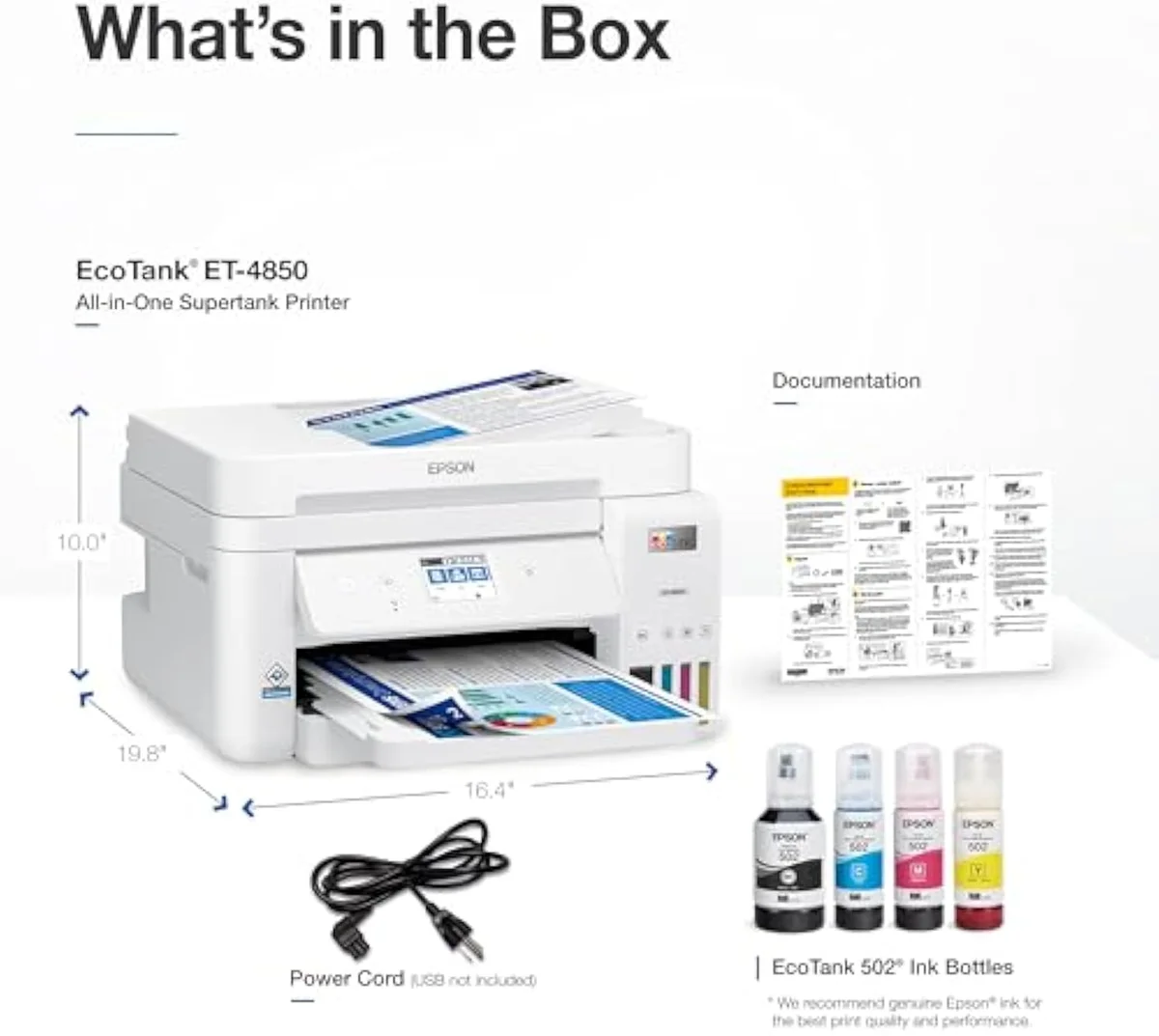
The work-from-home EcoTank: bottle-ink running costs plus the ADF, copier, fax and Ethernet a home office actually uses. The cost case is supertank-standard; the office stack is what justifies the price step over the cheaper ET-4800. Reliability is the real variable — wire it, keep Epson ink in it, and it earns its keep.
| Best for | Home offices that use the ADF, fax and Ethernet, not just print |
|---|---|
| Skip if | You want cheap photos, two-sided scanning, or proven long-life reliability |
| Ink | Cartridge-free refill bottles — genuine Epson strongly advised |
| Connectivity | Wi-Fi, Ethernet, AirPrint, Epson Smart Panel |
| Owner rating | 4.2 / 5 across 13 reviews |
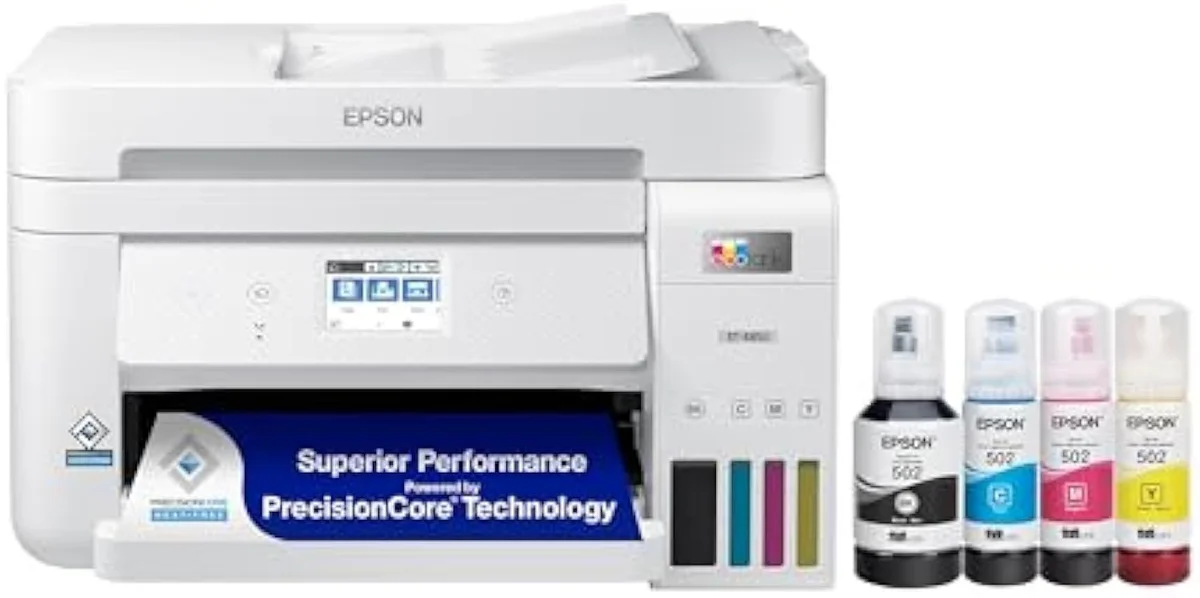
The full-function supertank for SOHO buyers who want refill economics without dropping scan, copy and fax — worth its premium over the ET-4800 only if you wire it over Ethernet and actually use the office features.
Amazon prices and availability are refreshed live and are subject to change. The price shown on Amazon at purchase applies.
Video Review

We priced the cost of ownership the box leaves off, then read the record behind the badge: the 13 verified Amazon owner reviews of the EcoTank ET-4850 (a 4.2-star average), the r/printers and r/homeschool owner threads we mined, Epson's own published specifications, and independent printer testing from sources like RTINGS' lab-tested printer reviews. We don't run a print lab — we read the owner record closely and put the running-cost math next to the price the manufacturer page hides it from. We earn a commission if you buy through our links; it never changes the verdict. Read our full methodology →
Overview
The EcoTank that went to work
Most supertanks are built to print. The Epson EcoTank ET-4850 Wireless is built to run an office. Epson's listing puts the difference in one line — a
The lens this site puts on every machine is the one Epson's page buries: not the sticker, but the cartridge-versus-tank math of what it actually costs to own over time. On running cost the ET-4850 is firmly pole-two ink — dearer to buy, far cheaper to feed — so the spend only makes sense for a household that prints enough to bank the savings.
Across the 13 owner reviews, satisfaction reads as plain rather than surprising. First-time Epson buyers land on it and stay. There is no hidden flaw and no unexpected delight — the story is competent office function, and the verdict turns on one question: do you use that function, or just pay for it?
Key Specifications
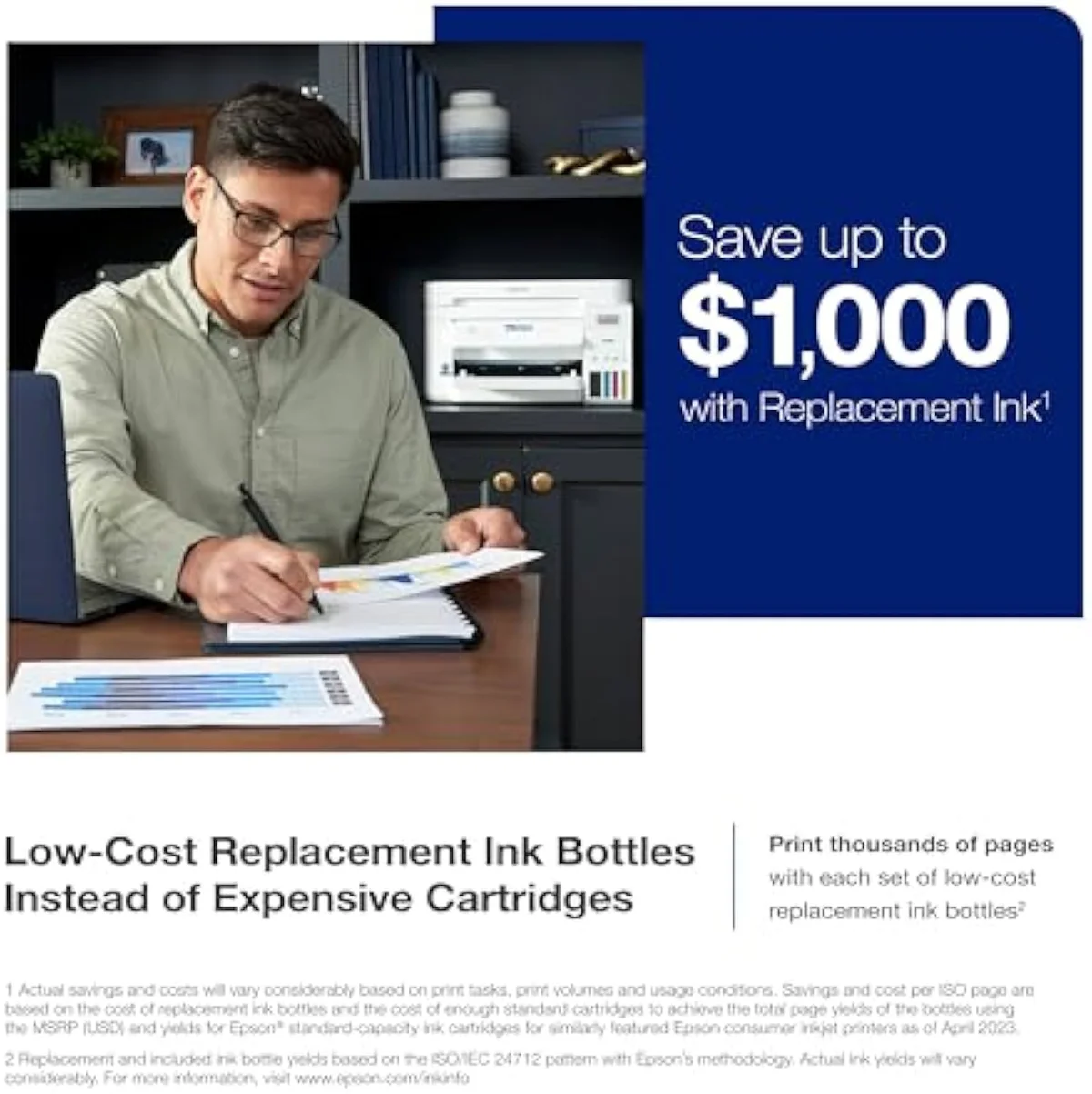
| Print Speed | Up to 15.5 ppm black / 8.5 ppm colour |
| Functions | Print, Scan, Copy, Fax with ADF |
| Connectivity | Wi-Fi, Ethernet, AirPrint, Epson Smart Panel |
| Ink System | Cartridge-free refillable tanks |
| Two-Sided Printing | Auto 2-sided printing |
What the spec sheet buys
The numbers are office-grade, not home-grade. Epson rates it to print
Connectivity is where it pulls ahead of the cheap models. It
Pros & Cons
Pros
- Office stack the cheap EcoTanks skip: ADF, fax, Ethernet, auto-duplex
- Bottle-ink running cost — an OEM refill set costs a fraction of a year of cartridges
- Ethernet jack sidesteps the flaky Wi-Fi owners report
- Quick document speed (rated up to 15.5 ppm black) at 4800 x 1200
Cons
- Owners report Wi-Fi print jobs failing repeatedly until wired
- ADF is slow, jams, and will not scan double-sided
- Muted colour — a document machine, not a photo printer
- Bottom paper tray can stop feeding after heavy use; ~2.5-3 year service life
Performance & Real-World Testing
The Wi-Fi is the weak link
Here's the thing: the single sharpest complaint in the owner record is not print quality. It's the wireless. One owner logged jobs failing
There is a fix, and it is the reason to buy this configuration over a Wi-Fi-only EcoTank. Wire it. Owners highlight Ethernet as a reliability win — one ran the ET-4850 over the Ethernet jack, tucked in a closet beside the router, and printed without the connection dropping. A network jack the budget models lack is exactly what makes the office EcoTank worth its premium — but only if you actually plug it in.
The ADF is slower than the brochure
The document feeder is the second feature you pay for, and the second one owners flag. One frustrated owner found it
Speed in general runs behind the spec. One buyer flatly reported that
Buy it for documents, not photos
The colour is the third honest limit. One owner is blunt:
Value Analysis
Dear to buy, cheap to feed
This is where the supertank earns back its sticker. The ET-4850 lists far higher than a cartridge office printer, but the ink is where the math flips. A genuine Epson refill set runs roughly the price of a takeaway and includes a 127 ml black bottle — the
Independent testing backs the gap. RTINGS' cost-per-print and page-yield testing puts cartridge cost-per-page many times higher than bottle ink, and the cartridge office printers the ET-4850 competes with are the dearest of all to refill. A supertank is the reverse: high sticker, flat running cost. Print in volume and the lines cross fast; print rarely and the premium sits wasted — the fork we run across the catalog in our type-versus-type tradeoffs analysis.
THE GAP The bottle yield is the real saving; the catch is the ink it must run to protect it — genuine Epson, not the cheapest bottle on the shelf.
The first-refill gotcha
One failure mode is worth flagging before you fill it. After a first refill, one owner's machine printed
What to Expect Over Time
Living with it: idle time, lifespan and the feed
Three things shape life with the ET-4850 past the first month: idleness, service life, and the paper path.
Idleness first, because every inkjet has one failure mode a laser doesn't: liquid ink dries in the nozzles when the machine sits unused, and it spends ink on cleaning cycles to clear it. Owners advise you
Plan for a service life, not a decade
Service life is the honest planning figure. One long-term owner reckons
The paper path is the third thread. Past heavy use, one owner found that
What ET-4850 buyers weigh before paying office money
The 13-review record reads consistently: the office stack is the draw, the wireless and the feeder are the risks. These are the questions buyers raise most before paying office money.
Is the Epson EcoTank ET-4850 all in one supertank inkjet printer any good?
For a home office that prints documents and runs a fair amount of scan, copy and fax, yes — it earns its place. The 4.2-star average across 13 owner reviews is solid, and the bottle-ink running cost is the whole reason to buy a supertank. The honest catch is reliability is mixed rather than perfect: owners report Wi-Fi jobs that fail repeatedly, an automatic feeder that jams, and a bottom paper tray that can stop feeding after heavy use. Wire it over Ethernet, keep genuine Epson ink in it, and it rewards the buyer who actually uses the office features. Buy it for cheap color photos and you bought the wrong machine.
What are the downsides of the Epson EcoTank ET-4850?
Three recur in the owner record. Wireless printing can be flaky — one owner had jobs fail nine times out of ten until they moved to a wired connection. The automatic document feeder is slow, jams, and will not scan double-sided. And colour output is muted, so it is a document machine, not a photo printer. Bottle ink still makes it cheap to feed; the reliability spread is the real risk.
What is the difference between the Epson ET-4800 and the ET-4850?
Mostly speed, screen and price. The two share the cartridge-free supertank design, the ADF, the fax and Ethernet, but the ET-4850 is the faster, more configured model and sells far higher — the ET-4800 lists around a third of the ET-4850's street price. If you do not need the extra speed or the larger touchscreen, the ET-4800 saves real money for the same core job. We break the gap down in our ET-4800 vs ET-4850 comparison.
Is the Epson supertank a good printer for keeping running costs down?
Yes, and that is the entire pitch. A genuine Epson ink set for the ET-4850 runs roughly the price of a cheap dinner and includes a high-capacity black bottle, where a cartridge office printer charges that several times a year. The supertank front-loads the cost into a higher sticker and pays it back in bottle ink that lasts months. The break-even is volume — print enough and the math is decisive.
Does the ET-4850 ADF scan double-sided documents?
No. The automatic document feeder is single-sided only, and one owner also noted it struggles to pull receipts and oddly-sized originals cleanly. For two-sided document scanning at volume you need a different machine.
How long does an Epson EcoTank ET-4850 last?
One long-term owner estimates the 4000-series EcoTanks run about two and a half to three years of service life. That is not a hard limit, and printing regularly to keep the printhead clear helps, but it is a realistic planning figure rather than the decade some buyers expect from a tank machine.
Match it to the workload, not the badge
One machine, one job it does well
A home office that prints documents in volume and truly uses the scanner, copier, fax and feeder gets a capable, cheap-to-run all-in-one — provided it runs over Ethernet on genuine Epson ink. Owners say of Epson's EcoTanks that
If you don't need the document-feeder extras, the price gap is the whole argument: the Epson EcoTank ET-2800 gives you the same bottle-ink economics for far less, minus the ADF, fax and Ethernet. The closer home call is the slower, simpler ET-2850 — same ink, half the speed — which we weigh against this machine in our ET-4850 vs ET-2850 comparison. If you want those office parts but not this sticker, the cheaper ET-4800 carries the identical document stack for roughly a third of the price — we run that pairing in our ET-4800 vs ET-4850 comparison. Want the supertank case made against a cartridge office printer instead? The HP OfficeJet Pro 8125e is the cartridge alternative — cheaper to buy, far dearer to feed — and the Canon MegaTank G3290 is the closest non-Epson supertank if you'd rather not buy Epson at all.
The full-function supertank for SOHO buyers who want refill economics without dropping scan, copy and fax — worth its premium over the ET-4800 only if you wire it over Ethernet and actually use the office features.
Best for: Home offices that use the ADF, fax and Ethernet, not just print
Track the Epson EcoTank ET-4850
We check the price daily and monitor availability. You hear from us when something changes.
Only when something changes. Unsubscribe anytime.
Citations
- [1]"Prints up to 15.5 pages per minute"https://www.amazon.com/dp/B096N9JMXFCaptured June 4, 2026. Verified June 4, 2026.
- [2]"Prints at a 4800 x 1200 resolution"https://www.amazon.com/dp/B096N9JMXFCaptured June 4, 2026. Verified June 4, 2026.
- [3]"Auto 2-sided printing helps save"https://www.amazon.com/dp/B096N9JMXFCaptured June 4, 2026. Verified June 4, 2026.
- [4]"Offers mobile printing options"https://www.amazon.com/dp/B096N9JMXFCaptured June 4, 2026. Verified June 4, 2026.
- [5]"Cartridge-Free Supertank with"https://www.amazon.com/dp/B096N9JMXFCaptured June 4, 2026. Verified June 4, 2026.
- [6]"After so many prints the paper from the bottom tray will stop feeding through the printer"https://www.amazon.com/dp/B096N9JMXFCaptured June 4, 2026. Verified June 4, 2026.
- [7]"9 out of 10 times, the print job fails with no connection to the printer."https://reddit.com/r/printers/comments/1b8dnum/epson_ecotank_experieince/Captured June 4, 2026. Verified June 4, 2026.
- [8]"takes forever to Scan (and jams more frequently than it scans)."https://reddit.com/r/printers/comments/1b8dnum/epson_ecotank_experieince/Captured June 4, 2026. Verified June 4, 2026.
- [9]"It prints slower than specified"https://reddit.com/r/printers/comments/1b8dnum/epson_ecotank_experieince/Captured June 4, 2026. Verified June 4, 2026.
- [10]"This printer isn't really designed for photo printing anyways."https://reddit.com/r/printers/comments/1p1phds/just_bought_a_demo_epson_et4850_from_work_and_had/Captured June 4, 2026. Verified June 4, 2026.
- [11]"don't risk damaging the permanent print head"https://reddit.com/r/printers/comments/1p1phds/just_bought_a_demo_epson_et4850_from_work_and_had/Captured June 4, 2026. Verified June 4, 2026.
- [12]"OEM set is"https://reddit.com/r/printers/comments/1p1phds/just_bought_a_demo_epson_et4850_from_work_and_had/Captured June 4, 2026. Verified June 4, 2026.
- [13]"Cheap ink has like 30 times worse UV resistance than epson ink"https://reddit.com/r/printers/comments/1p1phds/just_bought_a_demo_epson_et4850_from_work_and_had/Captured June 4, 2026. Verified June 4, 2026.
- [14]"The color on the ET series is very muted."https://reddit.com/r/homeschool/comments/1msvlxe/do_you_use_the_epson_ecotank_printer_if_so_which/Captured June 4, 2026. Verified June 4, 2026.
- [15]"These are more reliable than HP"https://reddit.com/r/printers/comments/1p1phds/just_bought_a_demo_epson_et4850_from_work_and_had/Captured June 4, 2026. Verified June 4, 2026.
- [16]"you want to avoid ink drying in the pipes if you print infrequently"https://reddit.com/r/printers/comments/1p1phds/just_bought_a_demo_epson_et4850_from_work_and_had/Captured June 4, 2026. Verified June 4, 2026.
- [17]"most ecotanks in the 4000 series and lower seem to have a life expectancy"https://reddit.com/r/printers/comments/1b8dnum/epson_ecotank_experieince/Captured June 4, 2026. Verified June 4, 2026.
- [18]"everything printed in shades of blue, despite having refilled all colors"https://reddit.com/r/printers/comments/1p1phds/just_bought_a_demo_epson_et4850_from_work_and_had/Captured June 4, 2026. Verified June 4, 2026.
- [19]"it doesn't scan doublesided and also had some issues pulling not-perfect sized receipts."https://reddit.com/r/homeschool/comments/1msvlxe/do_you_use_the_epson_ecotank_printer_if_so_which/Captured June 4, 2026. Verified June 4, 2026.
- [20]"for homeschooling purposes a laser printer is far superior."https://reddit.com/r/homeschool/comments/1msvlxe/do_you_use_the_epson_ecotank_printer_if_so_which/Captured June 4, 2026. Verified June 4, 2026.