Epson EcoTank ET-4850 vs ET-3850: The Office Model, and Whether You Need It
Updated
Same ink, same core office hardware, one extra job. The ET-4850 and the ET-3850 both pour cartridge-free EcoFit bottle ink and both already carry an automatic document feeder, wired Ethernet and auto-duplex — so on cost-per-page, the number this site cares about most, they are a dead tie. The ET-4850 is the fully-loaded office model: it adds a fax modem and a larger touchscreen, and it rates a shade higher with owners. The ET-3850 wins the matchup anyway, because for a home office that never sends a fax, the office premium pays for a feature that sits unused. Buy the ET-4850 if faxing is part of your week; otherwise the ET-3850 is the same supertank, one rung cheaper, with the better value record.
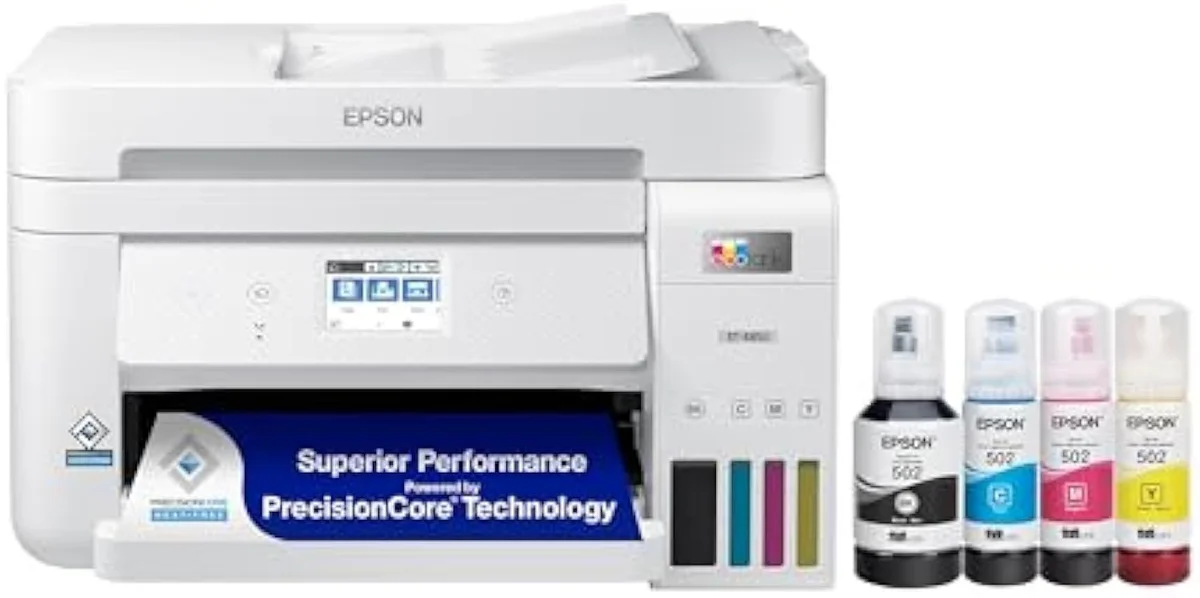
Epson EcoTank ET-4850
Epson EcoTank ET-3850
Two rungs of one EcoTank office line, not two different printers. They share the bottle-ink economics, the ADF, the wired Ethernet and the auto-duplex — so cost-per-page is level. Our pick is the ET-3850, the better value for most: the ET-4850's premium buys a fax modem and a bigger touchscreen, useful only to an office that actually faxes. Step up to the ET-4850 if fax is part of your week; keep the ET-3850 if it isn't.
| Shared core | Same EcoFit bottle ink, ADF, Ethernet, auto-duplex, 15.5 ppm black |
|---|---|
| ET-4850 adds | A built-in fax modem and a larger touchscreen |
| Cost-per-page | Identical — neither is cheaper to feed |
| Owner rating | ET-4850 4.3 / ET-3850 4.1 — a slim edge to the office model |
| Shared catch | Idle-clog risk, single-sided ADF, muted photo color |
These two are rungs on one ladder, not rivals. The Epson EcoTank ET-4850 and the ET-3850 come off the same cartridge-free supertank line: the same refillable EcoFit bottle ink, the same automatic document feeder, the same wired Ethernet jack, the same automatic two-sided printing. Whichever you pick, you have walked out of the cartridge tax that drives most printer regret — and you have done it with the same office hardware on both. So the question is never which one saves more on ink. They save the same.
The split is the office model's extra job. The ET-4850 is the fully-loaded unit at the top of the all-in-one line — Epson sells it as an
Epson EcoTank ET-4850
Epson EcoTank ET-3850
At a Glance
| Feature | Epson EcoTank ET-4850 Wireless All-in-One Cartridge-Free Supertank Printer | Editor's Pick Epson EcoTank ET-3850 Wireless Color All-in-One Cartridge-Free Supertank Printer |
|---|---|---|
| Print Speed | Up to 15.5 ppm black / 8.5 ppm colour | Up to 15.5 ppm black / 8.5 ppm color |
| Functions | Print, Scan, Copy, Fax with ADF | Print, Scan, Copy + ADF |
| Connectivity | Wi-Fi, Ethernet, AirPrint, Epson Smart Panel | Wi-Fi, Ethernet, AirPrint, Smart Panel app |
| Ink System | Cartridge-free refillable tanks | Cartridge-free refillable tanks |
| Two-Sided Printing | Auto 2-sided printing | Automatic 2-sided printing |
The ink math is a tie — both already won it
Here's the thing: the reason to read an EcoTank-versus-EcoTank comparison is not to find the cheaper printer to feed. They cost the same to feed.
Both escape cartridges by the identical route — the same refillable EcoFit bottle system pours into both, so neither has a cost-per-page edge over the other. The owner record on the line is blunt about why that matters: the framing one owner uses is exact —
So spend your attention on the hardware, because that is where these two differ — and the surprise is how little they do. The cost-per-page line is flat between them.
Most of the office hardware is on both
With cost off the table, the natural assumption is that the dearer office model carries the office features and the cheaper one goes without. On this pair, that assumption is mostly wrong — the home-office ET-3850 already has the office stack.
Start with the parts people pay extra for. The ET-3850 carries an automatic document feeder for multi-page scan and copy jobs, plus the same wired Ethernet jack a budget printer skips. Both print fast for documents — Epson rates the ET-4850 to
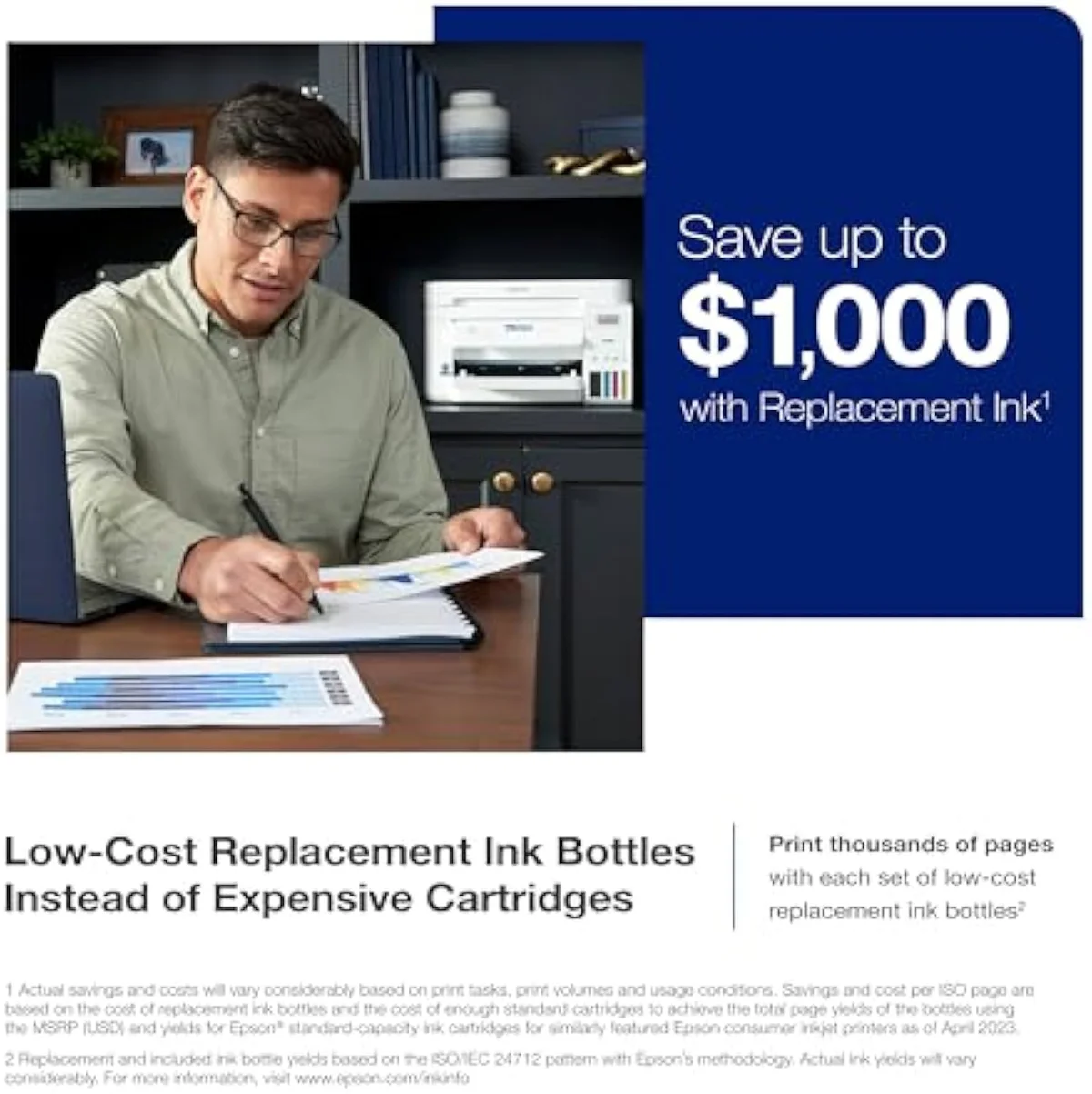
So what does the office model's premium actually buy? A fax modem, first — the one hardware line the ET-3850 omits. Then the panel: the ET-4850 carries the larger touchscreen at the top of the line, where the ET-3850 runs a smaller display. That is close to the whole list. Owners value the wired link on both, and on the ET-4850 one notes it sits on
Print quality is a wash as well, and good. One ET-3850 owner calls it
The quirks both rungs share
One set of failure modes ignores the price tag entirely: these are the same family, so they inherit the same trouble. This is the part no EcoTank buyer escapes by stepping up.
Idleness first. Both run liquid ink, so both dry out if left alone — the owner protocol on the line is specific:
The feeder is the second shared limit, and it under-delivers on both: it scans one side only. An ET-4850 owner found
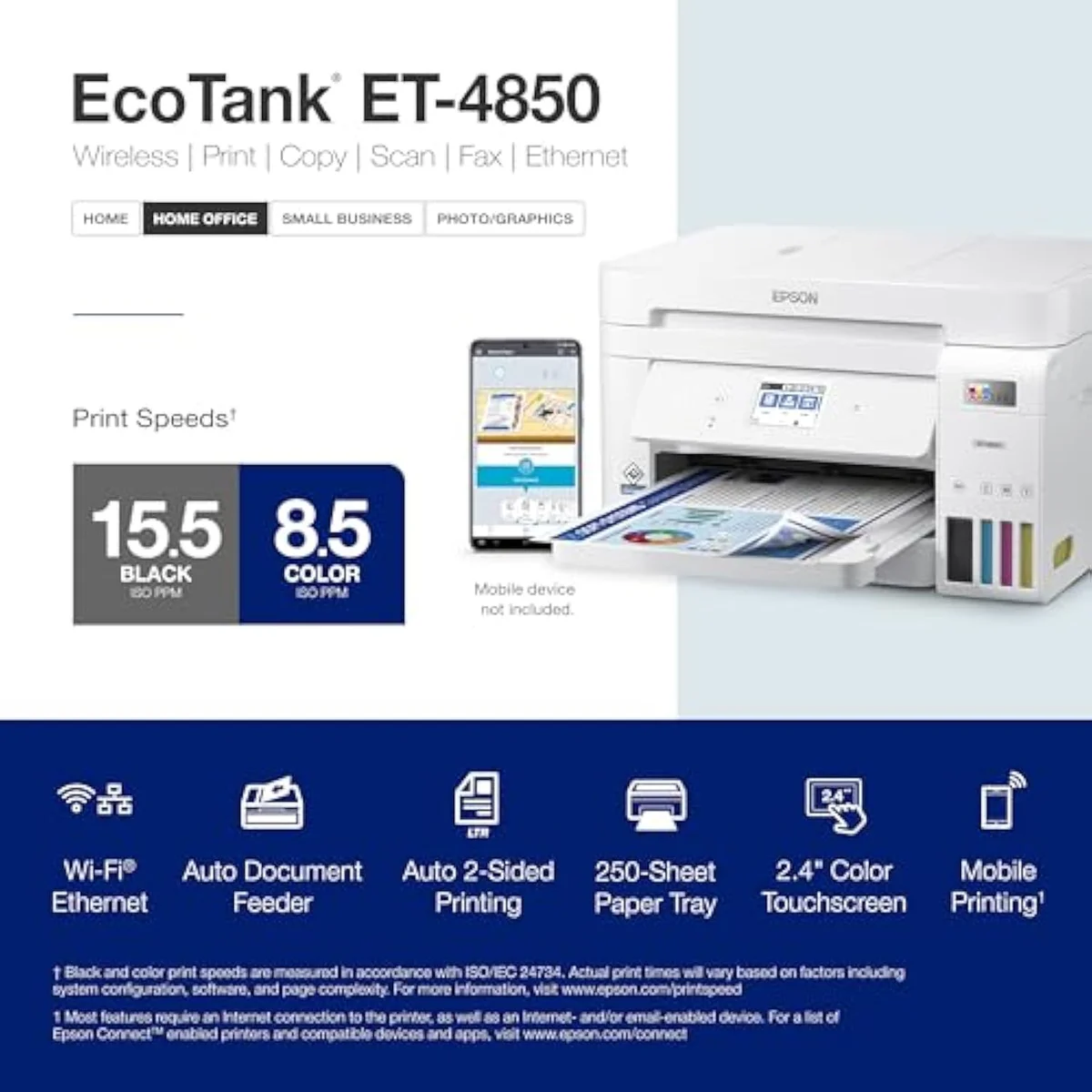
Epson EcoTank ET-4850
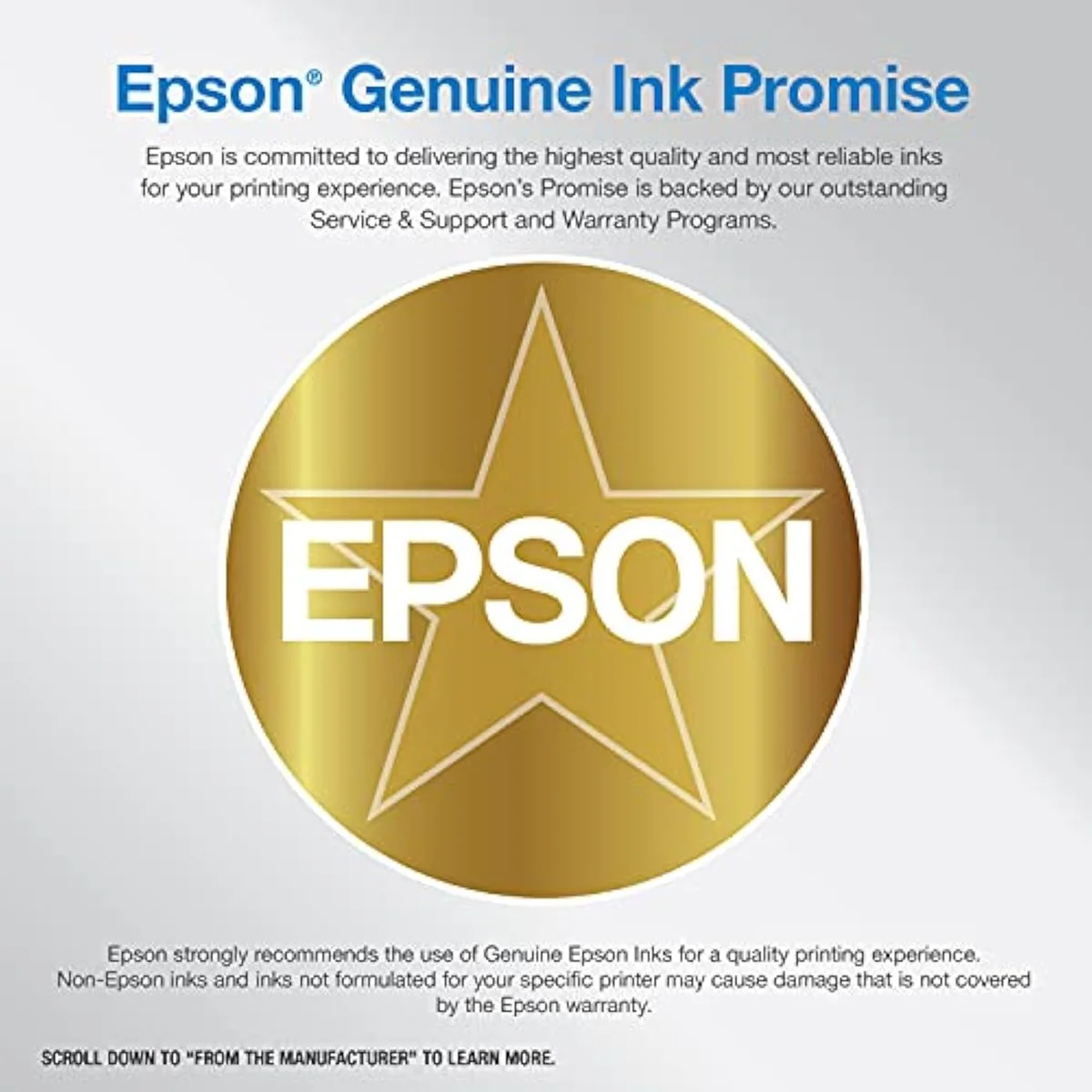
Epson EcoTank ET-3850
So which EcoTank — the office model or the home one?
Because the ink math is a tie and most of the office hardware is on both, "who buys which" comes down to one question: do you fax? If you're coming from a clogged or bricked cartridge printer, either EcoTank is the upgrade, and the cost savings land the same on both. The split is the office model's fax modem and its slightly nicer panel versus the price gap.
Buy the ET-4850 if…
…faxing is part of your work, or you want the largest control screen in the line. The fax modem is the one piece of hardware the ET-3850 cannot match, and for a home office that still sends or receives faxes — legal, medical, real-estate paperwork — that alone settles it. You also get the bigger touchscreen and a marginally better owner record at 4.3 stars. Going in, accept that you are paying for the fax, not for cheaper printing or a better feeder — those are identical to the cheaper sibling.
Buy the ET-3850 if…
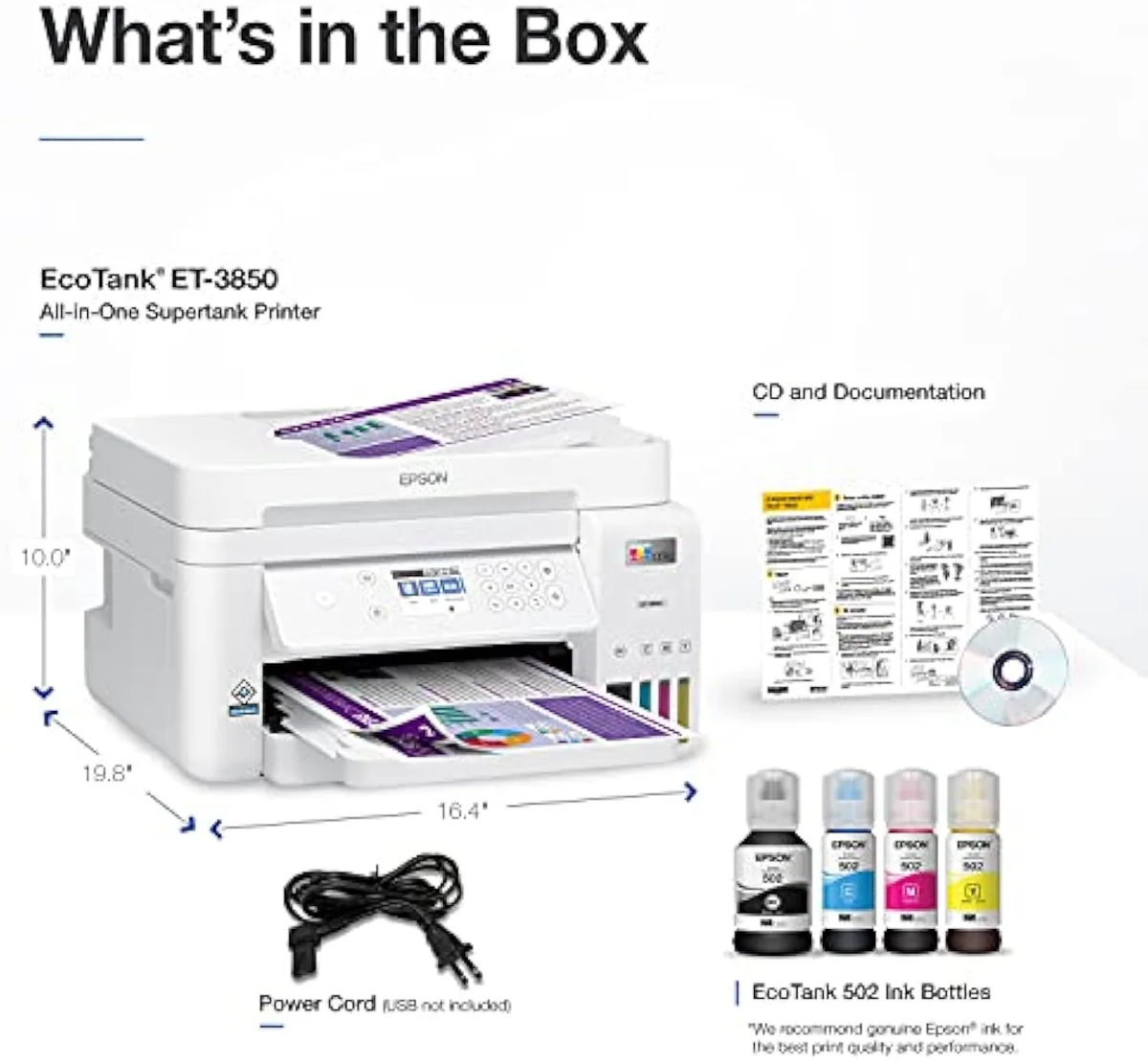
…you never fax, which is most home offices. The ET-3850 gives you the identical bottle-ink cost, the same automatic document feeder, the same wired Ethernet, the same auto-duplex and the same crisp black text — for less money, with only the fax and a smaller screen surrendered. For the household that prints homework, recipes, return labels and the weekly stack of paper, that is the honest pick: the office model's premium would buy a feature that sits unused. We map where each EcoTank rung lands in the line in our printer categories and family structure guide.
Skip both if…
…you print rarely, or you print mostly photos. An EcoTank that sits idle for weeks fights you on either rung — a color laser is the honest pick for sporadic, text-only use, with no liquid ink to dry out. And neither of these is a photo machine; the muted document-line color is wrong for saturated prints. For the full cross-brand running-cost picture, weigh both against the field in our best supertank printers roundup.
ET-4850 vs ET-3850: the office-or-not questions buyers ask
Almost every ET-4850-vs-ET-3850 question reduces to two things: is one cheaper to run (no, they're level) and is the office model's fax worth paying for — so here are the straight answers, feature by feature.
Epson EcoTank ET-4850 or ET-3850 — which is the better buy?
For most home offices, the ET-3850. The two share the cartridge-free bottle ink that makes a supertank worth owning, and they already share an automatic document feeder, wired Ethernet and auto-duplex — so cost-per-page and the core office hardware are level. The ET-4850 is the fully-loaded office model: it adds a fax modem and a bigger touchscreen, and it carries a marginally better owner rating at 4.3 stars across 1,800 reviews against the ET-3850's 4.1 across 801. Real differences, but a thin reason to pay up unless you actually fax. If you do not, the ET-3850 is the same machine at the lower rung.
What does the ET-4850 add over the ET-3850?
One office feature with weight — a built-in fax modem — plus a larger control screen. Everything that earns a supertank its keep is already on both: the same refillable EcoFit ink, the same rated 15.5 ppm black speed, the same single-sided ADF, the same wired Ethernet, the same automatic two-sided printing. So the step up is the fax and the panel, not the printing.
Is the fax modem on the ET-4850 worth paying for?
Only if you send or receive faxes. For everyone else it is dead weight on the price.
Do both the ET-4850 and ET-3850 cost the same to run?
Effectively yes. Both are cartridge-free supertanks that refill from the same EcoFit bottle range, so neither has a cost-per-page edge over the other — the bottle math is identical. That is the whole point of buying either one: the running cost is the same low number, and it sits far below any cartridge all-in-one. Independent testing puts that bottle-ink bracket well under cartridge ink on cost-per-page, which is why the choice between these two is about features, not feeding them.
Will either one print good photos?
Neither is a photo machine. Owners describe EcoTank document-line color as muted — fine for worksheets, flyers and the weekly stack of home-office paper, flat for saturated photo prints. Both lay down crisp black text and adequate document color; for photo-led work, a dedicated photo supertank is the right tool and these are the wrong one.
Do both clog if you leave them idle?
Yes — that risk is shared, because both run liquid ink that dries in the nozzles when the printer sits. Leave either one dark for weeks and you invite black stripes and wasted cleaning-cycle ink. The owner fix is the same on both: print something with color and black ink at least once a week. The choice between the ET-4850 and ET-3850 changes nothing here; your print habit decides whether either survives.
Track Both Products
We'll email you if either price drops or availability changes.
Only when something changes. Unsubscribe anytime.
Read the Full Reviews
Citations
- [1]"Epson EcoTank ET-4850 Wireless All-in-One Cartridge-Free Supertank with Scanner Copier, Fax,"https://www.amazon.com/dp/B096N9JMXFCaptured June 4, 2026. Verified June 4, 2026.
- [2]"Prints up to 15.5 pages per minute"https://www.amazon.com/dp/B096N9JMXFCaptured June 4, 2026. Verified June 4, 2026.
- [3]"Auto 2-sided printing helps save"https://www.amazon.com/dp/B096N9JMXFCaptured June 4, 2026. Verified June 4, 2026.
- [4]"ethernet."https://reddit.com/r/homeschool/comments/1msvlxe/do_you_use_the_epson_ecotank_printer_if_so_which/Captured June 4, 2026. Verified June 4, 2026.
- [5]"it doesn't scan doublesided and also had some issues pulling not-perfect sized receipts."https://reddit.com/r/homeschool/comments/1msvlxe/do_you_use_the_epson_ecotank_printer_if_so_which/Captured June 4, 2026. Verified June 4, 2026.
- [6]"After so many prints the paper from the bottom tray will stop feeding"https://www.amazon.com/dp/B096N9JMXFCaptured June 4, 2026. Verified June 4, 2026.
- [7]"don't risk damaging the permanent print head"https://reddit.com/r/homeschool/comments/1msvlxe/do_you_use_the_epson_ecotank_printer_if_so_which/Captured June 4, 2026. Verified June 4, 2026.
- [8]"The color on the ET series is very muted"https://reddit.com/r/homeschool/comments/1msvlxe/do_you_use_the_epson_ecotank_printer_if_so_which/Captured June 4, 2026. Verified June 4, 2026.
- [9]"you want to avoid ink drying in the pipes if you print infrequently"https://reddit.com/r/homeschool/comments/1msvlxe/do_you_use_the_epson_ecotank_printer_if_so_which/Captured June 4, 2026. Verified June 4, 2026.
- [10]"Cartridge-Free Supertank with Scanner Copier, ADF and Ethernet"https://www.amazon.com/dp/B096N7TXR1Captured June 5, 2026. Verified June 5, 2026.
- [11]"Prints up to 15.5 pages per minute"https://www.amazon.com/dp/B096N7TXR1Captured June 5, 2026. Verified June 5, 2026.
- [12]"Auto 2-sided printing helps save"https://www.amazon.com/dp/B096N7TXR1Captured June 5, 2026. Verified June 5, 2026.
- [13]"The print quality is flawless and beautiful with crisp black"https://www.amazon.com/dp/B096N7TXR1Captured June 5, 2026. Verified June 5, 2026.
- [14]"The new tank printers are more expensive but the savings on the ink pays for the printer"https://reddit.com/r/printers/comments/1q2alcw/the_epson_et3850_is_the_greatest_thing_on_gods/Captured June 5, 2026. Verified June 5, 2026.
- [15]"Try to print something at least once per week"https://reddit.com/r/printers/comments/1q2alcw/the_epson_et3850_is_the_greatest_thing_on_gods/Captured June 5, 2026. Verified June 5, 2026.
- [16]"All three were great at first but started printing black stripes from top to bottom"https://reddit.com/r/printers/comments/1q2alcw/the_epson_et3850_is_the_greatest_thing_on_gods/Captured June 5, 2026. Verified June 5, 2026.