Epson EcoTank ET-2980 Review: The EcoTank You Buy for Speed, Not Savings
Updated
The EcoTank that inverts the usual EcoTank deal: you pay a little more per page for PrecisionCore speed and a color screen, and owners say so plainly. Worth the premium if speed and the nicer panel matter to you — otherwise a cheaper ET-2800 saves you the difference and runs about the same.
| Best for | EcoTank buyers who want speed and a screen, not the rock-bottom cost-per-page |
|---|---|
| Skip if | Running cost is your only metric, or you print rarely |
| Ink | Refillable bottle tanks — years of ink in the box |
| Speed | 15 PPM, PrecisionCore, 50% faster than its predecessor |
| Owner rating | 4.2 / 5 across 13 reviews |
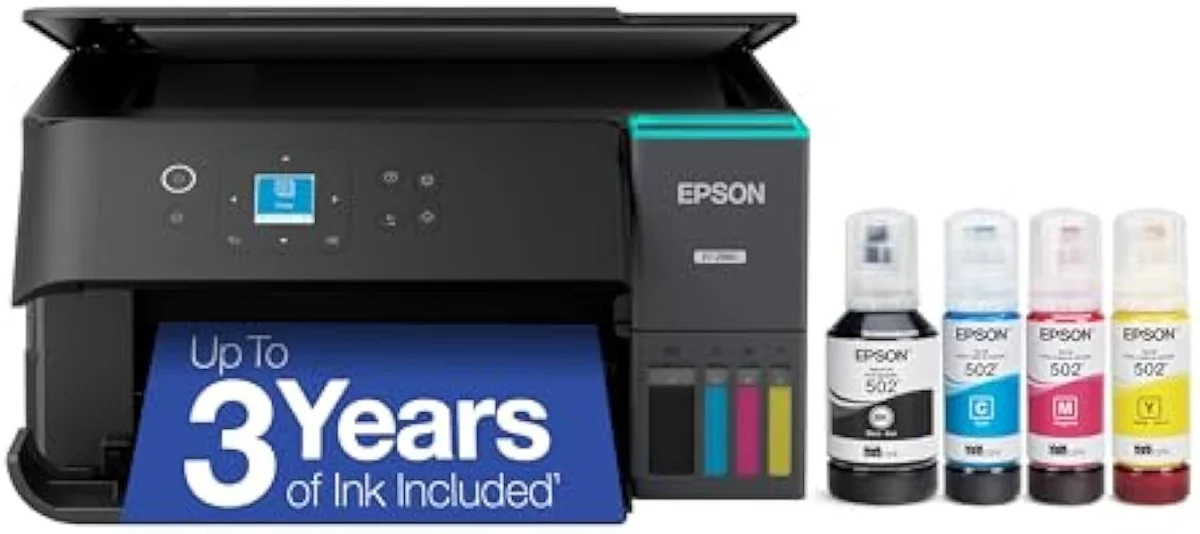
The EcoTank that trades a little cost-per-page for PrecisionCore speed and a color panel — worth the premium if speed and the nicer controls matter, otherwise a cheaper ET-2800 saves the difference on similar ink economics.
Amazon prices and availability are refreshed live and are subject to change. The price shown on Amazon at purchase applies.
Video Review

Our read here pulls together the 13 verified Amazon owner reviews of the Epson EcoTank ET-2980 (a 4.2-star average), the r/printers owner threads we mined, Epson's own published specifications, and independent printer testing from sources like RTINGS' lab-tested printer reviews. We don't run a print lab — we read the owner record closely and price the cost of ownership the box leaves off. We earn a commission if you buy through our links; it never changes the verdict. Read our full methodology →
Overview
The EcoTank that costs more to feed than its siblings
Most EcoTanks get bought to end the cartridge tax — bottle ink that lasts years instead of cartridge sets that empty in weeks. The ET-2980 is the odd one out. Its own owners reach for the same caveat, almost word for word:
That caveat is the whole review in one line.
So the lens this site puts on every machine — the cartridge-versus-tank math of what it actually costs to own over time — has to flip here. The ET-2980 doesn't compete on rock-bottom cents per page. It competes on speed and panel against the cheaper EcoTanks that beat it on pure cost. The verdict is a tier-fit question, not a cost leaderboard.
The owner record is mostly warm. Across 13 reviews the rating sits at 4.2, and the recent quarter ran hotter — Epson's review page shows a recovery to
The quality this thing puts out is unbelievable. Printed alot of 4x6 photos with it already , one early owner writes. A lone skeptic, meanwhile, says theydon't know how this printer has good reviews. The crowd sides firmly with the first camp.
Key Specifications
| Functions | Print, Scan, Copy + auto duplex |
| Connectivity | Wi-Fi, AirPrint, Smart Panel app |
| Ink System | Cartridge-free refillable tanks |
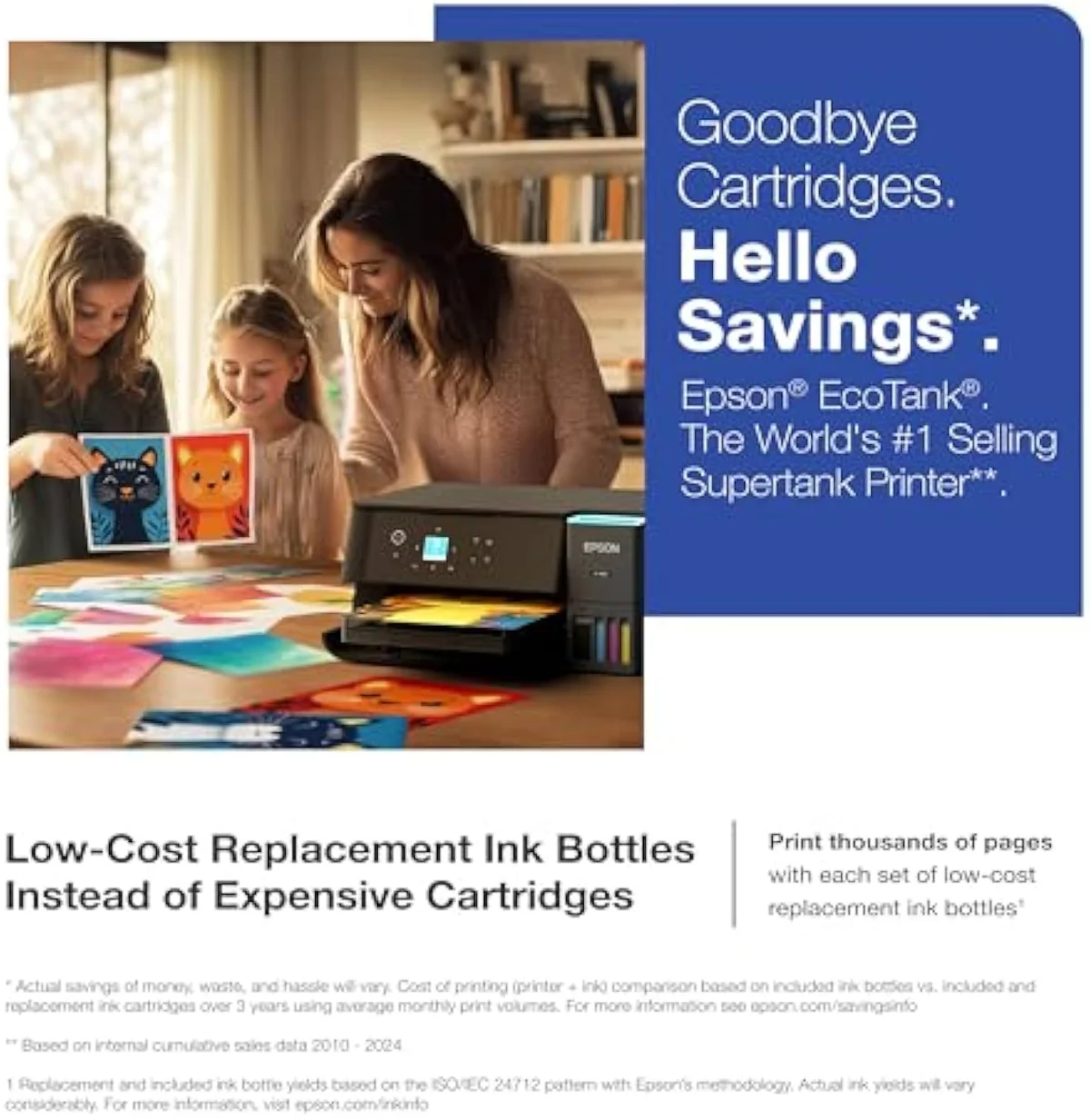
What you pay the premium for
The spec sheet is where the ET-2980 earns its gap over the base EcoTank. The ET-2980 is rated
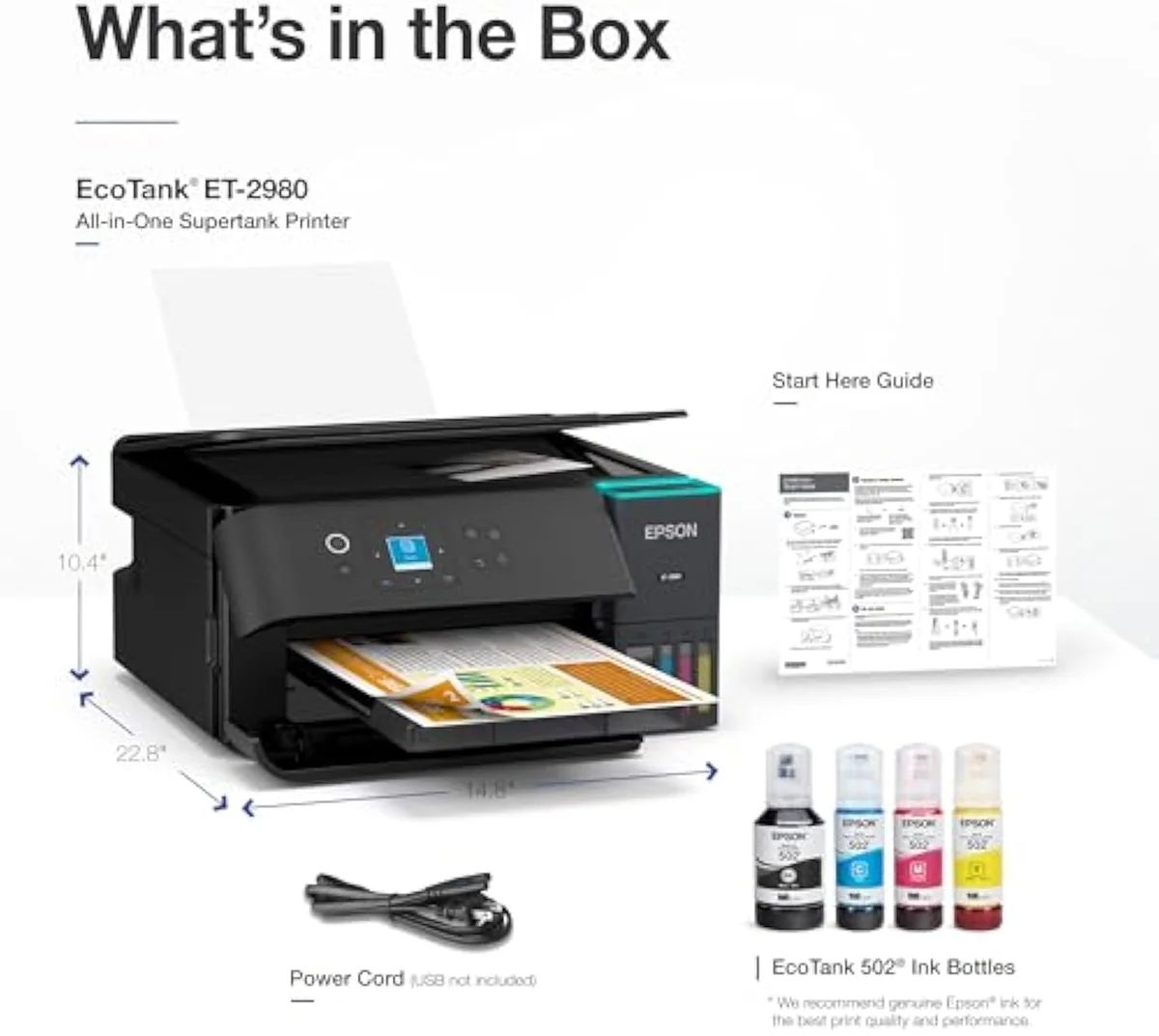
The tank economics are the same EcoTank story, untouched. The box ships full —
Connectivity rounds it out. You can
Pros & Cons
Pros
- PrecisionCore rated 50% faster than its predecessor
- Color screen plus automatic 2-sided printing
- Same refillable bottle tanks — years of ink in the box
- Owners report sharp text and good color
Cons
- Owners say it is not the most economical EcoTank
- Idle weeks risk a printhead clog the cleaning cycle cannot clear
- A near-identical ET-2980U variant locks you into an ink subscription
Performance & Real-World Testing
When it prints, owners stop complaining
Print quality draws the steadiest praise in the set. One owner is
That speed is the part owners notice first, and several didn't expect it from a supertank. The PrecisionCore engine that Epson rates 50% faster than the predecessor turns up in the reviews as a printer quick enough to surprise people before they have even tried the scanner — speed, not photo flash, is the ET-2980's signature, and it is the one thing the cheaper EcoTanks cannot match. Print speed and document quality are exactly the axes we score every machine on in our inkjet printers evidence hub.
The dissent, taken seriously
The record is not unanimous.
One supertank owner returned theirs outright:
Value Analysis
The subscription twin you must avoid
Here's the thing: before the cost math, there's a trap. Epson sells a near-identical ET-2980U, and it is not the printer you want. A buyer who knew better notes they
Now the running cost — the place the ET-2980's pitch gets honest. It uses the same refillable tanks as every EcoTank, so against a cartridge machine it wins by a mile. For an owner coming from a cartridge HP, the gap is stark — one long-term EcoTank owner sums it up:
The catch is internal to the EcoTank line. Against a cartridge HP the ET-2980 is the cheaper machine to own; against its own cheaper sibling, the Epson EcoTank ET-2800, it is the dearer one. Same tanks, same EcoFit bottles, similar cents per page — the ET-2980 just costs more up front for the speed and screen. We weigh that exact premium in our ET-2800 versus ET-2980 comparison. Epson's own page-yield claim is real, but how it lands depends on how much you print, and the manufacturer never sets it beside the price.
THE GAP The in-box yield is genuine and large; the ET-2980 still runs dearer per page than the cheaper EcoTanks because the premium pays for speed, not ink savings.
The permanent-printhead promise
One more line in Epson's favor, with an asterisk. Epson markets the ET-2980 as built
What to Expect Over Time
Living with it: the once-a-week rule
Every inkjet has one failure mode a laser doesn't, and the permanent printhead doesn't repeal it: liquid ink dries in the nozzles when the printer sits unused, and the machine burns ink on cleaning cycles trying to clear it. EcoTank owners are blunt about the fix —
A printer bought for occasional school runs is idle most of the month, and that is the buyer the ET-2980 quietly suits worst — not because it prints badly, but because its tanks reward steady use. Print a color page weekly and the clog risk stays low; leave it dark for a month and the cleaning cycle you trigger on restart is ink you paid for, gone. We track that idle-clog pattern against the full owner record in our safety and known-risks guidance.
The third long-term thread is the one Epson built into the catalog: the model number. A standard ET-2980 stays yours to refill from any bottle for years; the subscription ET-2980U turns the same hardware into a recurring bill you cannot escape. Buy carefully, print weekly, and refill freely — and the ET-2980 is a supertank that pays its premium back in speed.
What ET-2980 buyers should settle first
The 13-review record clusters around one tension: the speed and screen win owners over, while the cost-per-page note keeps the verdict honest. These are the questions that tension raises most.
Is the Epson EcoTank ET-2980 a good printer?
For most owners, yes — the 13-review record averages 4.2 out of 5, and the rating climbed to 4.86 across the most recent quarter. The praise is consistent: sharp text, good color, and print speed quick enough that one owner was impressed before even opening the scanner. The honest catch is that owners themselves flag it as not the most economical EcoTank. You are paying a little more per page for the PrecisionCore speed and the 1.44-inch screen than the cheaper ET-2800 charges. If running cost is your only metric, a base EcoTank wins; if speed and the nicer control panel matter, the ET-2980 earns the gap.
What are the downsides of the EcoTank ET-2980?
Three. It is not the cheapest EcoTank to run, by its own owners’ admission. Like every inkjet it spends ink on cleaning cycles if it sits idle — owners warn to print at least once a week to avoid a clog the cleaning routine cannot clear. And there is a packaging trap: a near-identical ET-2980U variant locks you into an Epson ink subscription and cannot be converted back to the standard model.
How is the ET-2980 different from the cheaper ET-2800?
The ET-2980 adds the parts the base EcoTank leaves off: PrecisionCore Heat-Free printing rated 50% faster than its predecessor, a 1.44-inch color screen instead of button-only controls, and automatic two-sided printing. Both use the same refillable bottle tanks and the same no-mess EcoFit bottles, so the ink economics are similar — the ET-2980 simply asks a higher entry price for speed and a better panel.
Is the ET-2980U version worth avoiding?
Yes, unless you actively want a subscription. The 2980U forces automatic Epson ink deliveries, and a 2980U cannot be reconfigured into a standard non-subscription 2980. Buy the plain ET-2980 and you keep the freedom to refill from any bottle you choose.
How does the ET-2980 handle photos?
Better than a budget cartridge machine. One early owner called the 4x6 photo output unbelievable and printed a stack of them within days. It is a four-ink document printer first, though — for serious borderless photo work a six-ink photo supertank such as the ET-8500 holds more color depth.
Will the ET-2980 clog when left unused?
It can. Run a color page through it at least weekly and the risk stays low.
The speed-over-savings call
Buy it for the speed, with eyes open on cost
A home that prints in steady bursts and wants real duplex plus a color panel gets a fast, friendly EcoTank that feeds far cheaper than any cartridge machine. A buyer chasing the absolute lowest cents per page should drop a tier — the same bottle economics live in a cheaper EcoTank without the speed premium.
Against the base Epson EcoTank ET-2800, the ET-2980 costs more up front and runs at a similar cost per page, buying you speed and a screen rather than ink savings. If duplex and faster output matter, that gap is fair; if they don't, the ET-2800 is the smarter spend. The closer call is against the ET-2850, which already has auto-duplex of its own — our ET-2850 versus ET-2980 comparison shows the only real fork there is the faster engine. Want the office tier instead — fax, an ADF, the same tanks — the Epson EcoTank ET-4850 steps up, and the photo-first EcoTank Photo ET-8500 trades document speed for six-ink color depth.
The EcoTank that trades a little cost-per-page for PrecisionCore speed and a color panel — worth the premium if speed and the nicer controls matter, otherwise a cheaper ET-2800 saves the difference on similar ink economics.
Best for: EcoTank buyers who want speed and a color screen, not the lowest cost-per-page
How the Epson EcoTank ET-2980 compares
Track the Epson EcoTank ET-2980
We check the price daily and monitor availability. You hear from us when something changes.
Only when something changes. Unsubscribe anytime.
Citations
- [1]"Comes with enough ink to print up to 6,600 pages black/5,500 color"https://www.amazon.com/dp/B0F1FBQRVBCaptured June 4, 2026. Verified June 4, 2026.
- [2]"Each replacement ink bottle set is equivalent to about 90"https://www.amazon.com/dp/B0F1FBQRVBCaptured June 4, 2026. Verified June 4, 2026.
- [3]"the ET-2980 delivers print speeds 50% faster"https://www.amazon.com/dp/B0F1FBQRVBCaptured June 4, 2026. Verified June 4, 2026.
- [4]"15 PPM, 1.44"https://www.amazon.com/dp/B0F1FBQRVBCaptured June 4, 2026. Verified June 4, 2026.
- [5]"Print and scan from the convenience of your smart device"https://www.amazon.com/dp/B0F1FBQRVBCaptured June 4, 2026. Verified June 4, 2026.
- [6]"unlike conventional thermal inkjet printers"https://www.amazon.com/dp/B0F1FBQRVBCaptured June 4, 2026. Verified June 4, 2026.
- [7]"happy with the print and copy quality on the Epson ET-2980. Text is sharp, colors look good"https://www.amazon.com/dp/B0F1FBQRVBCaptured June 4, 2026. Verified June 4, 2026.
- [8]"prints double or single sided, scans to computer, easy install wireless"https://www.amazon.com/dp/B0F1FBQRVBCaptured June 4, 2026. Verified June 4, 2026.
- [9]"the ET-2980 may not be the most economical printer of choice, but has the feature"https://www.amazon.com/dp/B0F1FBQRVBCaptured June 4, 2026. Verified June 4, 2026.
- [10]"avg_rating: 4.86"https://www.amazon.com/dp/B0F1FBQRVBCaptured June 4, 2026. Verified June 4, 2026.
- [11]"Printing options/settings are handled easier through the phone app than through Windows."https://www.amazon.com/dp/B0F1FBQRVBCaptured June 4, 2026. Verified June 4, 2026.
- [12]"they only fit the correct tank and stop automatically, which makes refilling simple and cl"https://www.amazon.com/dp/B0F1FBQRVBCaptured June 4, 2026. Verified June 4, 2026.
- [13]"don't know how this printer has good reviews."https://www.amazon.com/dp/B0F1FBQRVBCaptured June 4, 2026. Verified June 4, 2026.
- [14]"The quality this thing puts out is unbelievable. Printed alot of 4x6 photos with it already"https://www.amazon.com/dp/B0F1FBQRVBCaptured June 4, 2026. Verified June 4, 2026.
- [15]"print at least one time per week. You do not want to experience the printheads clogging"https://www.amazon.com/dp/B0F1FBQRVBCaptured June 4, 2026. Verified June 4, 2026.
- [16]"didn't** want the ET-2980U model, which requires you to subscribe to automatic epson ink deliveries"https://www.amazon.com/dp/B0F1FBQRVBCaptured June 4, 2026. Verified June 4, 2026.
- [17]"a 2980U printer can't be reconfigured to become a"https://www.amazon.com/dp/B0F1FBQRVBCaptured June 4, 2026. Verified June 4, 2026.
- [18]"In our old HP, we'd be lucky to get a week out of a set of cartridges."https://www.amazon.com/dp/B0F1FBQRVBCaptured June 4, 2026. Verified June 4, 2026.
- [19]"The colors are muted, the text isn’t sharp, and it’s terribly slow. Returned for a laser"https://www.amazon.com/dp/B0F1FBQRVBCaptured June 4, 2026. Verified June 4, 2026.
- [20]"Amazon resellers often substitute cheaper tech items hoping it goes unnoticed."https://www.amazon.com/dp/B0F1FBQRVBCaptured June 4, 2026. Verified June 4, 2026.