Handheld Inkjet Printers: What You're Buying
Updated

Type "handheld inkjet printer" into a search box and you get two completely different machines wearing one phrase. One is a portable document printer — a battery-and-Wi-Fi all-in-one like the Canon PIXMA TR160 that prints letter-size pages from a bag. The other is an industrial marking gun that jets ink onto boxes and pipes on a warehouse floor.
They share thermal-inkjet nozzle technology and nothing else. One fits a laptop sleeve at about 4.5 pounds; the other is production-line equipment.
This page sorts which one you actually want, then runs the cost math on the portable — the PIXMA TR160 and OfficeJet 250 class.
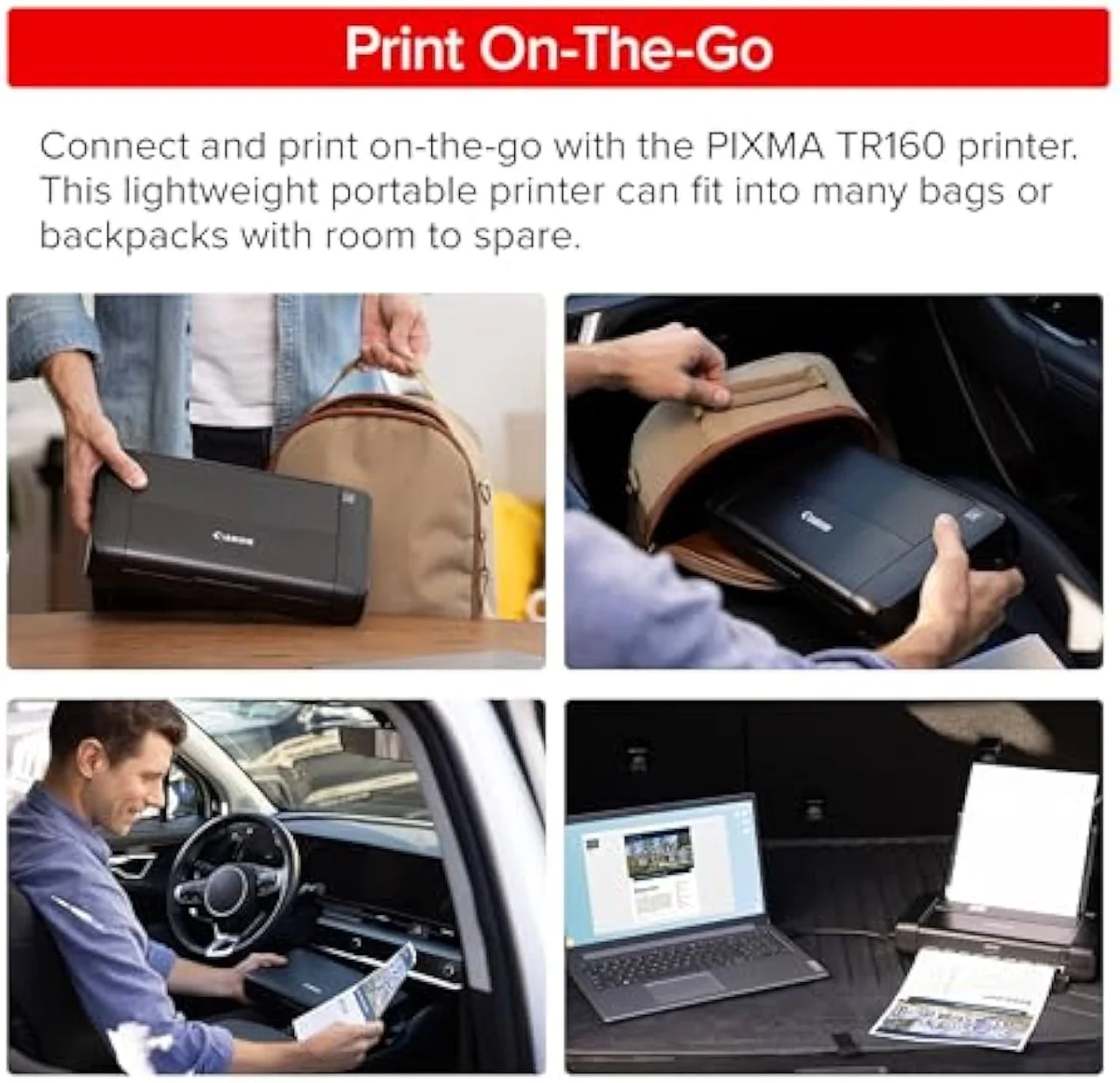
Two machines, one search box
A portable inkjet printer — a Canon PIXMA TR160 or HP OfficeJet 250 — prints standard letter and A4 pages wirelessly on battery, away from a desk. A handheld inkjet marking printer is a swept-by-hand coding tool that jets data onto surfaces. One prints documents; the other marks objects.
The first is what a home or office buyer means; the second is industrial. The whole disambiguation lives in that one verb, and almost nothing else carries across — the Canon PIXMA TR160 weighs 4.5 lb and prints A4 documents, while the marking gun is bench-and-belt coding hardware.
The portable side is the live buying decision for our audience, so the rest of this page is about it. We park the catalog's mobile machines — the TR160, the single-function PIXMA TS702a, the OfficeJet 250 — inside the wider catalog map in our guide to the printer families and how they're structured.
What a portable actually buys you
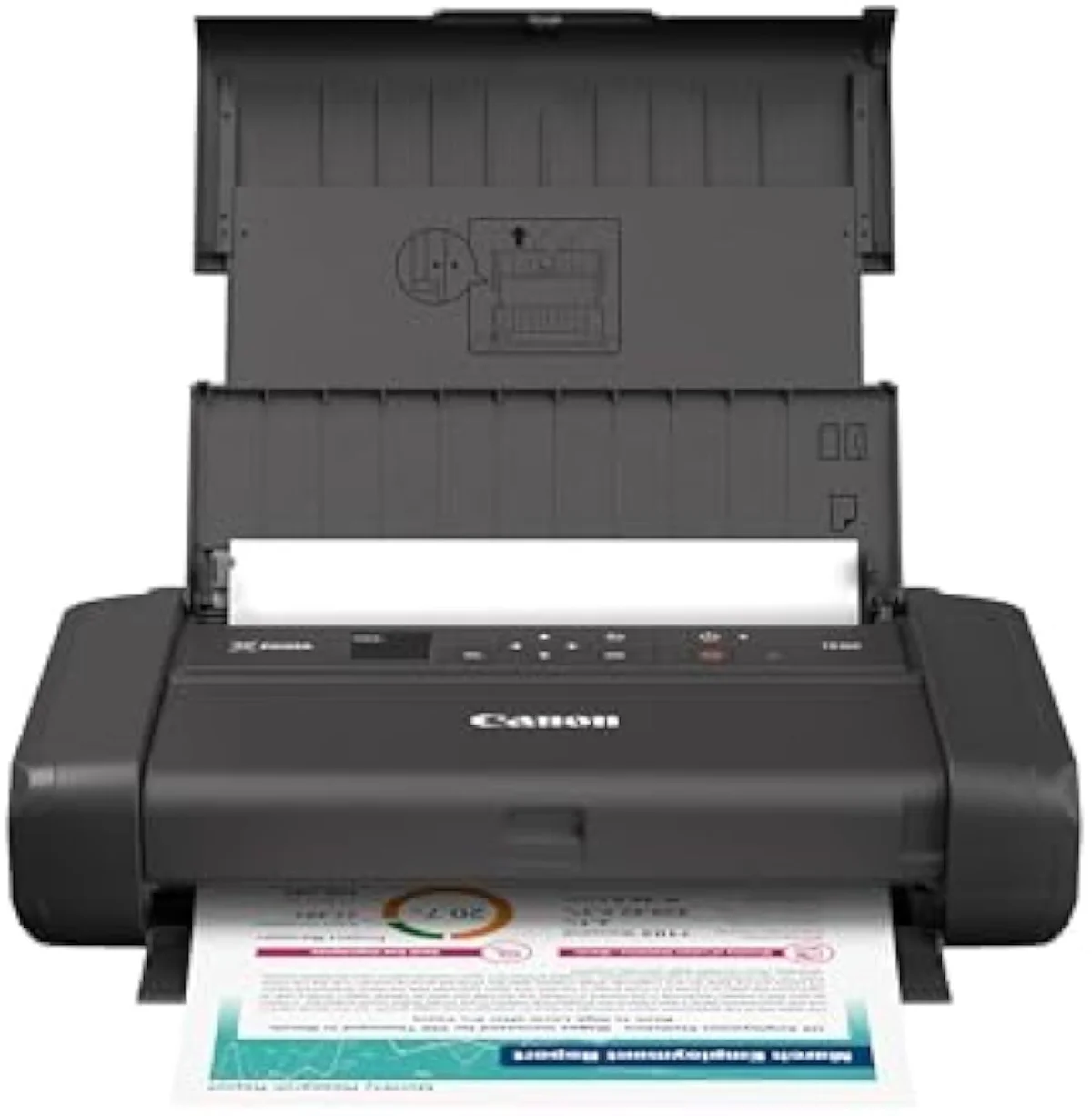
One thing: printing where there is no desk and no power. A Canon PIXMA TR160 weighs about 4.5 pounds and runs from an optional lithium battery.
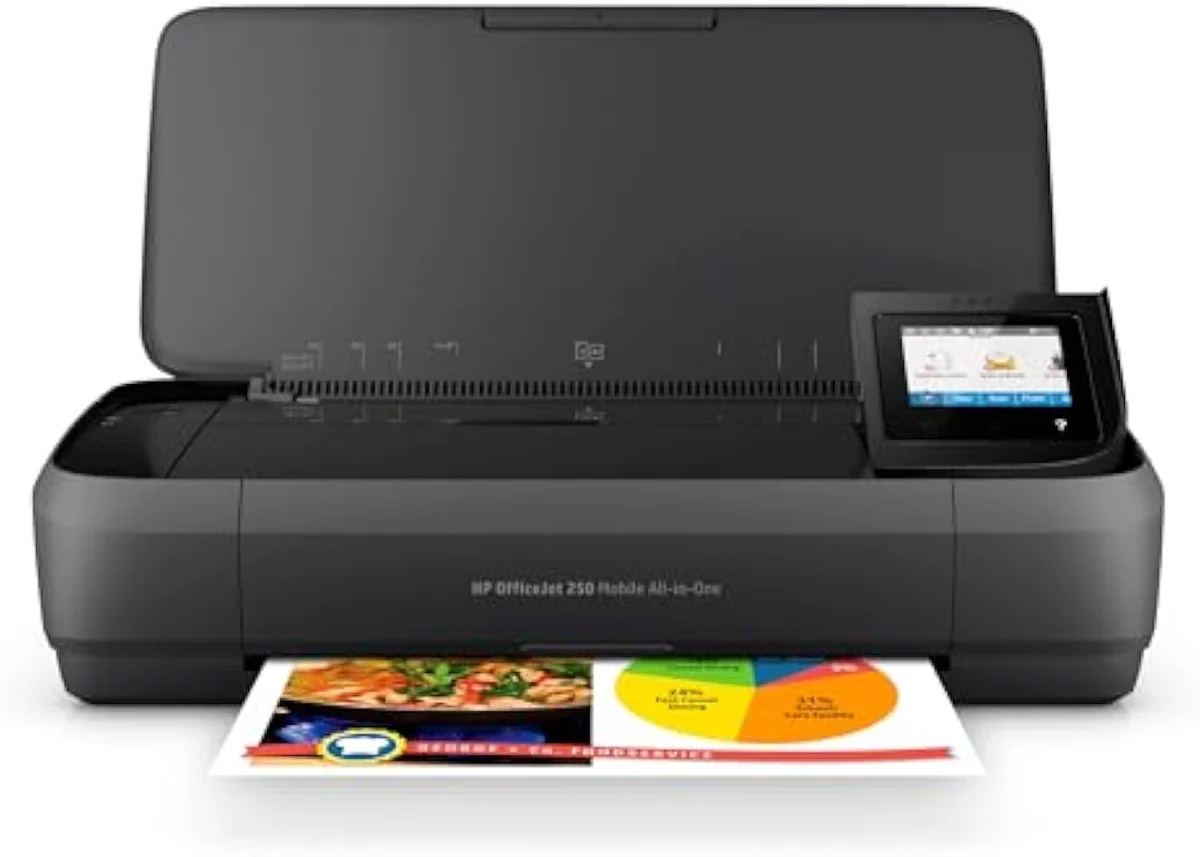
The larger HP OfficeJet 250 is a scan-and-copy all-in-one near 6 pounds with a built-in document feeder. Both print full letter and A4 pages — not labels, not receipts, real documents you would otherwise need a desk machine to produce.
The wireless story is the other half. Both support AirPrint and Mopria, so a phone prints with no cable, and the OfficeJet 250 raises its own Wi-Fi hotspot for a car or hotel room with no network. Editorial testing at PCMag rates the OfficeJet 200 and 250 line as the class benchmark for mobile printing precisely for that go-anywhere wireless setup.
The portability premium nobody quotes
Here's the thing: you pay for mobility three times — in sticker price, in ink, and in 9-pages-per-minute speed.
The buy-in runs higher than a home all-in-one with the same scan-and-print functions. The ink is worse: these machines use tiny cartridges like Canon's PG-245 class, a fraction of a desktop XL cartridge's page yield, so cost-per-page climbs. And the TR160 prints around 9 pages per minute in black where a mains-powered office machine clears 20 or more.
Plot the cumulative cost of owning a portable against a cheap desktop all-in-one over two years and the lines never cross. Independent cost-per-print testing at RTINGS, which has lab-tested 182 printers, ranks small-cartridge machines among the most expensive to feed per page — and a portable's cartridges are the smallest of all. The desk machine wins at every print volume; the portable is only worth its premium when "at a desk" is not where you print.
The ink-cost runway
≈ 80 pages a month
That cost gap is the whole reason this site exists — to put running cost next to the price the way the brand pages won't. We break the cartridge-versus-tank-versus-laser decision down across the catalog in our type-versus-type tradeoffs analysis.
Portable versus a cheap desktop
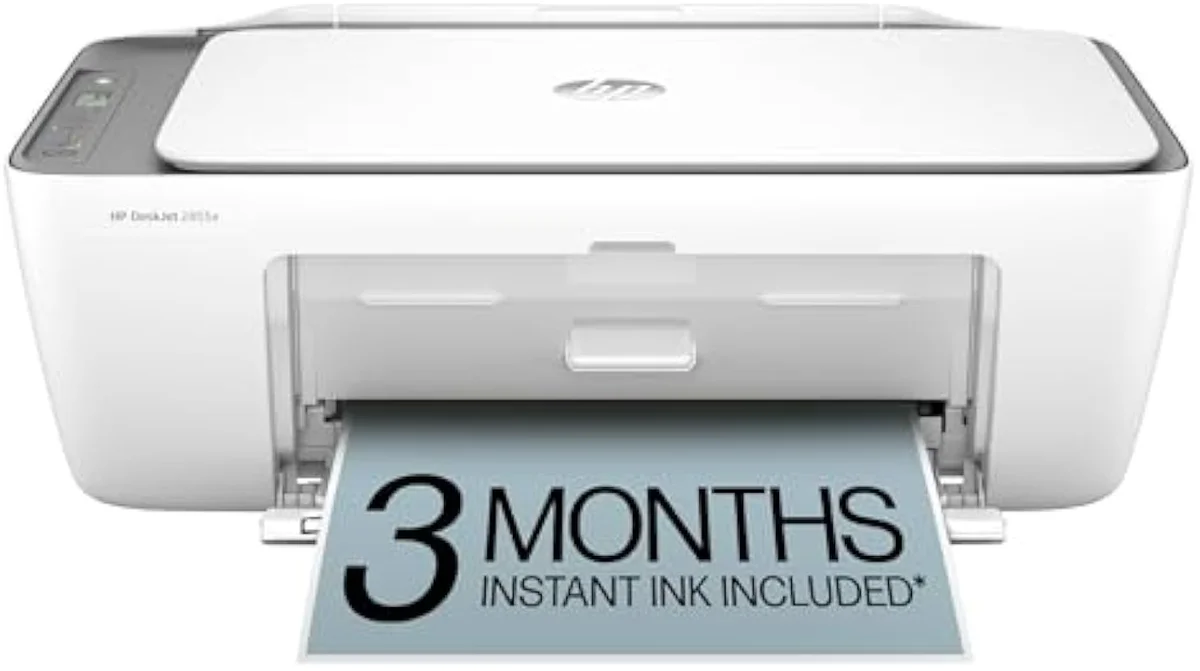
Stand the TR160 next to the DeskJet 2855e and the trade is plain: the desktop wins on cost, the portable wins on location.
A budget desktop all-in-one like the HP DeskJet 2855e does the same core jobs — print, scan, copy, Wi-Fi from a phone — for a lower buy-in and a lower cost-per-page, but it is tethered to a wall outlet and a flat surface. The portable unties both at the price of money and speed.

Portable
Cheap desktop
The catalog has machines for both answers. The portable Canon PIXMA TR160 and HP OfficeJet 250 are the take-anywhere picks; a budget desktop all-in-one covers everyone who prints in one place. We line the contenders up by job and running cost in our best printers roundup, and the cheap-desktop alternative gets a full write-up — the HP DeskJet 2855e on the desktop side.
The clog risk a bag makes worse
Every inkjet shares one failure mode lasers don't: the ink dries. A portable makes it worse, because it lives in a bag for weeks between trips.
Leave any liquid-ink printer idle and ink sets in the nozzles, then the machine spends ink on cleaning cycles to clear the clog. RTINGS scores risk-of-clogging as a first-class metric for exactly this reason; weeks in a laptop bag between trips is the idle pattern that kills a printhead, and a portable spends more of its life there than a desk machine ever does.
RTINGS scores risk-of-clogging as a first-class printer metric because it is the second-loudest owner complaint after running cost. The fix is free and identical for every brand: print something in color about once a week. For a portable, that means remembering to wake a machine you only reach for on the road — which is exactly why owners of mobile printers report clogs more often than desk users do.
Because the same idle weeks that clog a nozzle also waste the most ink, regular use protects the printhead and the running-cost case at once. We stage every claimed page-yield number against synthesized owner reports in our inkjet printers evidence hub.
The handheld marking printer, briefly
If you came here for the ink gun: a handheld inkjet marking printer — the Anser or Handjet class of tool — jets codes, dates, and logos onto cardboard, wood, metal, and plastic, where a sheet-fed machine cannot go.
It is a thermal-inkjet (TIJ) coding tool — the same nozzle technology as a desktop printer scaled into a swept-by-hand wand with a print height near 12.7 mm — and it lives on a production line, not a desk. The variable data it lays down is the whole point: batch numbers and expiry dates that change package to package.
It will not print a document, and a portable document printer will not date-stamp a pallet — the two solve unrelated problems with shared physics. Wikipedia's overview of industrial inkjet covers the marking and coding category. Everything else on this site is about the document machines a home or office buyer shops for.
Choosing a portable printer
Match the machine to the journey — print-only at 4.5 pounds, or scan-and-copy at 6.
If you need scan and copy on the road — contracts, receipts, forms — the HP OfficeJet 250's document feeder and longer 500-page battery earn their bulk. If you only need to print and want the lightest, cheapest entry, the single-function Canon PIXMA TR160 at 4.5 pounds is the smaller buy. The full scorecard we apply lives in our comparison criteria.
Where to start
Decide the question first: do you actually print away from a desk? If yes, the HP OfficeJet 250 is the do-everything portable — battery, scanner, and hotspot — and the lighter Canon PIXMA TR160 is the print-only alternative. If no, stop shopping portables and pick a cheap desktop all-in-one; it prints faster and costs less to feed. The machine-by-machine reasoning lives in our research layer below.
Frequently Asked Questions
Handheld inkjet printers in one paragraph
A handheld inkjet printer is one of two unrelated machines: a portable document printer — a battery-and-Wi-Fi all-in-one like the 4.5-pound Canon PIXMA TR160 or the HP OfficeJet 250 that prints letter-size pages on the move — or an industrial marking gun that jets codes onto boxes and metal. Home and office buyers mean the portable, which buys exactly one thing, mobility, at a real cost: a higher buy-in, tiny high-cost cartridges that lift cost-per-page, and slower 9-pages-per-minute speed, so a cheap desktop all-in-one wins at any volume printed in one place. Buy a portable only when "away from a desk" is truly where you print.
What is a handheld inkjet printer?
It depends which one you mean, and the two barely overlap. Most shoppers mean a portable document printer: a battery-and-Wi-Fi all-in-one like the 4.5-pound Canon PIXMA TR160 or the 6-pound HP OfficeJet 250 that prints letter-size pages away from a desk. The other meaning is a handheld marking printer — an inkjet "gun" you sweep across a box, pallet, pipe, or wooden panel to jet a code, date, or logo onto a surface. One fits a laptop bag; the other is industrial equipment.
Are portable inkjet printers worth it?
Only if you really print away from a desk. A portable like the TR160 carries a real premium over a same-function home all-in-one, runs tiny PG-245-class cartridges that cost more per page, and prints slowly — roughly 9 pages per minute in black against the 20-plus an HP OfficeJet Pro manages. Mobility is the only thing that premium buys. Print at a fixed desk and a cheap desktop machine wins on every number that matters.
Can you print from a phone on a portable printer?
Yes — that is the point of one. The TR160 and OfficeJet 250 both support AirPrint and Mopria, so an iPhone or Android phone prints over a direct Wi-Fi link with no router and no cable. The HP OfficeJet 250 adds a self-creating wireless hotspot, useful in a car or hotel room with no network at all.
How long does a portable printer battery last?
The OfficeJet 250's removable lithium-ion battery is rated near 500 pages per charge; the TR160 ships an optional battery (the LK-72) that Canon rates around 330 pages. Both numbers are continuous-print ratings, so a real day of sporadic printing with sleep cycles in between lands lower.
Do portable printers clog if you do not use them?
They clog faster than a desk printer, because the way people use them invites it. A portable lives in a bag between jobs, and weeks of idle time dry ink in the nozzles exactly like any inkjet. The fix is the same one every liquid-ink printer needs — print something in color about once a week — which is harder to remember for a machine you only reach for on the road.
What is a handheld marking printer used for?
Industrial coding. A handheld inkjet marking gun jets variable data — batch codes, expiry dates, barcodes, logos — onto porous and non-porous surfaces like cardboard, wood, metal, and plastic, where a sheet-fed printer cannot reach. It is a warehouse and production-line tool. It will not print your boarding pass, and a document printer will not date-stamp a pallet; the two are not substitutes.
Compare the Top Picks
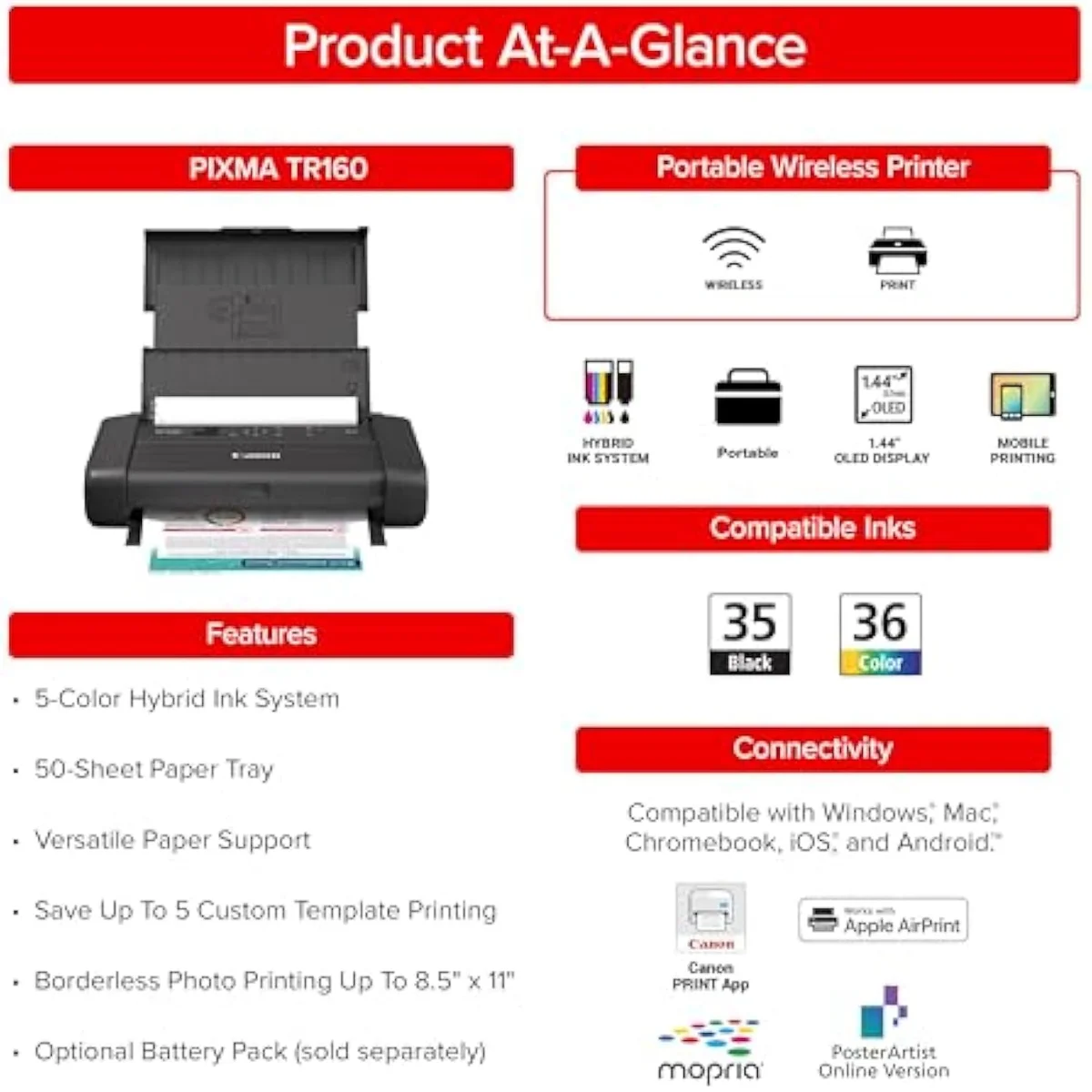
See how the Canon PIXMA TR160 Wireless Portable Printer stacks up against the rest of the field.
Keep reading
Two ad-free explainers that take the cost-of-ownership case deeper, machine by machine:
Sources
- PCMag — portable and mobile inkjet printer reviews (HP OfficeJet 200/250 class)
- RTINGS — printer test methodology, cost-per-print and risk-of-clogging scoring across 182 models
- Canon — PIXMA TR160 specifications, weight, and LK-72 battery page rating
- HP — OfficeJet 250 mobile all-in-one specifications and battery claims
- Inkjet printing — document and industrial marking inkjet overview (Wikipedia)
Inkjet Printers notes that actually mention the tradeoffs
Occasional updates on inkjet printers evidence, price movement, and buyer-fit changes.
Only when something changes. Unsubscribe anytime.